HP DeskJet 3720 reste inactive
Mad2721
-
kaumune Posted messages 22605 Registration date Status Contributor Last intervention -
kaumune Posted messages 22605 Registration date Status Contributor Last intervention -
Hello
I am directly connected to my DeskJet 3720 printer on a Mac
running OS High Sierra version 10.13.6
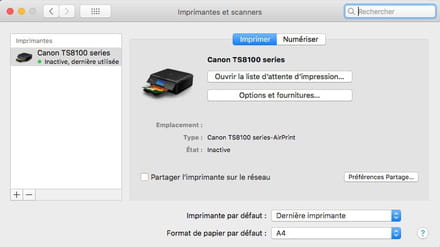
My printer is recognized but remains inactive.
Thank you for your responses.
I am directly connected to my DeskJet 3720 printer on a Mac
running OS High Sierra version 10.13.6
My printer is recognized but remains inactive.
Thank you for your responses.
4 answers
-
Hello,
https://support.hp.com/en-us/drivers/selfservice/hp-deskjet-3700-all-in-one-printer-series/8954253/model/8954254 -
I have already installed and downloaded the software
My printer is recognized but remains "inactive" -
Hello,
Try this:
In the system preferences, click on "Printers".
On the left side of the window, you can see your printer.
On the right, click on the "Open Print Queue" button and at the top left of the window, you should see a green button saying "Pause". Click on it to change pause to "Resume" and it should work. I sometimes have the same issue and that's what I have to do to be able to print. -
Hello,
When the printer is not working, it is normal for it to be marked as "inactive" in System Preferences. However, there should be a green dot if it is ready.
Best regards.