
DCP-J562DW - Issue
Solved
Yveco44
Posted messages
14
Status
Member
-
jmarion3 Posted messages 49498 Registration date Status Contributor Last intervention -
jmarion3 Posted messages 49498 Registration date Status Contributor Last intervention -
Hello,
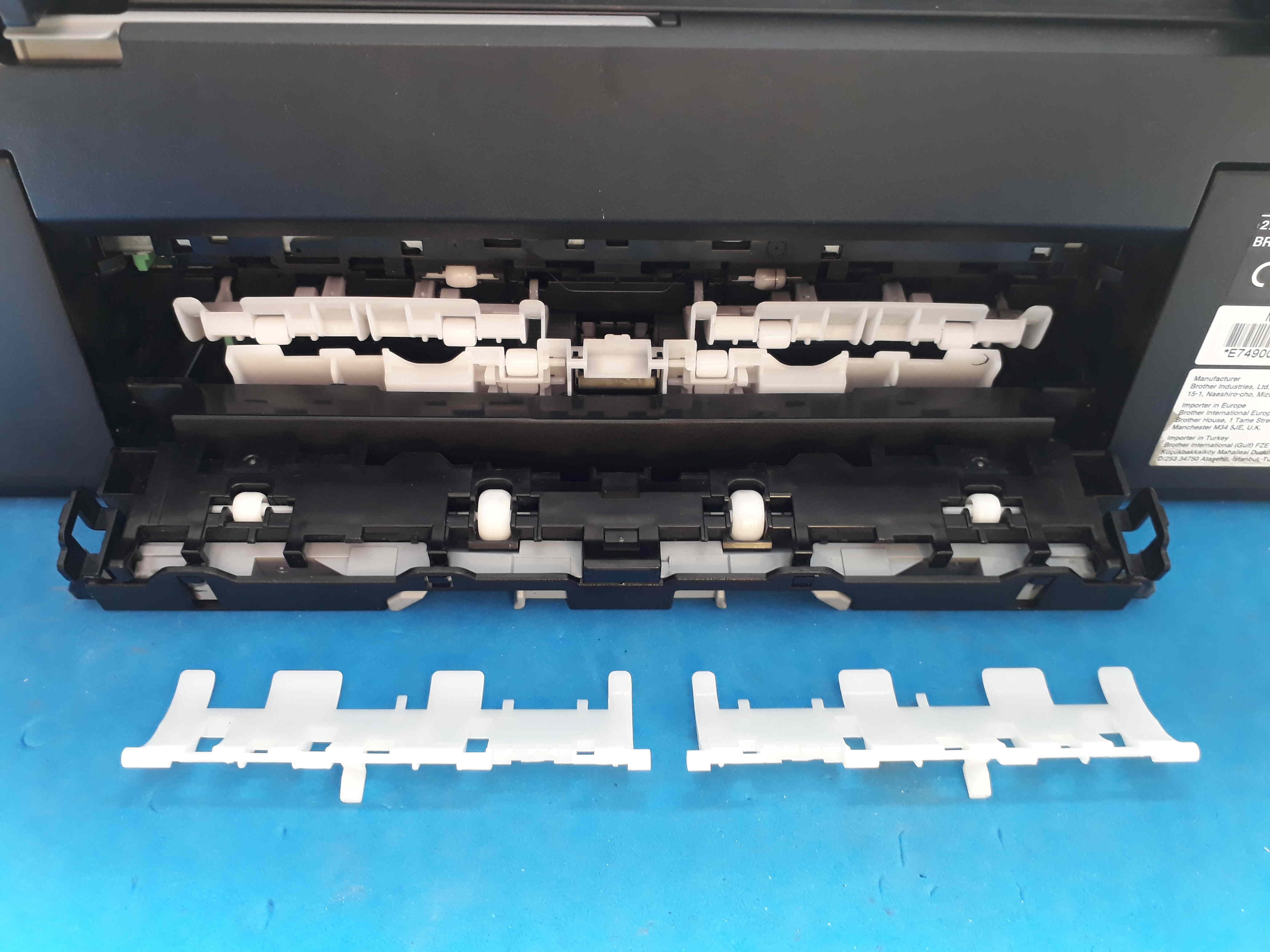
Due to a significant paper jam, I had to dismantle the lower back panel to remove the sheets, and 2 small white pieces shaped like gutters came off (see photo).
After spending a lot of time, I absolutely can't see where to put them back?
If any users of this printer could give me details, or better yet, send me photos of this part, it would be a great help.
Thank you in advance and have a good week everyone.

Due to a significant paper jam, I had to dismantle the lower back panel to remove the sheets, and 2 small white pieces shaped like gutters came off (see photo).
After spending a lot of time, I absolutely can't see where to put them back?
If any users of this printer could give me details, or better yet, send me photos of this part, it would be a great help.
Thank you in advance and have a good week everyone.
4 answers
-
-
Good evening,
Message received.
I will take a close look at it, but it seems that there is no exploded view of the rear part.
I will keep the PDF file carefully just in case.
Thanks for the information.
Best regards. -
Thank you for the new information, but the documentation is the same for the following models:
DCP-J562DW
MFC-J460DW/J480DW/J485DW/
J680DW/J880DW/J885DW
Too bad, I will keep searching.
Have a good evening. -
Hello,
I finally managed to raise the 2 guides in a gutter shape, simply on the moving part, while before I was trying to install them on the fixed part.
The printer is operational again.
Thank you for the responses.
Have a great weekend.
