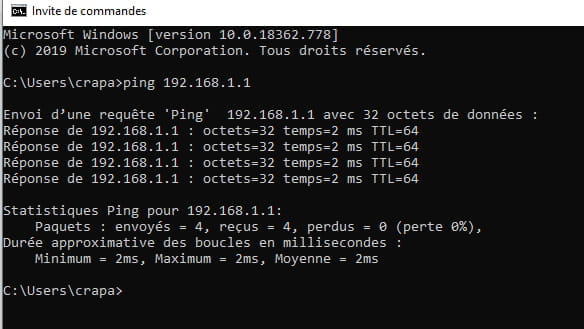
I can no longer access my Livebox Play interface.
Eazy22
Posted messages
10
Status
Member
-
kaumune Posted messages 22605 Registration date Status Contributor Last intervention -
kaumune Posted messages 22605 Registration date Status Contributor Last intervention -
Hello, I can no longer access the interface of my Livebox Play (I have fiber). It was working a month ago. I tried rebooting the box and my PC without success. I uninstalled Hamachi, disabled my firewall, and I don't have any antivirus. I've had this box for about a year and it used to work well before. I can't install the Ma Livebox app because it doesn't detect my box...
So if someone has solutions, thanks for sharing ^^
So if someone has solutions, thanks for sharing ^^
4 answers
-
Why Google’s DNS (8.8.8.8 and 8.8.4.4)?
IPv6 with a Livebox Play is useless. You can disable it (my friend Brupala will correct me if I’m saying something silly, but personally, I’m running without it with the same Livebox as you)
I will also try to reinitialize the TCP/IP settings
https://www.commentcamarche.net/faq/48901-ethernet-n-a-pas-de-configuration-ip-valide-windows-10
If that doesn’t help and if you are sure that it's on all machines trying to access the box's configuration, I will perform a factory reset of the box
Be careful, as I mentioned, to have your network ID and its password that were provided to you by Orange by paper mail
They will be requested if the automatic backup of the configuration with Orange was not activated
On the other hand, all personal configurations will be lost
--