
Top bar of the screen
Solved
Lily 10
Posted messages
56
Status
Member
-
Lily 10 Posted messages 56 Status Member -
Lily 10 Posted messages 56 Status Member -
Hello to you
First of all, I'm sorry if this is not the right place for the topic.
Here is my issue: I installed software for my work, but since then, my PC display has changed and it leaves a blank bar at the top of my screen (see illustration), whereas I didn't have that before the installation of this software. I deleted it hoping to erase this new layout, so to speak, but nothing ...
How can I get back to using the full screen and restore my display organization as it was before?
Thanks in advance :D

Basically, everything in the red rectangle, I can't do anything with or put anything there, as if the screen stops at the bottom of that rectangle ....
First of all, I'm sorry if this is not the right place for the topic.
Here is my issue: I installed software for my work, but since then, my PC display has changed and it leaves a blank bar at the top of my screen (see illustration), whereas I didn't have that before the installation of this software. I deleted it hoping to erase this new layout, so to speak, but nothing ...
How can I get back to using the full screen and restore my display organization as it was before?
Thanks in advance :D
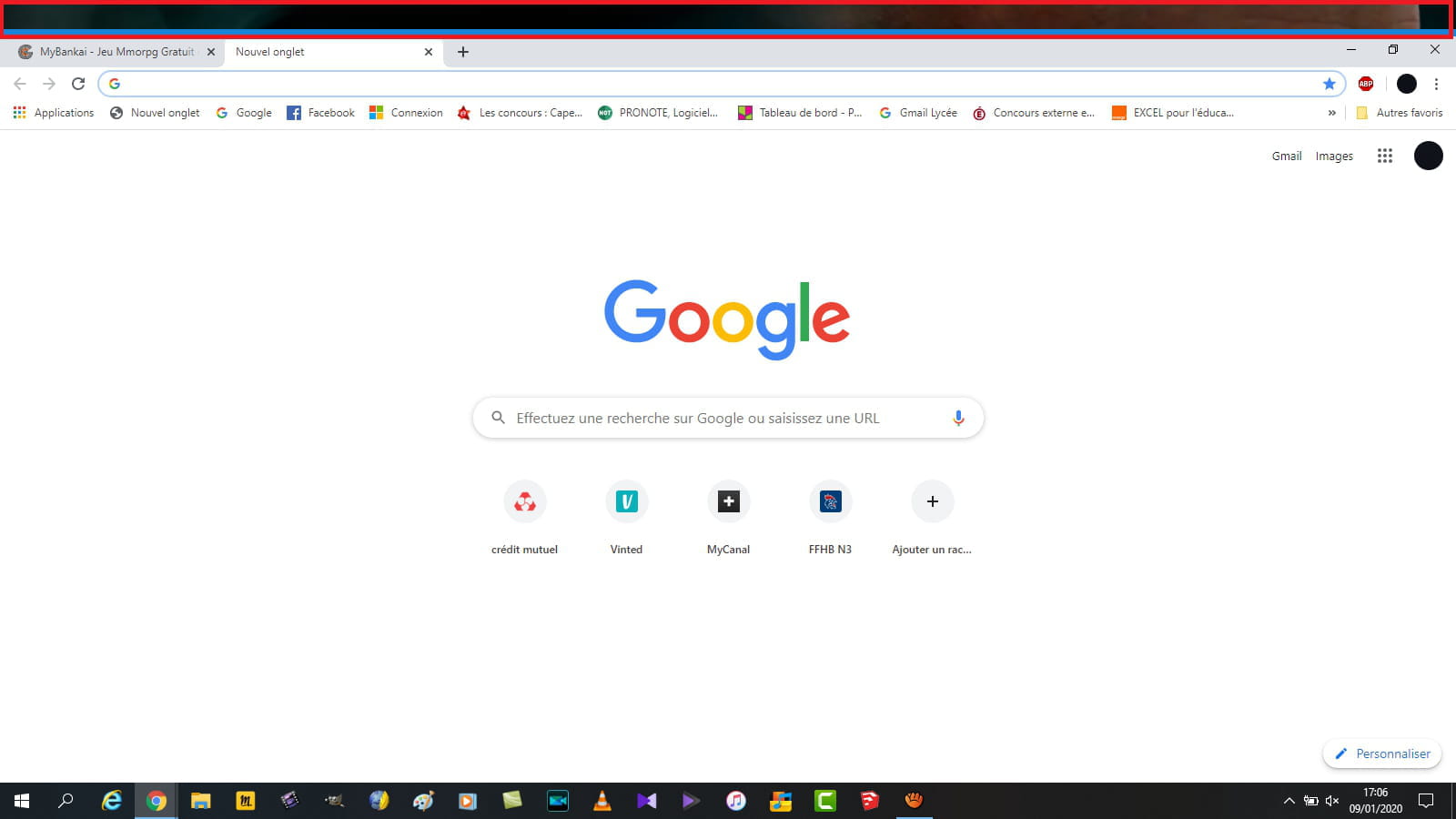
Basically, everything in the red rectangle, I can't do anything with or put anything there, as if the screen stops at the bottom of that rectangle ....
5 answers
-
Good evening,
Are you sure that the Google home page is "full screen"?
Little square in the top right corner.
Is it the upper part of the desktop image that we see? -
Hello, yes I am in full page ...
Even on the desktop I can't place my folders in that area, as if there were an invisible "taskbar". -
Have you tried a system restore to a point before the installation of the software in question?
-
No...
How can I do that? I'm not very knowledgeable about computers. -
Yes, Windows 10 (sorry, I was working yesterday and didn’t have time to reply)
I did your manipulations and everything is back to normal
Thank you SO MUCH