SSD recognized in BIOS but not bootable.
Solved
gladiator06m
Posted messages
41
Status
Member
-
Berty -
Berty -
Hello, due to an important error on Windows, I wanted to do a clean installation of Windows on another SSD that I already had, which is installed in the second slot of my motherboard.
My SSDs are recognized by the BIOS but not when I try to boot from the other hard drive. Indeed, I wanted to install Windows on disk 2 and not on the first one. I had to go to diskpart, format disk 2, and convert it to GPT as primary; the star appeared on it. I set disk 1 to MBR, so the star disappeared from disk 1, and I formatted it too. Neither is recognized at BIOS startup.
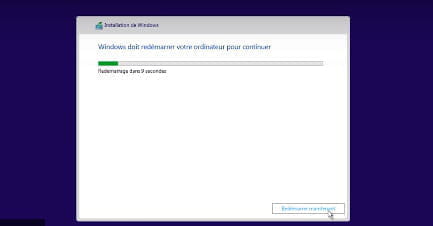
When I prepare to reinstall Windows, I see both hard drives; the installation goes well, but as you know, at one point Windows has to restart, and then it doesn't boot, giving me an error + blue screen. I think it's a boot problem regarding diskpart. Do you have a solution, please?
Configuration: gigabyte aero 15x
gtx 1070
1to ssd
16gb of ram
My SSDs are recognized by the BIOS but not when I try to boot from the other hard drive. Indeed, I wanted to install Windows on disk 2 and not on the first one. I had to go to diskpart, format disk 2, and convert it to GPT as primary; the star appeared on it. I set disk 1 to MBR, so the star disappeared from disk 1, and I formatted it too. Neither is recognized at BIOS startup.
When I prepare to reinstall Windows, I see both hard drives; the installation goes well, but as you know, at one point Windows has to restart, and then it doesn't boot, giving me an error + blue screen. I think it's a boot problem regarding diskpart. Do you have a solution, please?
Configuration: gigabyte aero 15x
gtx 1070
1to ssd
16gb of ram
5 answers
-
Hello,
It's mixing everything up in all directions...
Why touch everything???
Your hard drives can't be seen as bootable in your BIOS since you've emptied them, there's nothing bootable on them.
Set both SSDs back to GPT, "convert gpt" and that's it.
The UEFI must be in UEFI mode only, no legacy CSM or anything else.
Also disable secure boot.
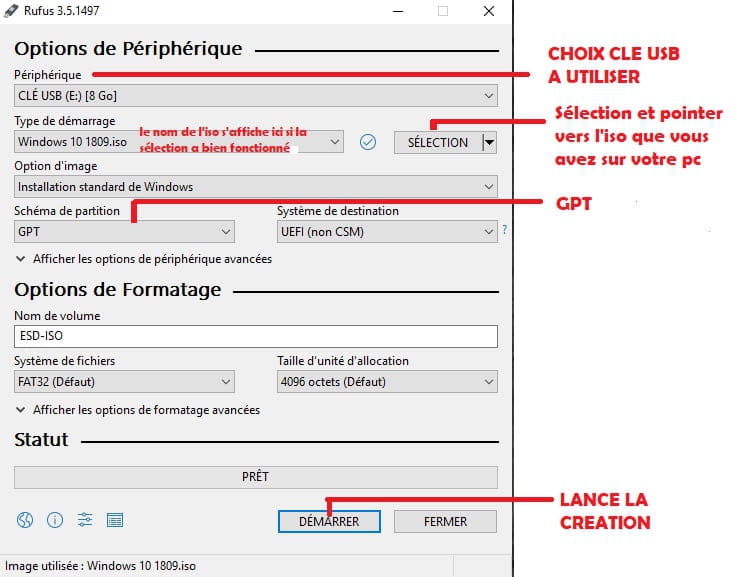
Installation key made with Rufus in GPT type, and ISO taken from Microsoft.
Install on the SSD you want and that will be good.
It's the installation that will do what needs to be done on the drives, so normally there's nothing to tinker with beforehand like you tried to do.
Auto message
If you're here, it's because you don't know, so... ;-)
Mini Regarding the volunteers who help you: Response, Respect, Politeness,...-
-
Finally, someone who knows how to answer my question. I have the same problem, actually it worked on my desktop before, the SSD, but I believe I don't have UEFI mode on it which means I can't boot/install because I don't have that mode.. However, I have a laptop with that mode which should be able to install my Windows on my SSD and then I'll be able to put it back on my desktop!
-
It's consistent, but there can be other causes. Being in the field, I would have thought like you, but after testing, that wasn't the case, and it's the motherboard that's acting up. Perhaps a bad batch, because Asus generally doesn't have issues, nor do Gigabyte or MSI, which are my three favorite brands.
-