Essentials 2012, Movie Maker, wlsetup-all.exe
Hello,
I am using Windows 10, and I was desperately trying to reinstall Essentials 2012, including Movie Maker. I found wlsetup-all.exe through the download http://dl.free.fr/getfile.pl?file=%2FJVeC8F80.
After the download, I installed it, but then, I couldn't find Movie Maker, Mail, or Writer on my PC. When I try to reinstall it, it tells me that these applications are already installed. Apparently, they are installed, but when I search by keywords at the bottom left of my desktop, my PC finds nothing.
Please, get me out of this mess!
I am using Windows 10, and I was desperately trying to reinstall Essentials 2012, including Movie Maker. I found wlsetup-all.exe through the download http://dl.free.fr/getfile.pl?file=%2FJVeC8F80.
After the download, I installed it, but then, I couldn't find Movie Maker, Mail, or Writer on my PC. When I try to reinstall it, it tells me that these applications are already installed. Apparently, they are installed, but when I search by keywords at the bottom left of my desktop, my PC finds nothing.
Please, get me out of this mess!
9 answers
-
ContributorHello,
1- Open the Start button.
Go to the letter W
You should see
- Windows Movie Maker
- Windows Live Mail (mail)
- Windows Writer
2- In the Cortana search box or in the magnifying glass with Windows 10 version 1903
Copy and paste:
C:\ProgramData\Microsoft\Windows\Start Menu\Programs
Scroll to the bottom of the window, you will find the shortcuts there.
You can then right-click, for example, on Windows Live Mail to create a shortcut on the Desktop (send to...).
Once the shortcut is on the Desktop, right-click if you wish:
- Pin to Start
- Pin to Taskbar
Info:
Another solution to access C:\ProgramData\Microsoft\Windows\Start Menu\Programs
Right-click on the Start button then on the line → Run
Or press the keyboard key Windows + R
Copy/paste → C:\ProgramData\Microsoft\Windows\Start Menu\Programs
For Windows Live Mail
Right-click on the Start button then on the line → Run
Copy/paste
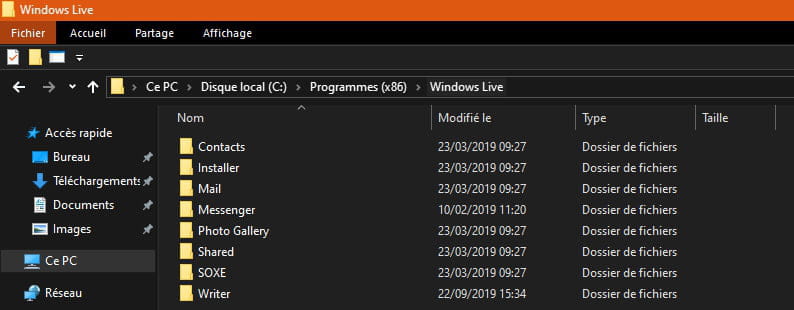
C:\Program Files (x86)\Windows Live\Mail
Scroll to the bottom of the window.
Right-click on → wlmail
Send to (create a shortcut to the desktop)
Source
For Windows Movie Maker, I can't tell you because I couldn't find any shortcuts in its directory location.
A+