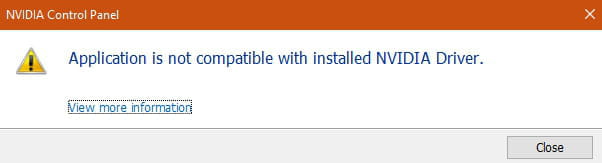
Error message: "NVIDIA display settings are not available"
Solved
Wyzou
-
pistouri Posted messages 19010 Registration date Status Contributor Last intervention -
pistouri Posted messages 19010 Registration date Status Contributor Last intervention -
Hello, good evening,
I am reaching out to you today because I cannot access the NVIDIA control panel. When I try to launch it, an error message appears: "NVIDIA display settings are not available. You are not currently using a display connected to an NVIDIA graphics processor."
I have tried uninstalling the driver and then reinstalling the correct one from nvidia.fr, I checked that my graphics card was indeed enabled... But the problem persists and I still haven't found a solution.
For your information, my graphics card is an NVIDIA GeForce GTX 1050 TI.
Thank you in advance for your help.
Best regards,
I am reaching out to you today because I cannot access the NVIDIA control panel. When I try to launch it, an error message appears: "NVIDIA display settings are not available. You are not currently using a display connected to an NVIDIA graphics processor."
I have tried uninstalling the driver and then reinstalling the correct one from nvidia.fr, I checked that my graphics card was indeed enabled... But the problem persists and I still haven't found a solution.
For your information, my graphics card is an NVIDIA GeForce GTX 1050 TI.
Thank you in advance for your help.
Best regards,
7 answers
-
Good evening Wyzou,
Try this again.
Search in the Start Menu: Device Manager
- Click on Graphics card.
- Then enable all your graphics cards (right-click/enable).
Restart your computer.
Best regards,
--
ChariduP-
-
The Intel graphics card is working fine, I have no issues, however, with the NVIDIA one, the device manager tells me it is functioning properly.
- Uninstall everything related to NVIDIA using iObit Uninstaller.
iObit Uninstaller : https://www.iobit.com/en/advanceduninstaller.php
After uninstallation, restart the computer.
Then reinstall the NVIDIA drivers and check if the problem persists.
Best regards,
-