Issue with the scan-manga site
Julain
Posted messages
10
Status
Member
-
Julain Posted messages 10 Status Member -
Julain Posted messages 10 Status Member -
Hello, Good evening to you,
So here it is, I often used to read my scans on the scan-manga site and not long ago, I wanted to go back but on my computer it says "This site is unavailable." Is it my computer or something else? I have no idea. I've searched and there have been some answers on the subject. They said to try in private browsing, I did that but it didn't work. I fiddled with my computer but nothing changed. I'm not used to asking for this kind of thing. Most of the time I find the answers to my questions but this time I need help please!
So here it is, I often used to read my scans on the scan-manga site and not long ago, I wanted to go back but on my computer it says "This site is unavailable." Is it my computer or something else? I have no idea. I've searched and there have been some answers on the subject. They said to try in private browsing, I did that but it didn't work. I fiddled with my computer but nothing changed. I'm not used to asking for this kind of thing. Most of the time I find the answers to my questions but this time I need help please!
7 answers
-
pistouri Posted messages 19011 Registration date Status Contributor Last intervention Ambassadeur 8 723
Check also:
- Open Device Manager and see if you have any alerts, exclamation points
- Windows Defender should be all green.
- Make sure you are using a static IP, tutorial here
- It seems you are using Wi-Fi, are the keyboard keys activated (fn+...)
- Run the Windows Troubleshooting utility
Settings → Update & Security → Troubleshoot
Click on → Internet Connections
Note the message if you see one.
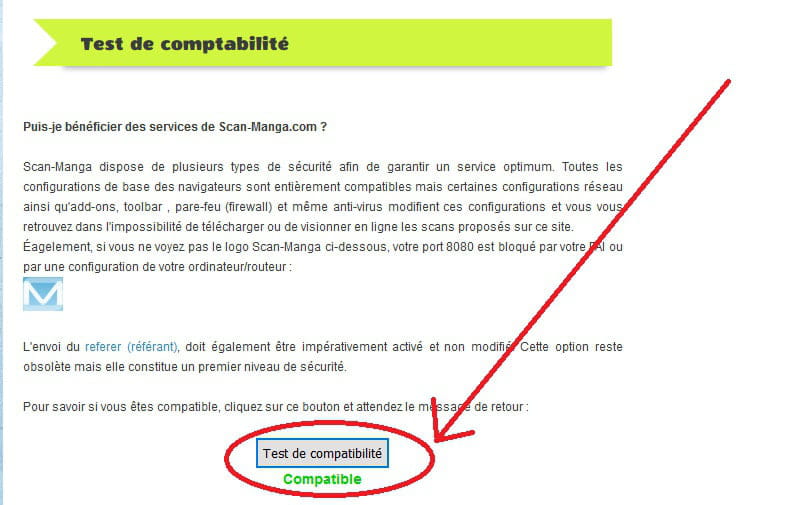
Try to do the compatibility test if you reach the page scan-manga
A+
-
I'm taking a break, I'll be back later.
Is there a geographical restriction from New Caledonia?
Thanks to Xileh for the info, but you can connect with your tablet, so it must be your PC W10.
Try to fix it with Windows Repair
You may have solutions from other participants. -
Even if I click on the compatibility link, it doesn't work. As for the restriction, I don't think so; otherwise, I wouldn't have been able to do it on my tablet. Well, it's not a big deal, I'll make do with other sites for now, while others figure out what's wrong. Thank you for taking the time to respond to my issue.
-