
Violation de démarrage sécurisé
DocR
Posted messages
11
Status
Member
-
Malekal_morte- Posted messages 178136 Registration date Status Moderator, Security Contributor Last intervention -
Malekal_morte- Posted messages 178136 Registration date Status Moderator, Security Contributor Last intervention -
Hello everyone,
I just bought my gaming laptop:
MSI GL62MVR 7RFX-1262XFR Laptop - 15.6'' FHD - 8GB RAM - Core i7-7700 - Storage 128GB SSD + 1TB HDD - GTX 1060 6GB
Without operating system. So I installed Windows 10 64bits myself, which was quite an achievement given my computer skills!
Now I'm trying to install the drivers using the offline mode of drivercloud - is this a good thing?
Everything is getting back to normal little by little, but when I turn on my computer, an error message appears:
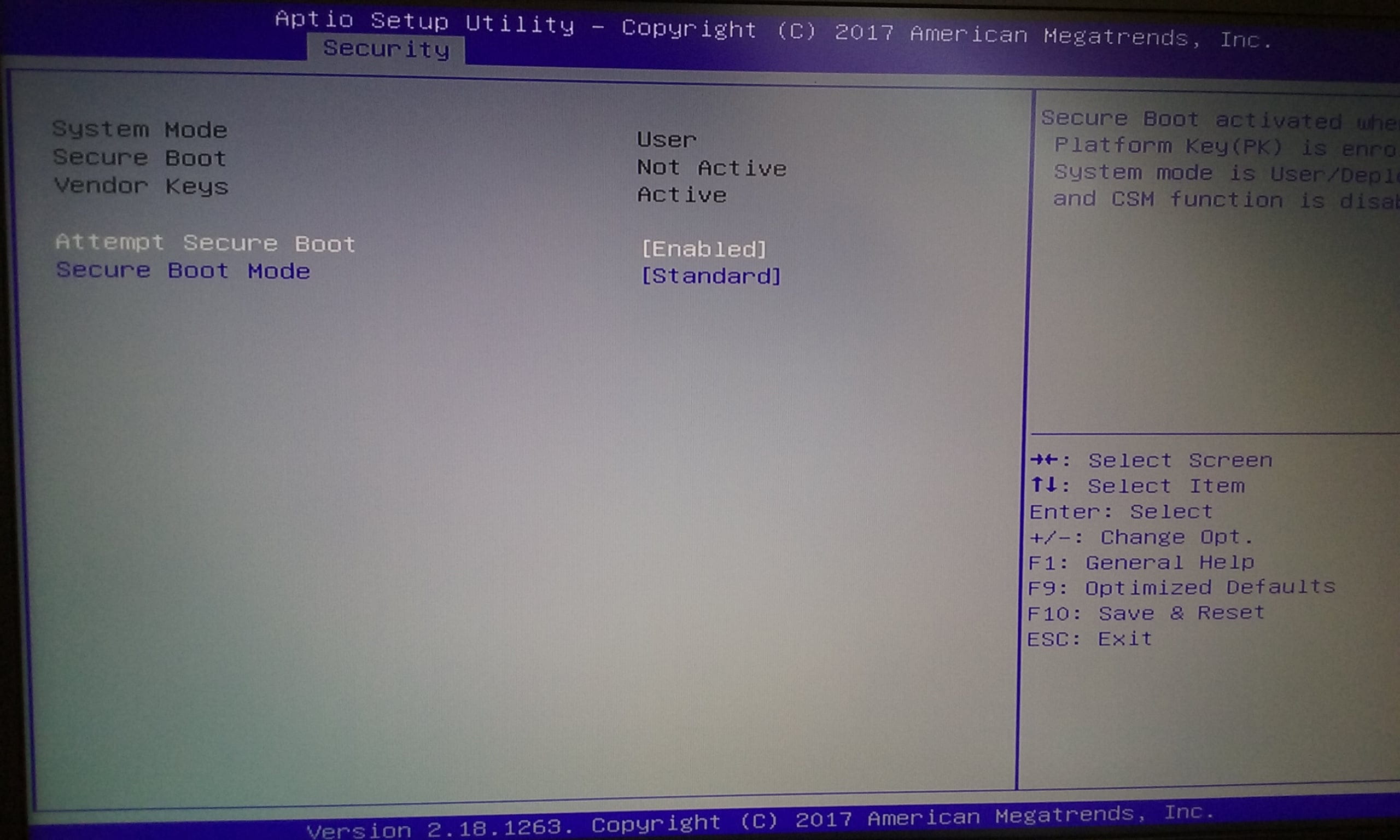
Its name "Secure boot violation", its content: "Invalid signature detected. Check secure boot policy in setup".
With an option: "OK", when I hit the Enter key, it disappears and Windows 10 starts normally.
I really don't know what this message means, or if it's serious, if I should fix this before installing my drivers, but I guess it's not great. So if you have a solution to resolve this error, I would be grateful!
I am adding photos of the BIOS.
Thank you!


I just bought my gaming laptop:
MSI GL62MVR 7RFX-1262XFR Laptop - 15.6'' FHD - 8GB RAM - Core i7-7700 - Storage 128GB SSD + 1TB HDD - GTX 1060 6GB
Without operating system. So I installed Windows 10 64bits myself, which was quite an achievement given my computer skills!
Now I'm trying to install the drivers using the offline mode of drivercloud - is this a good thing?
Everything is getting back to normal little by little, but when I turn on my computer, an error message appears:
Its name "Secure boot violation", its content: "Invalid signature detected. Check secure boot policy in setup".
With an option: "OK", when I hit the Enter key, it disappears and Windows 10 starts normally.
I really don't know what this message means, or if it's serious, if I should fix this before installing my drivers, but I guess it's not great. So if you have a solution to resolve this error, I would be grateful!
I am adding photos of the BIOS.
Thank you!

3 answers
-
Hi,
Your PC comes with Freedos. You probably (I imagine) overwrote it when installing W10. The question is: could there be any traces of freedos left in the efi partition (if you didn't format it) or in the nvram?
This could explain those infamous lines of code when you disable secure boot. In other words, it might be remnants of freedos, not W10, that are causing this message, as W10 has no reason to trigger it.
