"Update.cpp 1203" error wifi driver on Asus T100
Solved
Pilonpilon
Posted messages
1
Status
Member
-
Vedring -
Vedring -
Hello,
not long ago, I reinstalled Windows 10 on my Asus Transformer Book T100HA.
After the reinstallation, a lot of problems appeared: like no wifi, no touchscreen, screen facing the wrong direction... I think all these issues are related to the drivers.
I therefore downloaded the drivers for the wireless connection from the Asus website (https://dlcdnwebsites.asus.com/maintain/web/500.html), and while trying to install them (via USB sticks), an error appears: "Update.cpp 1203".
I would like to point out that in the "Device Manager", there are a number of "unknown devices". However, it seems that the network card is not causing any problems.
I would therefore like to try reinstalling the driver to then install the others directly via the internet.
Thank you in advance to my future saviors.
not long ago, I reinstalled Windows 10 on my Asus Transformer Book T100HA.
After the reinstallation, a lot of problems appeared: like no wifi, no touchscreen, screen facing the wrong direction... I think all these issues are related to the drivers.
I therefore downloaded the drivers for the wireless connection from the Asus website (https://dlcdnwebsites.asus.com/maintain/web/500.html), and while trying to install them (via USB sticks), an error appears: "Update.cpp 1203".
I would like to point out that in the "Device Manager", there are a number of "unknown devices". However, it seems that the network card is not causing any problems.
I would therefore like to try reinstalling the driver to then install the others directly via the internet.
Thank you in advance to my future saviors.
4 answers
-
Hello,
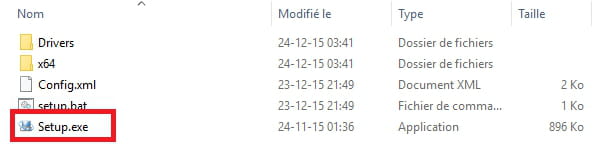
Try this driver --> SOCPackage
Unzip it
Run setup.exe
--
Human beings are at their best when things are at their worst.-
-
-
Awesome package: after reinstalling Windows 10, SOCPackage completes all the configuration.
At first, I was determined to update all the drivers (hoping it would be enough).
And bam, disaster: "error update.cpp 1203" on the installation of the first driver (for the Wi-Fi). Grrrr...
But ultimately, this error was a blessing in disguise. It led me to this "miraculous" solution.
Thanks again. -
-
-
Hello/Good evening;
I have exactly the same problem, but unfortunately this solution does not work for me. -
-
Hello, I have the exact same problem. Did you find a solution? Please.