
My Bouygues decoder cannot detect my USB key.
LauHnz
Posted messages
1
Status
Member
-
Papounet17000 Posted messages 26460 Registration date Status Member Last intervention -
Papounet17000 Posted messages 26460 Registration date Status Member Last intervention -
Hello everyone,
I regularly plug my USB stick into my TV decoder to watch movies, etc., and suddenly my USB stick is no longer detected. An error message appeared briefly: the format is not readable.
I reformatted my stick but nothing works.
Thank you for your responses,
Have a great weekend.
I regularly plug my USB stick into my TV decoder to watch movies, etc., and suddenly my USB stick is no longer detected. An error message appeared briefly: the format is not readable.
I reformatted my stick but nothing works.
Thank you for your responses,
Have a great weekend.
1 answer
-
Hi,
Restart the box electrically and check if there’s a firmware update.
You must have the BBox Miami, I suppose.
I had it for four months and it managed to mess up my hard drive.
There’s no worse Android box than that.
If you want advice for watching your movies, install the Plex media server application on your PC.
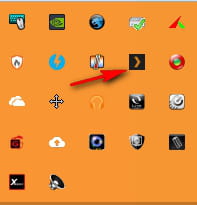
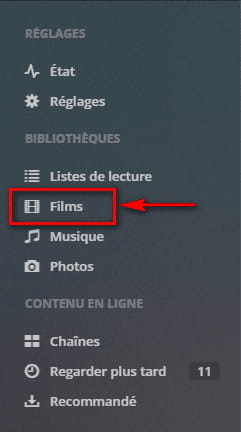
Of course, in Plex (double-click on the Plex icon in the notification area to open it in the browser), you need to add a movies library and select the folder path in it.
On your smartphone, you can also install Plex Android or Plex IOS to watch your personal videos on the TV or play your movies on the smartphone.
The advantage is that it goes through your network, so via Wi-Fi.
No cables to plug in.
You just need to log in with an account created for this purpose on your smartphone, PC, and the box.
For those who have an Android box (the Plex app can be installed on it), they can use the ChromeCast.
Plex allows you to cast videos to the TV.
This software also allows you to convert videos to MP4 with very good image and sound quality.
You will be able to watch your videos without having to copy them to a USB drive.
