Gigaset S1 Home Phone (S100/150)
Solved
doume
-
baladur13 Posted messages 47408 Registration date Status Moderator Last intervention -
baladur13 Posted messages 47408 Registration date Status Moderator Last intervention -
Hello
my Siemens Gigaset S1 phone only rings twice before going to voicemail... how can I extend this ringing time to give me time to answer???
Thank youuuuuuu
my Siemens Gigaset S1 phone only rings twice before going to voicemail... how can I extend this ringing time to give me time to answer???
Thank youuuuuuu
3 answers
-
Hello
http://gse.gigaset.com/fileadmin/legacy-assets/A31008-M1575-F121-2-2X19_fr.pdf
best regards
--
"We gulp down the flattering lie and sip the bitter truth drop by drop." -
Hello,
S1 is a combination for S150 or S100.
Is your base a S150 (with built-in answering machine - multiple buttons on the base) or a S100 (without answering machine - a single button on the base)?
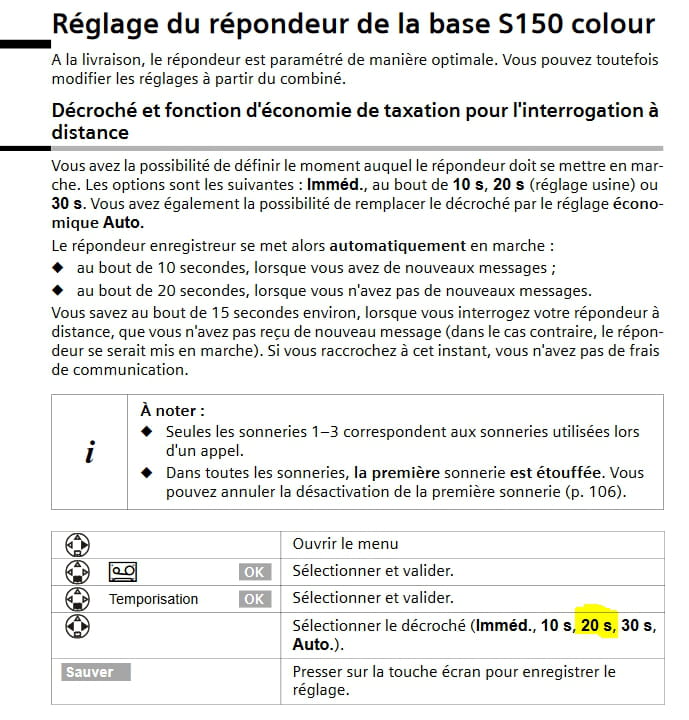
If S150 base: the time before the answering machine picks up must be set to a value lower than that set by your operator to trigger their voicemail.
Generally, operators typically set it to 5 rings (about 25 seconds) by default.
A good setting for your device is therefore 20s (which is 4 rings).
Excerpt from the manual on page 83 (84 of the PDF below)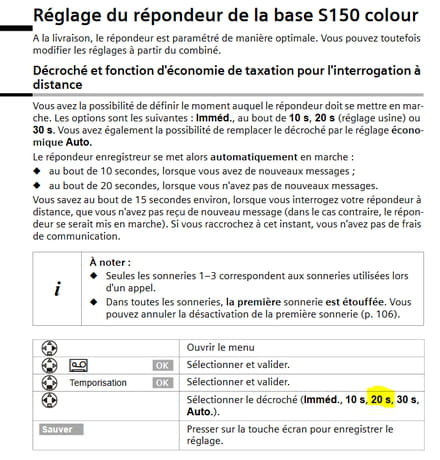
If C100 base, then you need to adjust the number of rings with your operator.
Who is this operator?
The manual: http://gse.gigaset.com/fileadmin/legacy-assets/A31008-M1575-F121-2-2X19_fr.pdf
-
Thank you very much! Everything seems well explained in the manual, but I still can't manage... I'm not skilled...
-
What is the issue
To check (or adjust) the delay time before the answering machine triggers
Press the right button on the browser to open the menu.
Then press the down button on the same browser until you see the answering machine icon.
Then press down again until you see "Timing"
(the current setting should appear).
Then use the left or right buttons to select the desired value.
Finally, press the screen button "Save" to memorize the choice. -
-