Audio and Output Device Issues
heos
-
kaneagle Posted messages 86298 Registration date Status Moderator Last intervention -
kaneagle Posted messages 86298 Registration date Status Moderator Last intervention -
Hello,
I'm reaching out for help after spending a good part of yesterday pulling my hair out.
After a slight incident that may have involved a cordial meeting between my keyboard and some milk, I'm back on my old laptop, a small computer running Windows 8 with not much memory that I used exclusively for classes. After a few hours of usage under good conditions, I checked for updates, especially with Driver Booster.
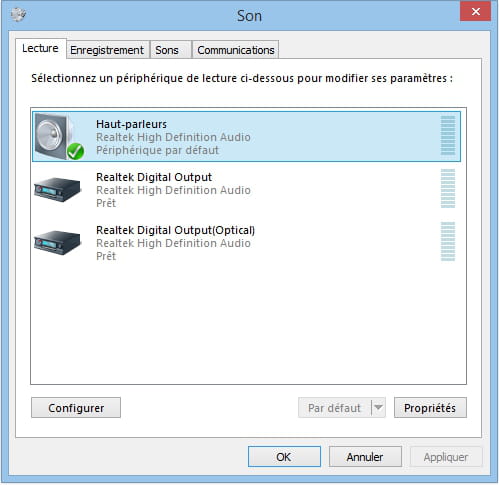
After that, no sound: when I hover over the speaker icon at the bottom right of the screen, it says "no output device is installed." When I right-click on playback devices, this time it says "no audio device is installed."
When I go into my Device Manager, the drivers indicated are marked as up to date, and I can't click on Roll Back Driver.
I attempted a system restore, but apparently, I don't have enough free space left even though all I have on this computer are .doc documents and essential software.
I tried going to the Realtek website to download the updated audio driver, but it doesn't change anything at all.
In short, I'm lost, and if you could help me, it would be great.
Thank you!
I'm reaching out for help after spending a good part of yesterday pulling my hair out.
After a slight incident that may have involved a cordial meeting between my keyboard and some milk, I'm back on my old laptop, a small computer running Windows 8 with not much memory that I used exclusively for classes. After a few hours of usage under good conditions, I checked for updates, especially with Driver Booster.
After that, no sound: when I hover over the speaker icon at the bottom right of the screen, it says "no output device is installed." When I right-click on playback devices, this time it says "no audio device is installed."
When I go into my Device Manager, the drivers indicated are marked as up to date, and I can't click on Roll Back Driver.
I attempted a system restore, but apparently, I don't have enough free space left even though all I have on this computer are .doc documents and essential software.
I tried going to the Realtek website to download the updated audio driver, but it doesn't change anything at all.
In short, I'm lost, and if you could help me, it would be great.
Thank you!
5 answers
-
Thank you for responding so quickly!
In audio, video, and game controllers, I have:
> Microsoft Site-to-Site T-Converter
> Microsoft Site-to-Site T-Converter
> Microsoft Approved Audio Drivers
> Microsoft Distribution Quality Management Proxy
> Microsoft Distribution Service Proxy
> Microsoft Distribution Clock Proxy
> Realtek l25 Audio Codec
(note: all icons corresponding to these lines are transparent)
Brand and exact model number of the PC: Asus T100TA-DK005H
Windows 8.1, 32-bit operating system, x64 processor