
Disk missing from the "Boot priority order"
Solved
Gabachute
Posted messages
4
Status
Member
-
vieu bison boiteu Posted messages 43836 Registration date Status Contributor Last intervention -
vieu bison boiteu Posted messages 43836 Registration date Status Contributor Last intervention -
Hello everyone,
My OS isn't booting anymore.
The BIOS battery had been weak for a while (with whacky date and time), but for the past few days, the OS won't boot at all. I have changed the battery. The date and time are fine now, but the OS still won't start.
I think my problem can be summarized as follows:
I can see my hard drives from the BIOS, but they do not appear in the "Boot priority order."
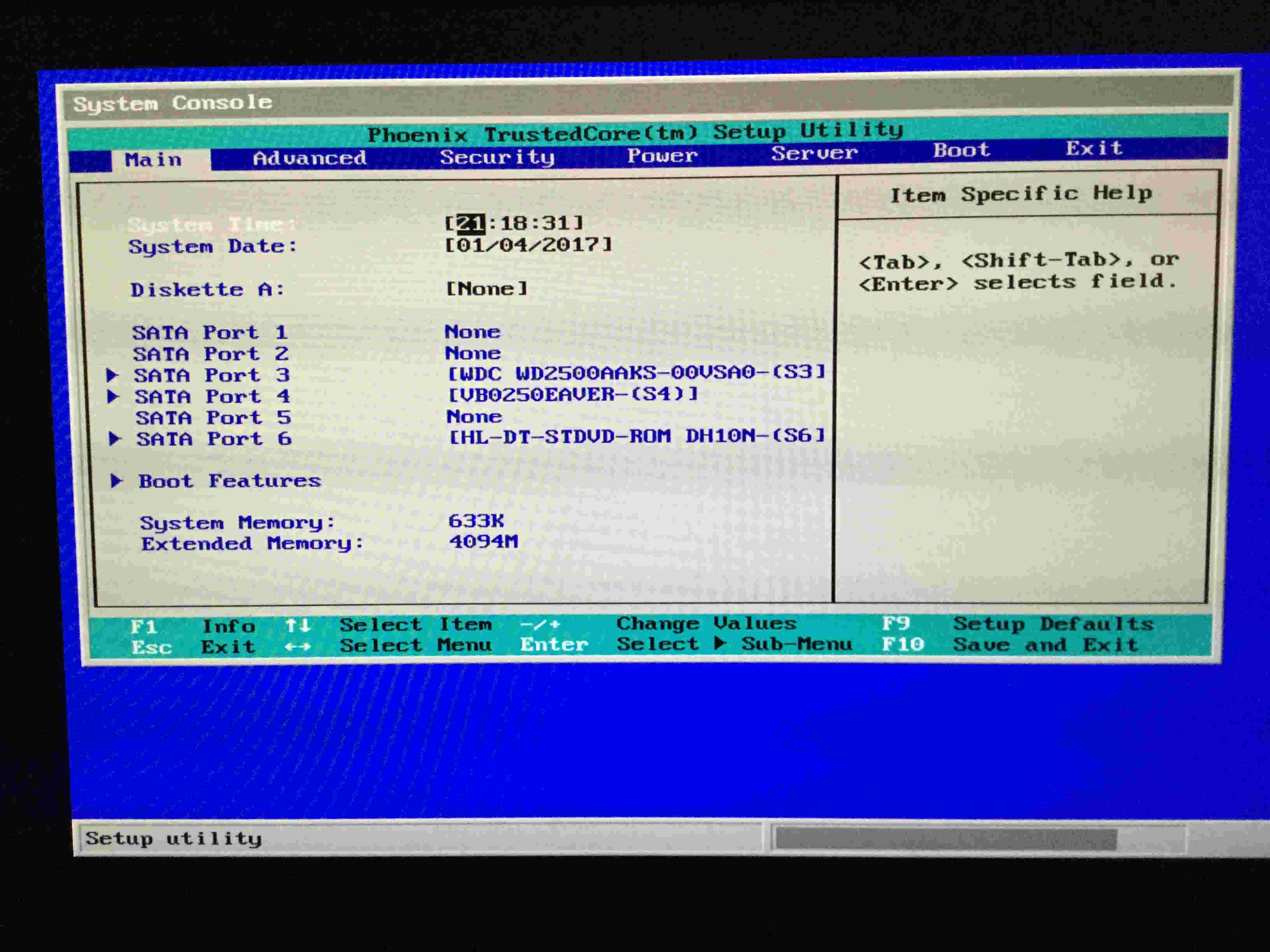
This is indeed what I see from the BIOS:
The hard drives appear in the Main tab. I even changed their ports with no effect.

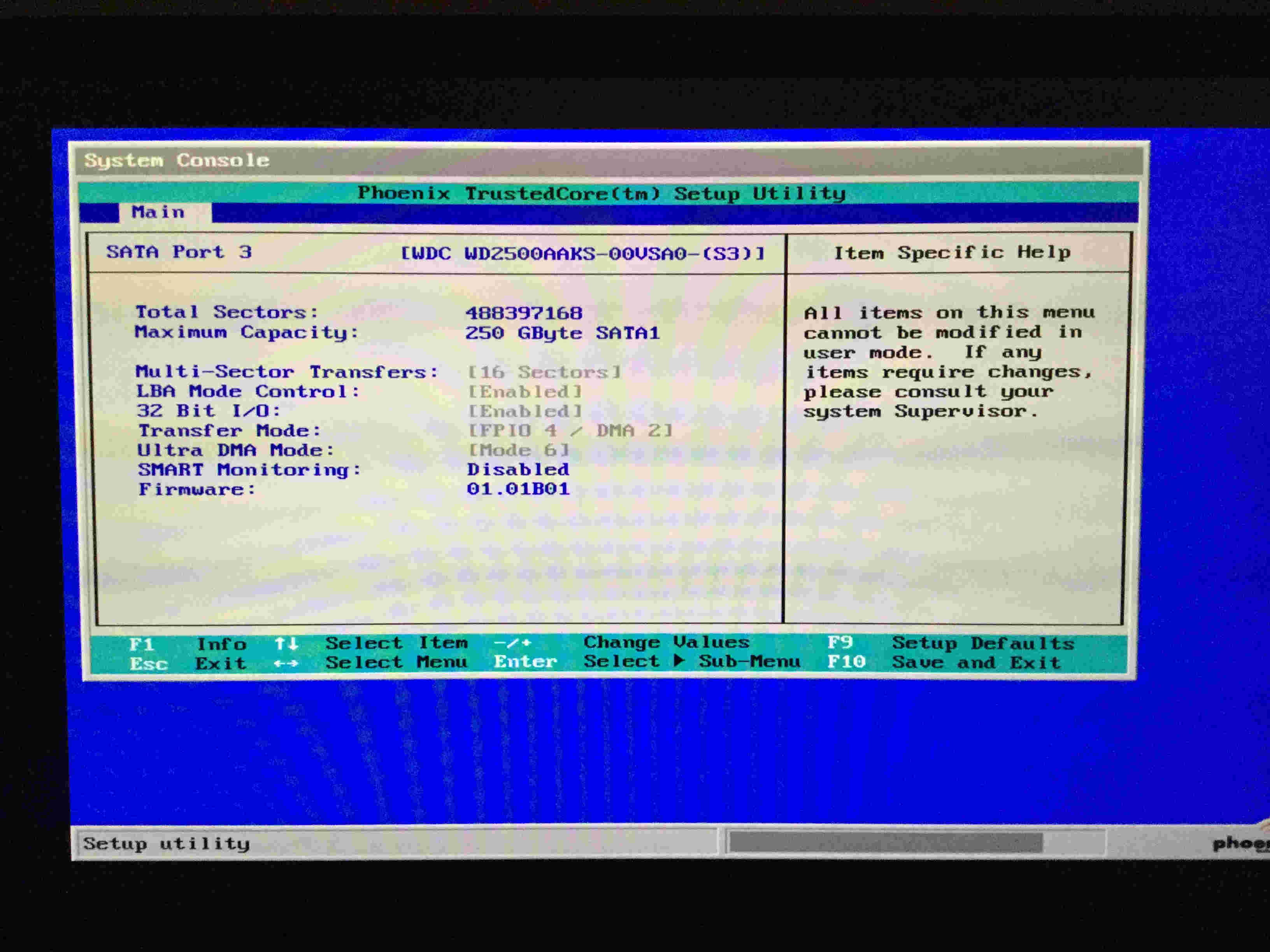
Here are the details on one of my hard drives, but I don't know how to interpret them:

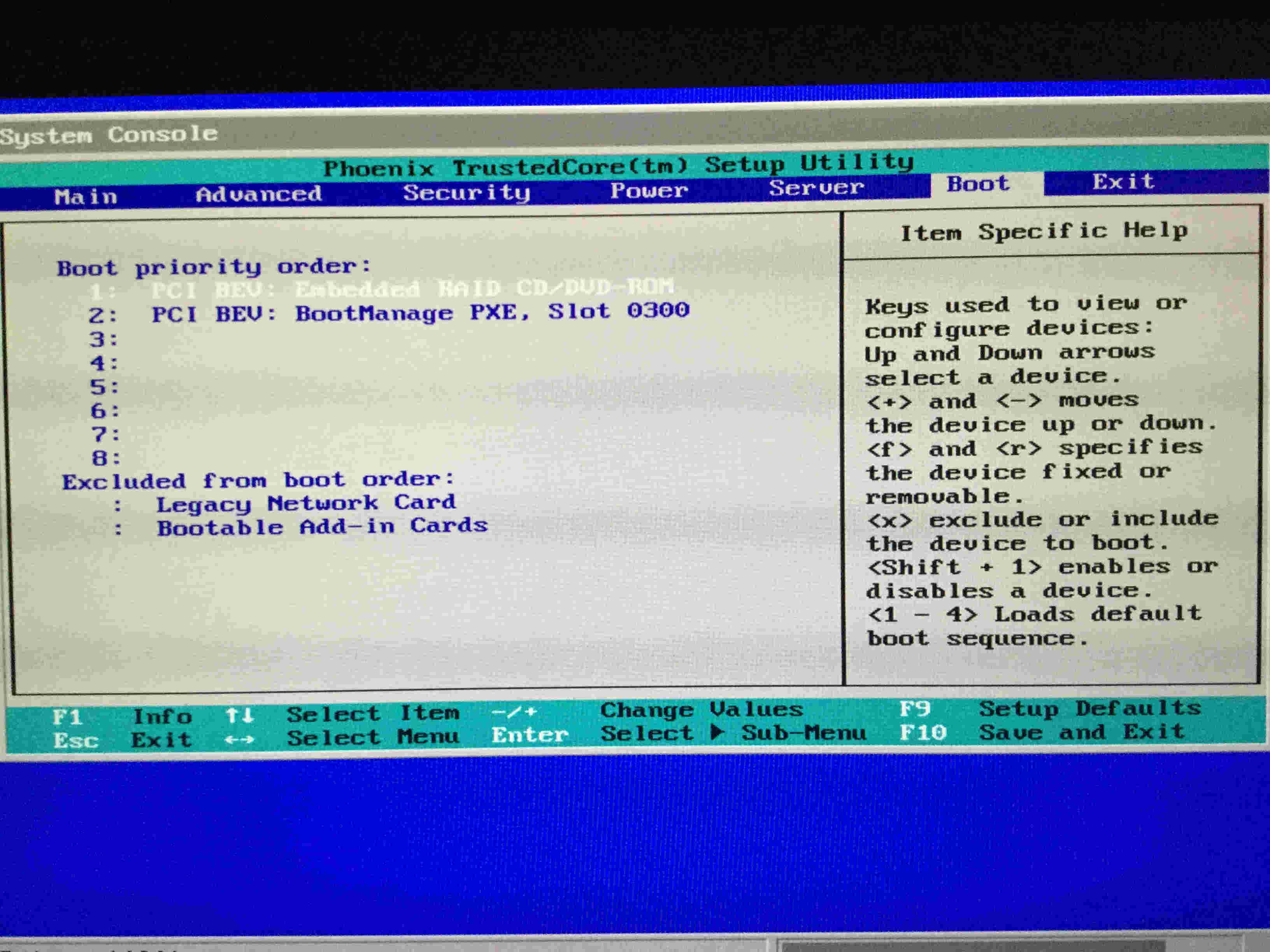
And what I think is the source of my troubles, the hard drives do not appear in the "Boot priority order" menu:

I have obviously spent quite a bit of time searching forums but haven't found any working solutions.
Thank you for your help!
My OS isn't booting anymore.
The BIOS battery had been weak for a while (with whacky date and time), but for the past few days, the OS won't boot at all. I have changed the battery. The date and time are fine now, but the OS still won't start.
I think my problem can be summarized as follows:
I can see my hard drives from the BIOS, but they do not appear in the "Boot priority order."
This is indeed what I see from the BIOS:
The hard drives appear in the Main tab. I even changed their ports with no effect.
Here are the details on one of my hard drives, but I don't know how to interpret them:
And what I think is the source of my troubles, the hard drives do not appear in the "Boot priority order" menu:
I have obviously spent quite a bit of time searching forums but haven't found any working solutions.
Thank you for your help!
4 answers
-
Problem solved! The RAID was activated (I’m not quite sure why though; by default, on these BIOS, it’s usually set to “normal” instead of “RAID”).
The boot option "embedded RAID DVD/CD ROM" corresponds to the RAID volume: luckily, since it hadn't been configured, the disks were just assigned to the controller, making them invisible in the boot options, but they weren’t erased as is usually the case as soon as it’s truly active and configured.
Everything is back to normal.
And if the AHCI is greyed out, it’s because that option isn’t possible if the RAID is activated.

