Darker writing
mika59
-
Anonymous user -
Anonymous user -
Hello,
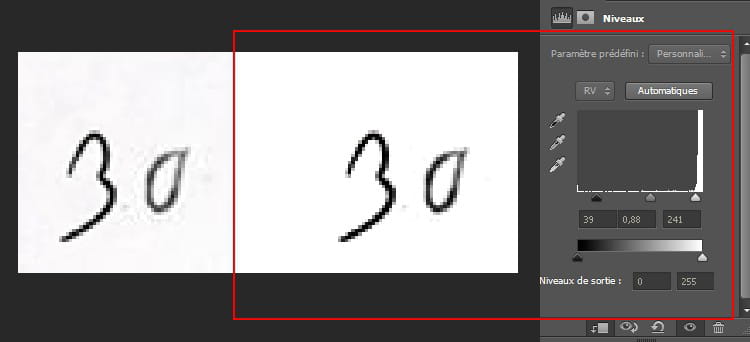
My text (which is part of the image) is grayish. How can I make it darker/more black without affecting the background (white)?
When I try to darken the text, noise appears in the background at the same time :/
Best regards,
Mika
Configuration: Windows 7 / Chrome 54.0.2840.99
My text (which is part of the image) is grayish. How can I make it darker/more black without affecting the background (white)?
When I try to darken the text, noise appears in the background at the same time :/
Best regards,
Mika
Configuration: Windows 7 / Chrome 54.0.2840.99
3 answers
-
so, I was saying:
- select the relevant text:
- right-click → layer via copy
- levels → adjust → assign to lower layer
there, I have a tone difference on the background but yours is white, it will be easier to adjust with the whites slider-
a little advice:
if you do it zone by zone, you risk having tonal differences throughout, especially in the content
when you're done, you add a new layer at the top on which you don't put anything
and you make a new levels adjustment above this empty layer without attributing it to the lower layer to unify the whole thing -
-
-