How to change the rounded corners of an already drawn rectangle
Solved
izi
-
Anonymous user -
Anonymous user -
Hello,
I drew a rectangle with rounded corners. Why doesn't the corners panel reappear when I click on the drawn rectangle?
I tried starting a new rectangle and it works.
Why doesn’t the corners tab appear anymore on my old rectangles with corners?
Thank you in advance for your help if you know how to fix this.
I drew a rectangle with rounded corners. Why doesn't the corners panel reappear when I click on the drawn rectangle?
I tried starting a new rectangle and it works.
Why doesn’t the corners tab appear anymore on my old rectangles with corners?
Thank you in advance for your help if you know how to fix this.
1 answer
-
hello
a bit late...
but if the exercise doesn't help Izi, it might be useful to others
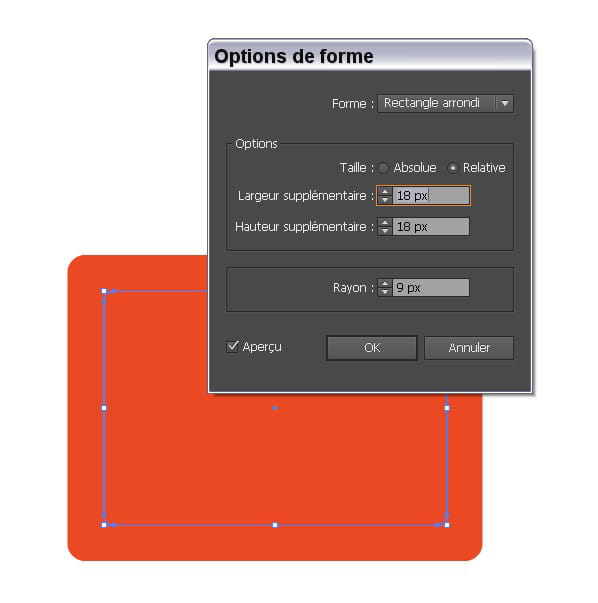
so, how to do it in Illustrator CS6 (or earlier) to modify the corner radius afterwards?
- select the rounded rectangle to modify
- effect menu → convert to... → rounded rectangle
a dialog box opens with default values
- set the additional width and height to 0px
- highlight the corner radius value and increase or decrease the value using the up/down arrows on the keyboard
or, if you know it, enter the desired value
-----------
resolved! :)