
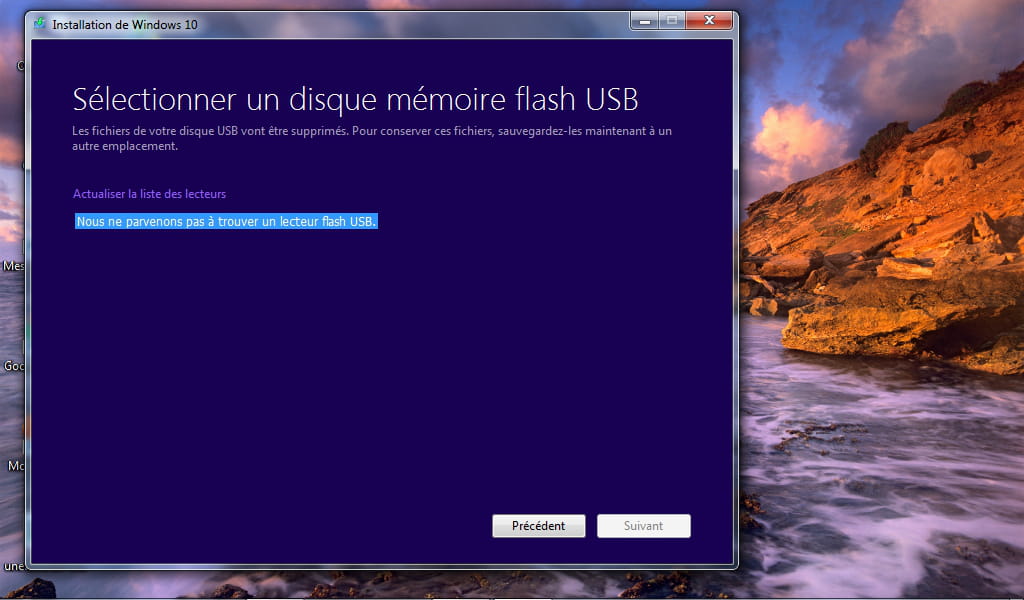
"We can't find a USB flash drive" WTF?!
Solved
ixonie
Posted messages
448
Registration date
Status
Member
Last intervention
-
l7nine Posted messages 4 Status Member -
l7nine Posted messages 4 Status Member -
Hi, I wanted to put Windows 10 on a USB stick. I've installed all the necessary stuff, and when I get to the point where I need to select a USB flash drive, it says "We can't find a USB flash drive," even though the drive is connected, it is 16 GB and I've formatted it to NTFS. I don't understand, if you could enlighten me, that would be nice :)

1 answer
-
Hello,
NE JAMAIS UTILISER CETTE MÉTHODE !
To install Windows on a USB stick, you need to download it in .iso format and then deploy the iso onto the USB stick.
If you find the process complicated, let me know and I will guide you through the steps.
- Skid-
-
-
I specifically created an account to warmly thank skid9000. After using the MS tool provided and going through dozens of attempts, I ended up giving up, as the installation ended at best on a blinking cursor. Out of despair, I installed Linux, but being dissatisfied with the ergonomics, I wanted to try installing W10 again. This time, the MS tool had a bug (not recognizing the USB key, which wasn't the case the first times), so I looked for an alternative and stumbled upon this thread.
1. Rufus test: the latest version crashes when choosing a location for the ISO
2. Windows 7 USB/DVD Download Tool: complete installation on the first attempt.
Thank you so much, you are saving my life (well... that of my PC :) -
-
-