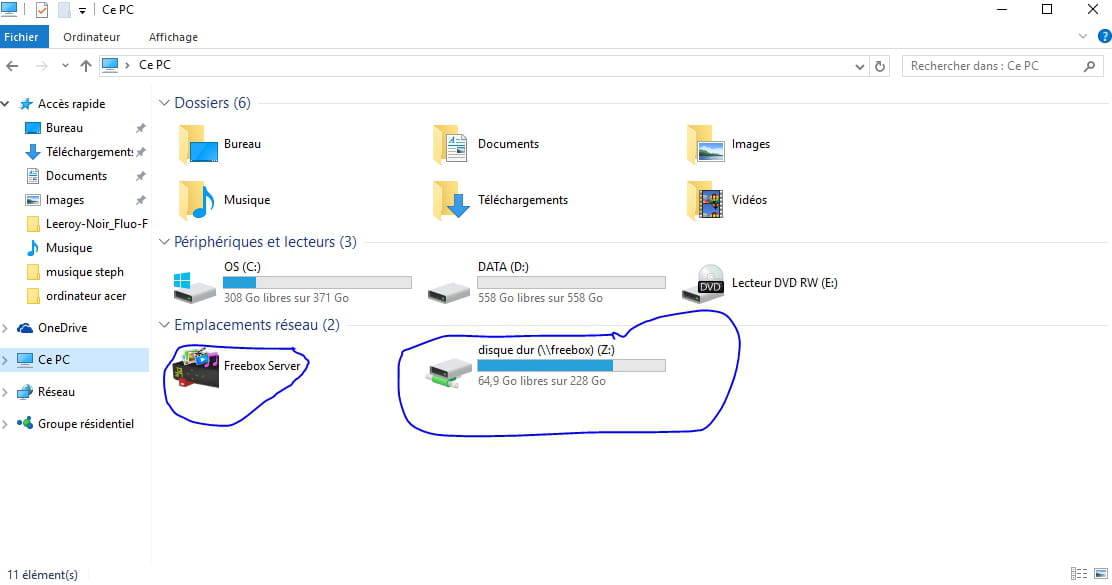
Freebox hard drive not visible in my file explorer
Solved
frelo54
Posted messages
30
Status
Member
-
mabou47 -
mabou47 -
Hello everyone, I've changed my PC about 2 weeks ago, so I've switched from Windows 7 to Windows 10, and I've noticed that I no longer see FREEBOX in the left column of the file explorer. This is annoying since I'm used to dragging movies and music directly into it. How can I get it back?
Thank you
Thank you
7 answers
-
-
Hello,
For my part, the procedure is not quite the same:
1) click on the "file explorer" icon
2) then right-click on "network" (at the bottom left)
3) connect a network drive
4) choose a letter for this drive "for example: Z"
5) in folder type: \\FREEBOX_SERVER\Hard drive
6) check the boxes: reconnect at logon and connect using different credentials
7) when prompted, type freebox then your password (the one used on the page mafreebox.freebox.fr)
8) Remember the credentials
9) Then OK
-