Using GIMP with El Capitan
andre43110
Posted messages
7
Status
Member
-
JanySoleil Posted messages 7 Status Member -
JanySoleil Posted messages 7 Status Member -
Hello,
After my upgrade to 10.11, I was on 10.7, and the response times of GIMP have become poor. With the activity monitor app, I can see that it is no longer using all 4 cores, and the CPU percentage does not reach 100%.
Is there a solution?
André
Configuration: Mac OS X (10.11.4) / Safari 9.1
After my upgrade to 10.11, I was on 10.7, and the response times of GIMP have become poor. With the activity monitor app, I can see that it is no longer using all 4 cores, and the CPU percentage does not reach 100%.
Is there a solution?
André
Configuration: Mac OS X (10.11.4) / Safari 9.1
5 answers
-
Hello,
a hint,
since OS X 10.8, the Mac must have at least 8 GB of RAM for it to remain responsive. This is due to a different management of the said RAM.
If your Mac is only equipped with 4 GB of memory, its upgrade from 10.7 to 10.11 will necessarily make this Mac sluggish. The solution is therefore to increase its memory to 8 GB if the Mac model allows it. Knowing that 6 GB would be the strict minimum.
Best regards
--
Have a nice day :-) - Francis
Please always indicate your exact system configuration. -
Thank you for this response, but I have 8GB and I come from 10.7, so same MAC, same version of GIMP. It is under identical conditions that I notice this slowdown.
There are other changes in window management: you no longer need to click in the "export" window to make it active. Before, you had to click in it before you could execute the export. Now the window appears and the "export" button is highlighted; you just have to press "enter" to trigger the export. I hope I'm clear. So it seems to be the software management that is different. -
I'm going to download Gimp and test it... I'll be back later.
--
Have a nice day :-) - Francis
Please always specify your exact system configuration. -
I downloaded Gimp, the latest version 2.8.16 from this page:
https://www.gimp.org/downloads/
I installed it, and aside from the very long first startup, the application is perfectly responsive. No slowdowns. Perfect then.
As for the choice of windows, I don't see the problem, I opened several images, and to choose the window, I just need to click in it or go to the Windows menu to select. Or I can press the shortcuts alt1, alt2, alt3, etc... I don't see a link with "Export..." at this time.
Maybe a Gimp update is needed?
EDIT: direct link: https://gensho.ftp.acc.umu.se/pub/gimp/gimp/v2.8/osx/gimp-2.8.16-x86_64-1.dmg
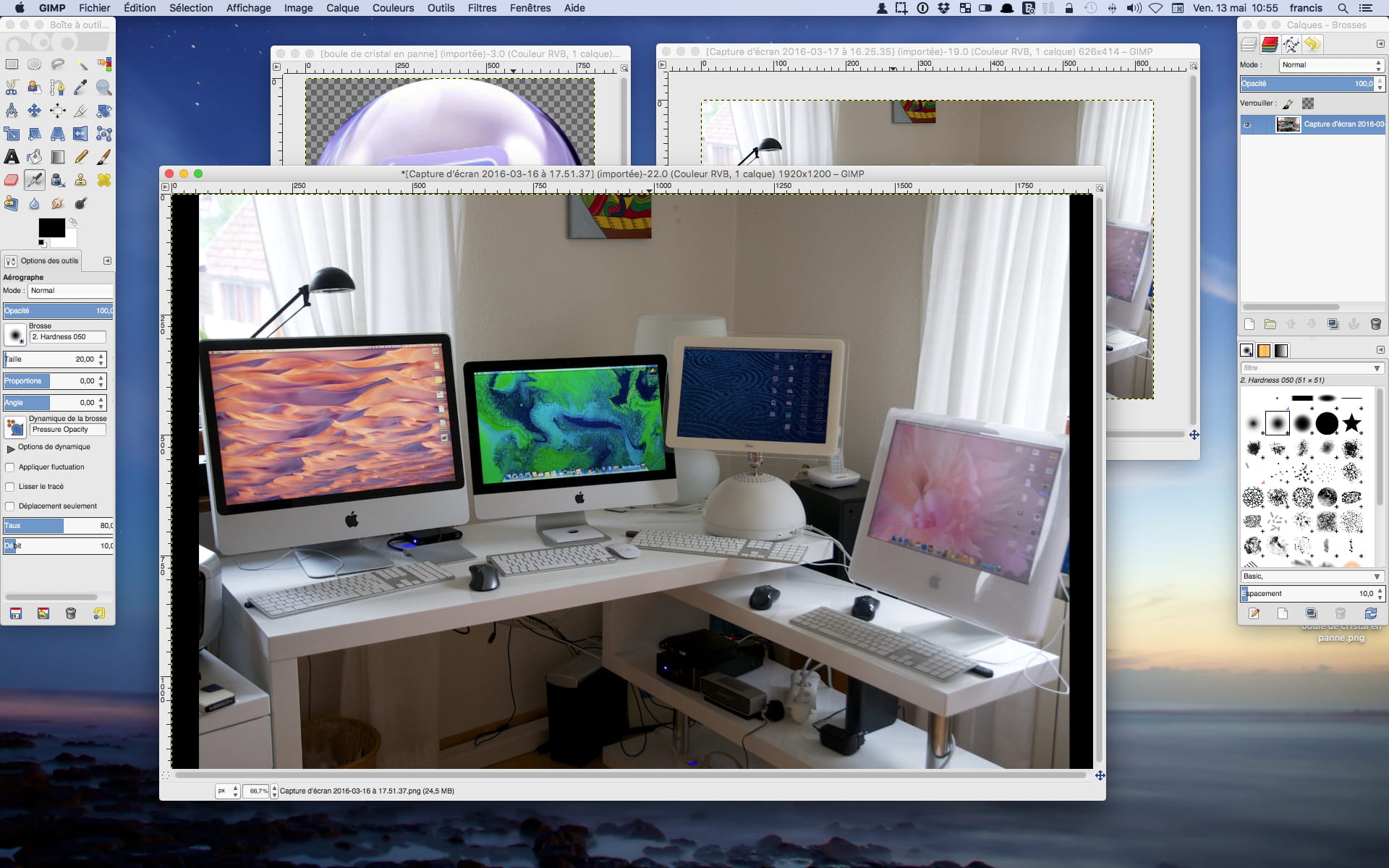
An example, where I simply click in the chosen window to activate it:
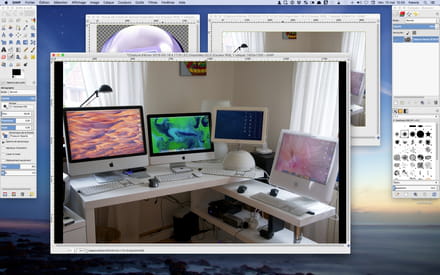
Have a nice day :-) - Francis
Please provide your exact system configuration at all times.-
Hello
I re-downloaded version 2.8.16 and everything is the same on that front.
I looked into the memory size in the preferences of GIMP and with the maximum memory it works a bit better, but only one core is at work.
I just tried again with Light Room and the CPU percentage often reaches and exceeds 300%, so all the processor cores are indeed working hard; So I remain convinced that with El Capitan, GIMP can no longer handle it.
I have therefore regressed in performance.
Another thing, when I opened GIMP on a RAW file (.NEF for Nikon .PEF for Pentax), it was UFRAW that opened and allowed to develop the RAW.
Well, that doesn't work anymore.
This is the second time I have upgraded my OS and there are always problems.
André -
Hello,
as far as I'm concerned, I have no issues with Gimp on my "old iMac early 2009" with an Intel Core 2 Duo processor running El Capitan. I don't understand. Maybe it's a graphics card issue. I have a Geforce GT 120, but with only 256 MB of memory.
As for ufraw, referring to this page, it seems that OS X 10.11 is not yet supported.
EDIT: For NEF files, I usually use Aperture, sometimes Photoshop or Capture NX2, but also Nikon's free ViewNX 2:
https://downloadcenter.nikonimglib.com/fr/download/sw/20.html
Best regards -
Hello,
- I don't know how to get started (A-B-C) with GIMP? I used to use Photoshop, but the GIMP interface is quite different and the applic.plist doesn't appear in the preferences of El Capitan to start over with all my mess!!!
- I would like a basic working window including the Image with its Layers-Paths, Colors-Tools, History, Text, etc...
- How can I set up this basic workspace? Could I please get some help?
Thank you in advance, Jany.
-
-
 JanySoleil - May 20, 2016 at 5:03 PM
Hello,
- I don't know how to get started (the basics) with GIMP? I used to use "back then" Photoshop but the GIMP interface works "differently" and the applic.plist does not appear in the El Capitan preferences to start over from scratch with all my mess!!!
- I would like a basic work window including the Image with its Layers, Colors-Tools, History, Text, etc...
- How do I prepare this basic setup? Could someone help me please?

Thanks in advance, Jany.
Hello,
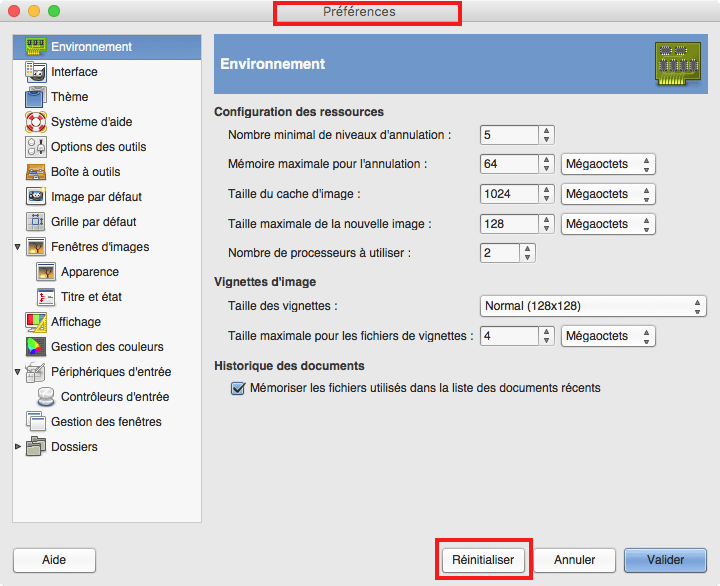
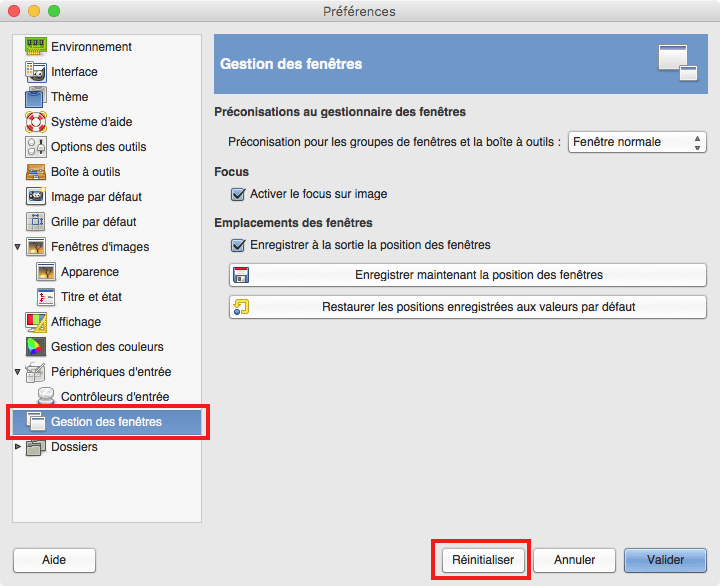
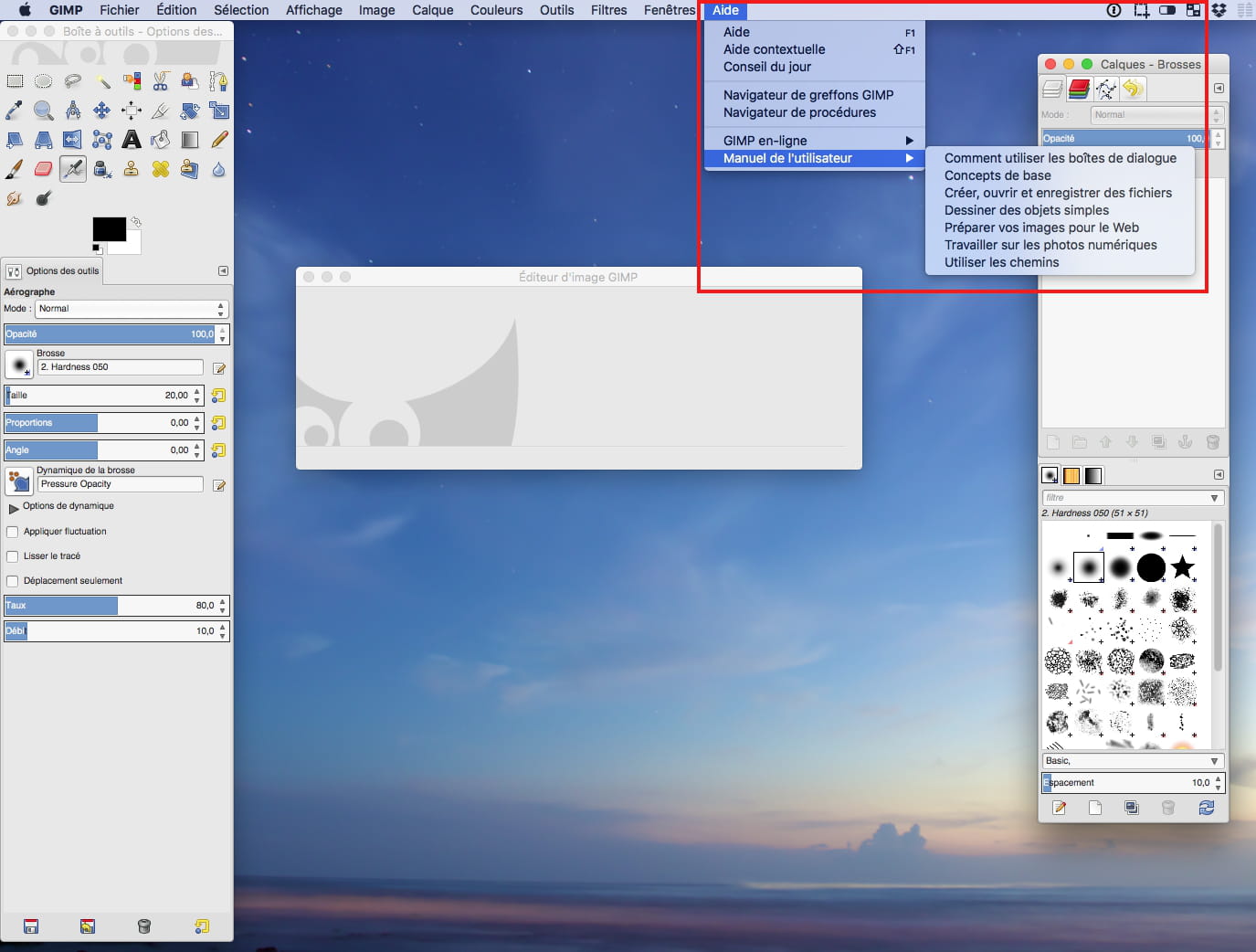
GIMP menu / Preferences / .... "Reset" button
or Help ...
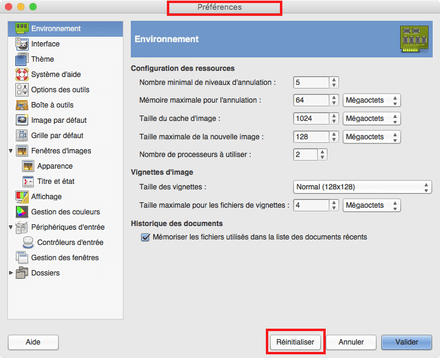
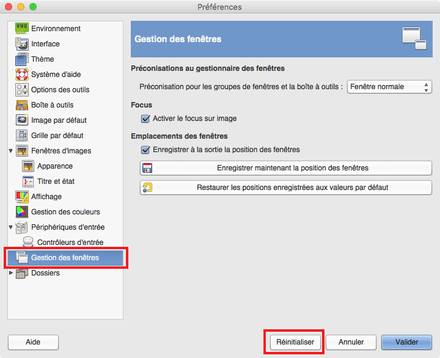
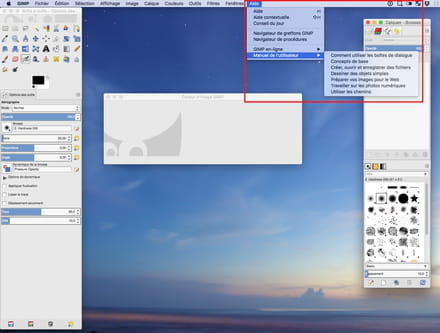
Best regards.
--
Have a Nice Day :-) - Francis
Please always indicate your exact system configuration.-
Thank you, Francis,
Well there you go, my bad!!!
The number of preferences to manage had turned me off, and I skipped the "reset" option.
After uninstalling the app, I'm going to download the latest version...
I will get there, I am persistent and thanks to you I am sure I will start enjoying it again, I was too "starved for editing"!!!
Thank you very much for this quick response-help...
Best regards, Jany -
To uninstall properly, (if needed), use AppCleaner:
https://freemacsoft.net/appcleaner/
https://www.commentcamarche.net/faq/42013-desinstaller-des-logiciels-sur-mac
Best regards
-