Bug in video display since Windows 10 update
hp4591
Posted messages
36
Status
Member
-
chris -
chris -
Hello,
Since my switch to Windows 10, I have a display bug when playing videos both in the web browser (Facebook videos, GIFs on 9gag, no problem on YouTube) as well as in the new Movies & TV app or even Windows Media, while it works with VLC.
The issue is that the right half of the video is all distorted; a screenshot would clarify it better:
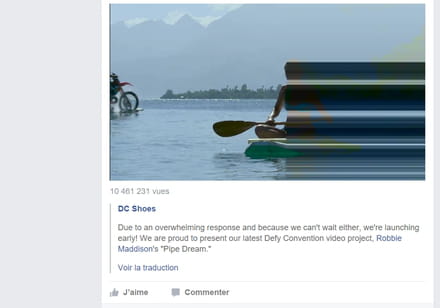
I tried updating the graphics card driver, but it hasn't changed anything.
I am on a Vaio Pro with Intel Graphics 4000.
While looking into it a bit, I came across this:
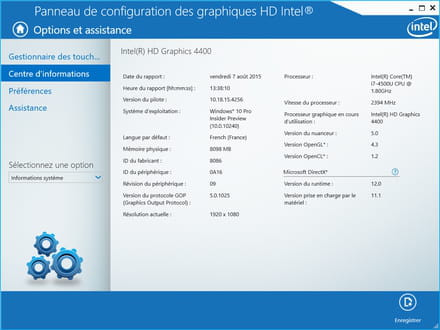
I notice that in the DirectX section, there is a difference between the runtime and what is supported by the hardware. Is my problem coming from there? Any solution?
Thank you for your help.
Since my switch to Windows 10, I have a display bug when playing videos both in the web browser (Facebook videos, GIFs on 9gag, no problem on YouTube) as well as in the new Movies & TV app or even Windows Media, while it works with VLC.
The issue is that the right half of the video is all distorted; a screenshot would clarify it better:
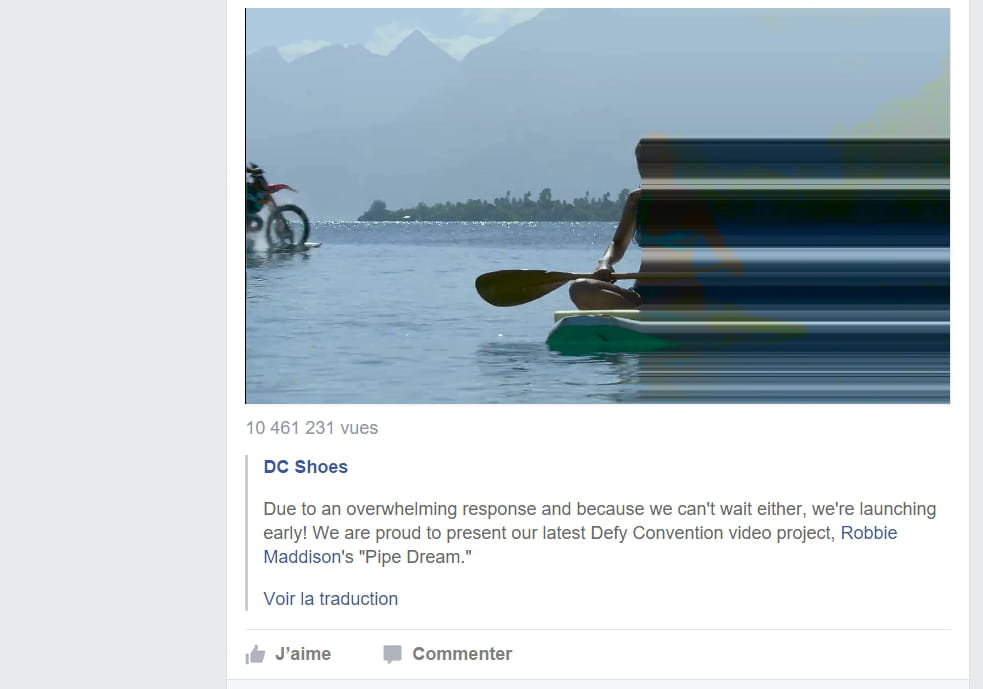
I tried updating the graphics card driver, but it hasn't changed anything.
I am on a Vaio Pro with Intel Graphics 4000.
While looking into it a bit, I came across this:
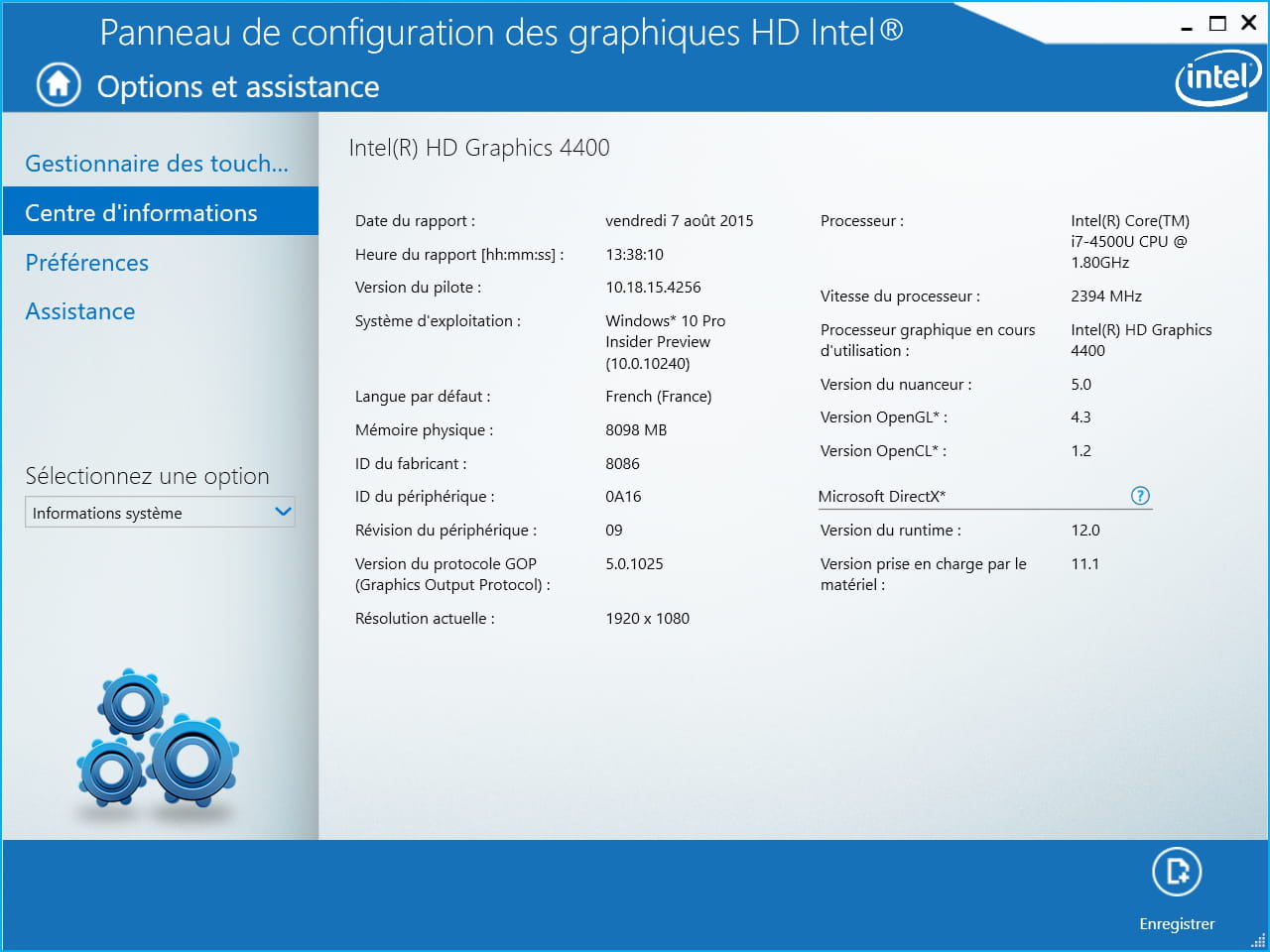
I notice that in the DirectX section, there is a difference between the runtime and what is supported by the hardware. Is my problem coming from there? Any solution?
Thank you for your help.