Un problème d'écrans bleus

Bonjour à tous.
Depuis quelques temps, je subis de nombreux écrans bleus ...
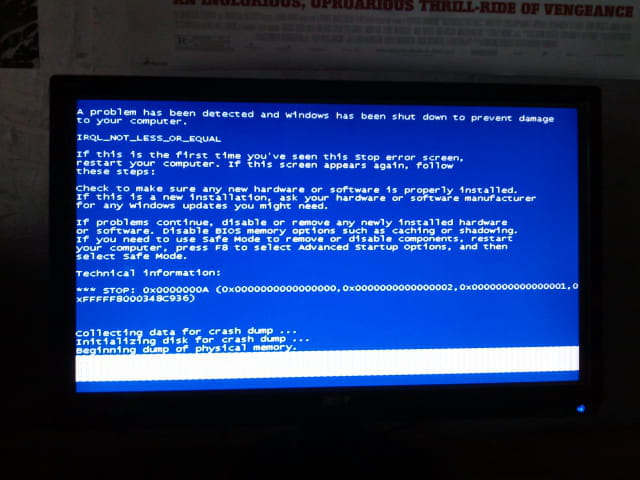
Par exemple, a quittant Counter Strike, j'ai eu un écran bleu que je n'ai pas eu le temps de lire.
Il y a 3-4 jours, j'ai eu celui là :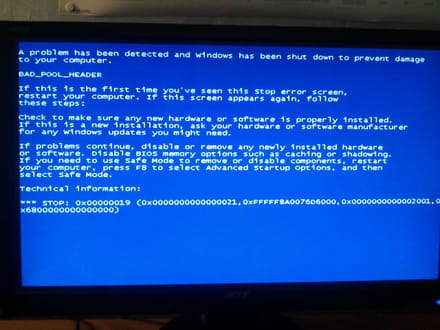
Ce soir, sans raison apparente (Je ne faisais absolument rien), j'ai eu celui là :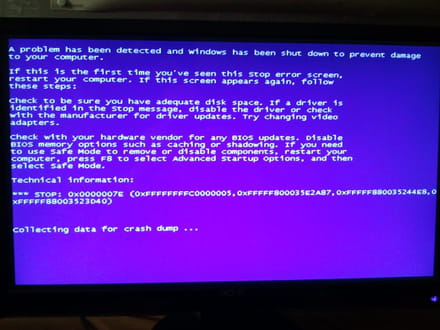
Je pensais qu'il s'agissait d'un problème de périphérique, donc j'ai débranché mon imprimante, j'ai mis à jour Avira, désinstallé les récents programmes installés, passé un coup de Ccleaner, rechercher les Malwares avec MalwareBytes et analysé le PC avec Avira ...
J'ai même ouvert mon PC pour nettoyer l'intérieur.
Que faire ? Pouvez-vous m'aider ?
Je suis au bout du rouleau,
Mon PC est un Acer Predator G5910
GTX 550 TI
I5
8 Go de ram
Merci d'avance.
Depuis quelques temps, je subis de nombreux écrans bleus ...
Par exemple, a quittant Counter Strike, j'ai eu un écran bleu que je n'ai pas eu le temps de lire.
Il y a 3-4 jours, j'ai eu celui là :
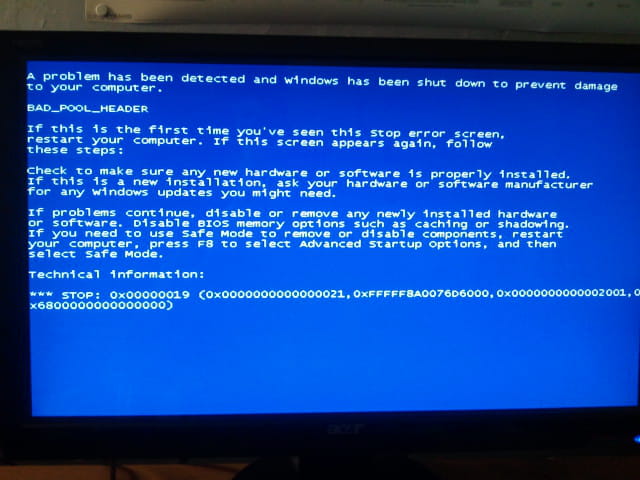
Ce soir, sans raison apparente (Je ne faisais absolument rien), j'ai eu celui là :
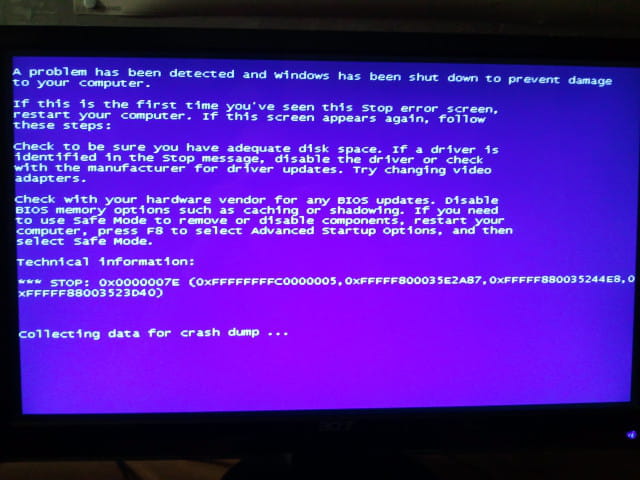
Je pensais qu'il s'agissait d'un problème de périphérique, donc j'ai débranché mon imprimante, j'ai mis à jour Avira, désinstallé les récents programmes installés, passé un coup de Ccleaner, rechercher les Malwares avec MalwareBytes et analysé le PC avec Avira ...
J'ai même ouvert mon PC pour nettoyer l'intérieur.
Que faire ? Pouvez-vous m'aider ?
Je suis au bout du rouleau,
Mon PC est un Acer Predator G5910
GTX 550 TI
I5
8 Go de ram
Merci d'avance.
3 réponses
-
J'ai fais un test de RAM avec memtest, je n'ai eu aucune erreur ...
Je suis quasiment sûr que le problème vient d'un pilote ou d'un périphérique, mais comment savoir lequel ?-
ModérateurSalut, pilote d'usine ça n'existe pas, il faut désinstaller le pilote incriminé (ajout/suppr de prog) puis le reinstaller depuis le site de nvidia pour la carte vidéo. Si ça ne marche toujours pas tu peux essayer une réparation Windows. Si c'est toujours là un de tes périphériques (débranches les un par un) ou composants est endommagé.
-
@FeLynXPour l'instant, je n'ai plus eu d'écrans bleus ... Cependant, mon PC "freeze" très souvent : L'image est figée, le son est continu ...
-
-
Je viens d'avoir un nouvel écran bleu :
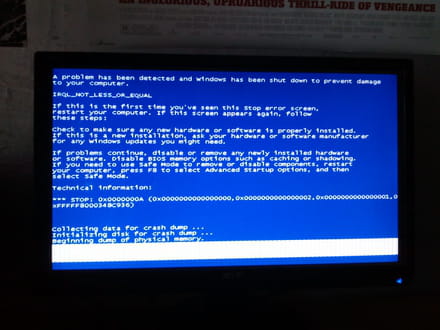
Le message d'erreur de l'observateur d'évènements est :
L'ordinateur a redémarré après une vérification d'erreur. La vérification d'erreur était : 0x0000000a (0x0000000000000000, 0x0000000000000002, 0x0000000000000001, 0xfffff8000348c936). Un vidage a été enregistré dans : C:\Windows\MEMORY.DMP. ID de rapport : . -
Salut, j'ai toujours le même problème, mais un nouveau message, voila le ce que me dit WhoCrashed :
Crash dump directory: C:\Windows\Minidump
Crash dumps are enabled on your computer.
On Fri 09/01/2015 14:41:42 GMT your computer crashed
crash dump file: C:\Windows\Minidump\010915-21637-01.dmp
This was probably caused by the following module: ntoskrnl.exe (nt+0x75BC0)
Bugcheck code: 0x3B (0xC0000005, 0x1, 0xFFFFF880055C6F30, 0x0)
Error: SYSTEM_SERVICE_EXCEPTION
file path: C:\Windows\system32\ntoskrnl.exe
product: Microsoft® Windows® Operating System
company: Microsoft Corporation
description: NT Kernel & System
Bug check description: This indicates that an exception happened while executing a routine that transitions from non-privileged code to privileged code.
This appears to be a typical software driver bug and is not likely to be caused by a hardware problem.
The crash took place in the Windows kernel. Possibly this problem is caused by another driver that cannot be identified at this time.
On Fri 09/01/2015 14:41:42 GMT your computer crashed
crash dump file: C:\Windows\memory.dmp
This was probably caused by the following module: avkmgr.sys (avkmgr+0x12CE)
Bugcheck code: 0x3B (0xC0000005, 0x1, 0xFFFFF880055C6F30, 0x0)
Error: SYSTEM_SERVICE_EXCEPTION
file path: C:\Windows\system32\drivers\avkmgr.sys
product: Avira Product Family
company: Avira Operations GmbH & Co. KG
description: Avira Manager Driver
Bug check description: This indicates that an exception happened while executing a routine that transitions from non-privileged code to privileged code.
This appears to be a typical software driver bug and is not likely to be caused by a hardware problem.
A third party driver was identified as the probable root cause of this system error. It is suggested you look for an update for the following driver: avkmgr.sys (Avira Manager Driver, Avira Operations GmbH & Co. KG).
Google query: Avira Operations GmbH & Co. KG SYSTEM_SERVICE_EXCEPTION
On Thu 08/01/2015 12:21:14 GMT your computer crashed
crash dump file: C:\Windows\Minidump\010815-14336-01.dmp
This was probably caused by the following module: ntoskrnl.exe (nt+0x75BC0)
Bugcheck code: 0x3B (0xC0000096, 0xFFFFF800034E23D6, 0xFFFFF8800B3C7E20, 0x0)
Error: SYSTEM_SERVICE_EXCEPTION
file path: C:\Windows\system32\ntoskrnl.exe
product: Microsoft® Windows® Operating System
company: Microsoft Corporation
description: NT Kernel & System
Bug check description: This indicates that an exception happened while executing a routine that transitions from non-privileged code to privileged code.
This appears to be a typical software driver bug and is not likely to be caused by a hardware problem.
The crash took place in the Windows kernel. Possibly this problem is caused by another driver that cannot be identified at this time.
On Thu 08/01/2015 11:27:50 GMT your computer crashed
crash dump file: C:\Windows\Minidump\010815-17066-01.dmp
This was probably caused by the following module: win32k.sys (win32k+0x89097)
Bugcheck code: 0x3B (0xC0000005, 0xFFFFF960000F9097, 0xFFFFF8800AB98E90, 0x0)
Error: SYSTEM_SERVICE_EXCEPTION
file path: C:\Windows\system32\win32k.sys
product: Système d'exploitation Microsoft® Windows®
company: Microsoft Corporation
description: Pilote Win32 multi-utilisateurs
Bug check description: This indicates that an exception happened while executing a routine that transitions from non-privileged code to privileged code.
This appears to be a typical software driver bug and is not likely to be caused by a hardware problem.
The crash took place in a standard Microsoft module. Your system configuration may be incorrect. Possibly this problem is caused by another driver on your system that cannot be identified at this time.
--------------------------------------------------------------------------------
Conclusion
--------------------------------------------------------------------------------
4 crash dumps have been found and analyzed. A third party driver has been identified to be causing system crashes on your computer. It is strongly suggested that you check for updates for these drivers on their company websites. Click on the links below to search with Google for updates for these drivers:
avkmgr.sys (Avira Manager Driver, Avira Operations GmbH & Co. KG)