Remove an icon from the desktop

johnpaul1402
Posted messages
38
Status
Member
-
didmed Posted messages 2654 Registration date Status Member Last intervention -
didmed Posted messages 2654 Registration date Status Member Last intervention -
Hello, I can't remove an icon from the desktop (Malwarebytes) on Windows 7. I've tried everything: refreshing the desktop, renaming the program, right-clicking on the icon, going to "properties," then "compatibility," checking the box "run as administrator," and several other things, but nothing works; I can't delete this icon from the desktop! Can someone help me? Thank you in advance.
1 answer
-
Hi.
The best thing to do is to restart the PC in safe mode:
1- during boot, tap the 'F8' key
2- start in Administrator mode if available
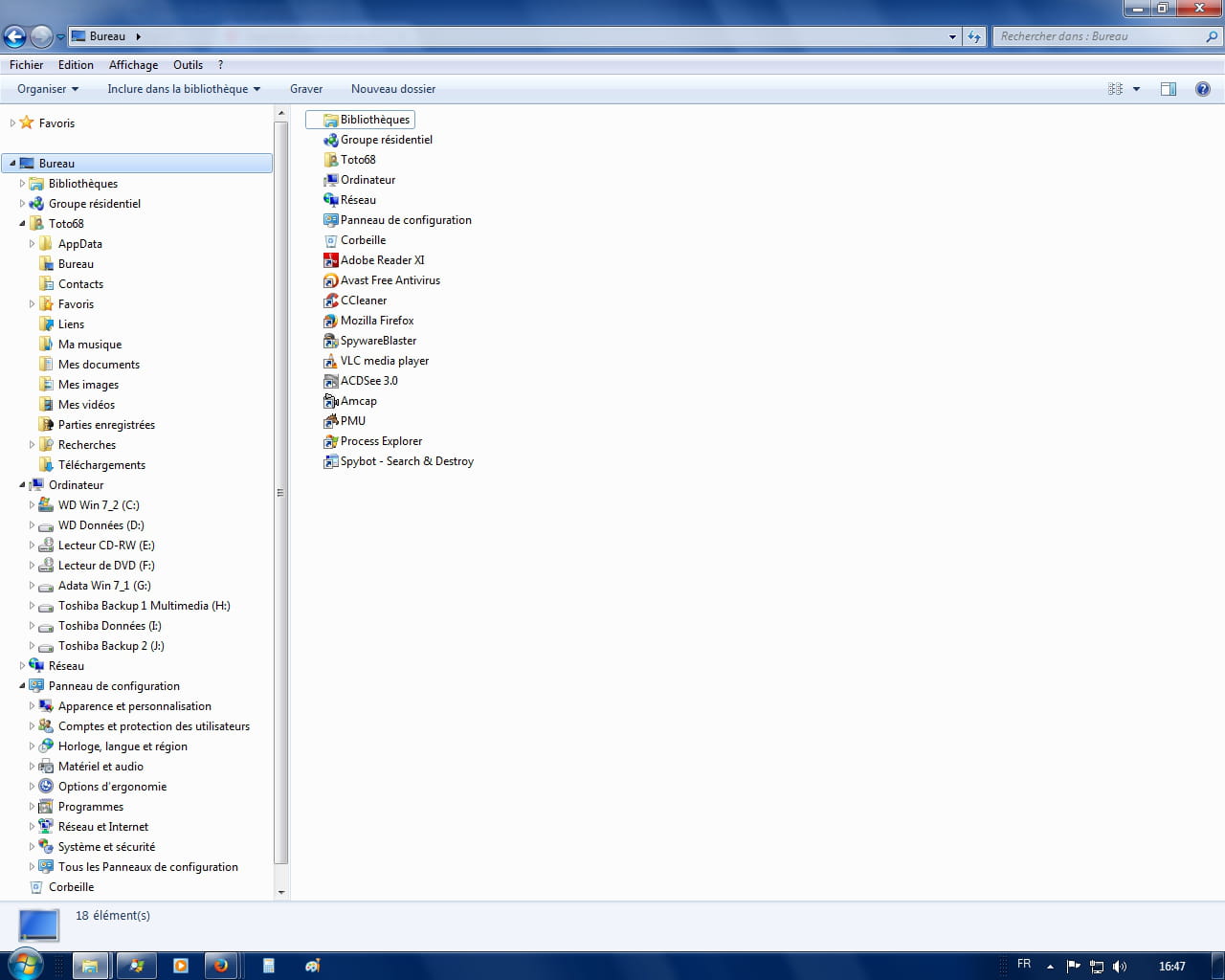
3- open Windows File Explorer (press and hold the 'Windows' key + 'E' key, then release them)
4- in the left pane of the explorer, look for 'Desktop' and open it
5- right-click on the icon and 'Delete', confirm etc...
6- restart normally.
Keep me posted.
Goodbye for now.
--
If you need anything, just let me know!...