
Default Google Chrome
SolvedHello
I uninstalled Google because it no longer recognized my favorites and I couldn't delete them. I reinstalled it, but now I can't set it as the default. I get a window every time where I have to check Google.
Thank you for your help
40 answers
-
hi
thanks for the feedback, that’s nice!
no problem for the help, we were happy to do it.
take care.
@+
-
re
I've just explained to you that it's not possible because W7 no longer supports the current version of Chrome
PS: personally, I practice "the old-fashioned way" for the usernames and passwords of the different sites I connect to, I write everything down in a notebook
I hope you understand that it's no longer possible to sync Chrome on W7 and W11
@+
-
-
If there was synchronization via Google account, it should have also synchronized the bookmarks.
Otherwise, I don't really believe it, and in any case, it's just delaying the inevitable. We can always try exporting to an HTML file to a USB drive and importing it the other way around.
https://www.ju.edu/it/Browser_Favorites_Chrome-How_To.pdf -
@brucine
I had tried. It doesn't hold.
-
@mariepel
So either you change your browser, or you upgrade your PC to Windows 10 if it has the resources and drivers, it's no longer free, but you can find licenses online for €0.90.
However, what would lead in the first case to changing the browser also under Windows 11, is that it's always easier to recover bookmarks with the same one (and it's especially easy with Firefox). -
@brucine
I agree with you. But still, the problem with favorites also manifested under W11 even though I have the updates. The issue lies elsewhere. I did a repair but I got this message
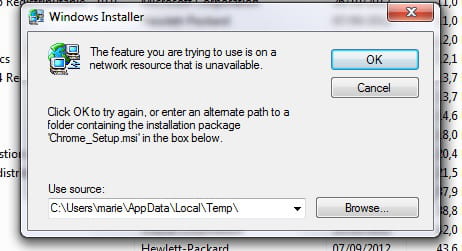
-
-
re
I still have those famous favorites in W7 that Google no longer manages
it's because W7 no longer supports the current version of Chrome
you can upgrade to W10 with this PC running W7...
the end of support for W10 is announced for October 14, 2025
let us know what you want to do with your PC running W7
@+
-
I'm doing everything with it. But it doesn't seem to recognize that it's no longer supporting Chrome.
I had the same issue with W11, which is why I uninstalled it. I struggled too much, so I don't want to uninstall it on W7. I just want it to restore my favorites and to be able to delete them like before.
-
-
hi
it's a good thing -:)
do you still have any issues, or is everything okay for you?
@+
-
Hi
Did you see my previous message? ==> click here
Since you uninstalled Chrome on your PC with W11 and reinstalled it, I don't know if it's possible to recover the passwords
Talk to you later
-
-
In the absence of a shared Google account or the acrobatics of a network copy, it is enough, if they are the same, to export them from Windows 7 to a USB stick and import them into Windows 11.
https://www.pcastuces.com/pratique/astuces/5722.htm -
@brucine
I will try, thank you
-
@mariepel
Finally, the synchronization worked
-
-
re
For the desktop PC
Is the PC in question running W7?
The PC on which you ran FRST is running W11 and is up to date
@+
-
hi
Tell me if I synchronize with the desktop PC in Google, will I retrieve my passwords?
If you synchronize what with the desktop PC in Google?
What do you mean by appearance?
I thought you wanted to put the W7 desktop on W11
@+
-
Hello,
Apparently, bookmarks and passwords are primarily through a Google account, otherwise retrieving the appropriate files and merging them on a local Windows 11-Windows 7 network is quite a challenge.
https://support.google.com/chrome/answer/165139?hl=fr&co=GENIE.Platform%3DDesktop
It's not a good idea to continue using Chrome on Windows 7 anyway, as it is no longer updated or maintained, and we don't know which features are still available; it's better to prefer Firefox ESR. -
@brucine
hi Brucine,
Pale Moon (derived from Firefox) also works with W7 (latest version 33.2), I just checked that my W7
@+
-
-
@billmaxime
Hello,
Yes, why not although it's less common, but in any case none of the main browsers including Chrome. -
@mariepel
And since I reinstalled Google on Windows 11, all my passwords are no longer saved. That's why I'm asking if I synchronize my Google on W7 (will I recover my passwords?)
Thank you
-
-
re
On the other hand, for the Windows 7 desktop PC
you want to make the appearance of the desktop of W7 on W11?
PS: hi Kaneagle
@+
-
Moderator
You're welcome, it was our pleasure.
Have a great day.At the same time, my greetings to @ brucine and billmaxime.
-
Moderator
Forget the registry for now.
Install Chrome.-
-
@mariepel
I'm so happy the favorites stay. Thank you all for your help.
-
-
Moderator
Have you successfully deleted the Google folder in these 2 directories?
--> C:\users\your username\AppData\Local
--> C:\Programs-
-
@mariepel
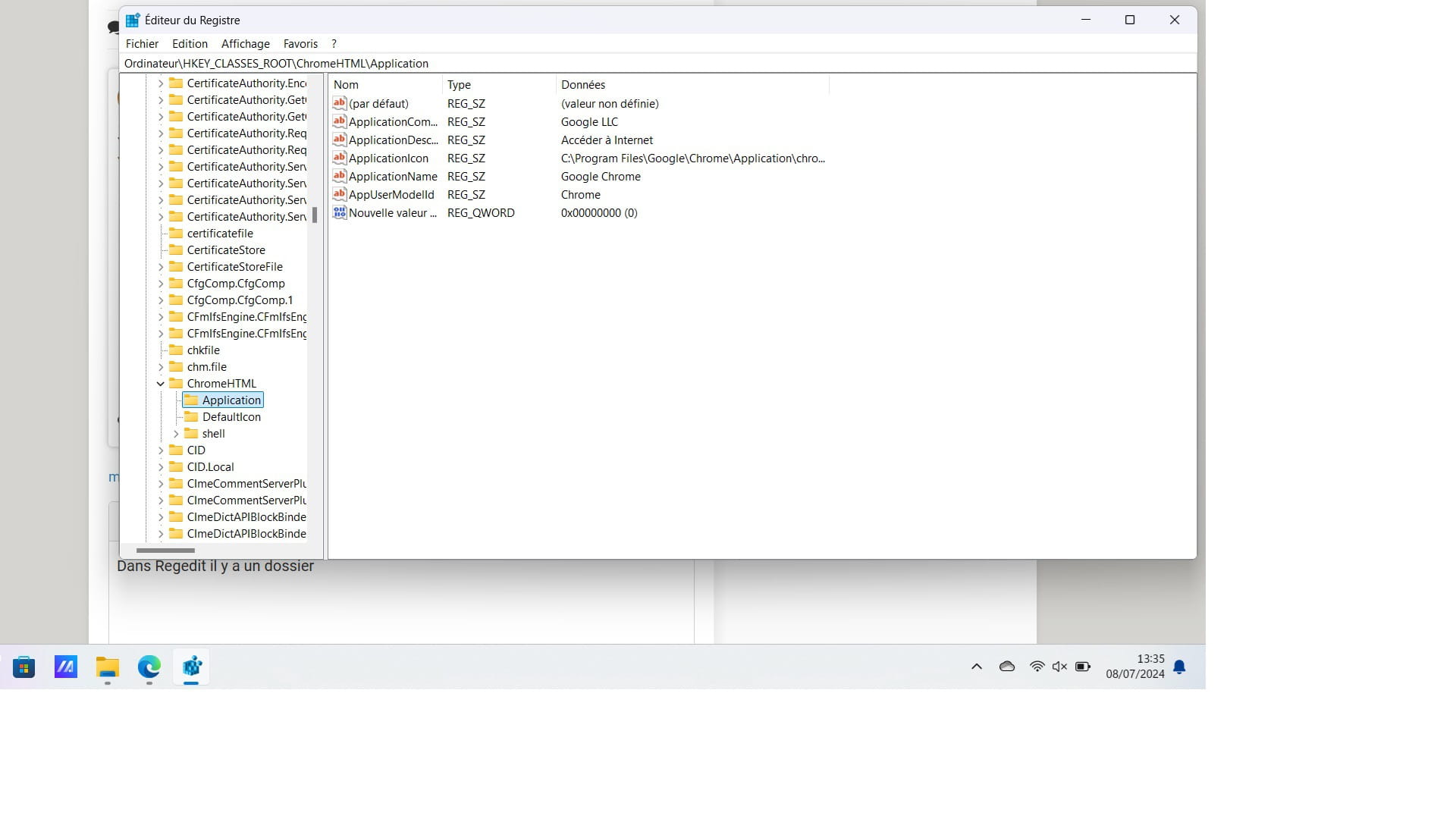
On the other hand, in Regedit there is still localservice with google inside
-
-
hi
with Revo Uninstaller, choose advanced mode for uninstalling Chrome
the tutorial for Revo ==> click here
after uninstalling, download Chrome and reinstall it
PS: I should be away around 13:45
@+
-
-
@mariepel
In Regedit, there is a folder
-
-
Moderator
-
-
-
re
save your bookmarks in Chrome (if you want to keep them) ==> click here
then, check this topic for uninstalling Chrome ==> click here
if you have any questions...
@+
-
re
ok, for the page with the ad selection in Chrome, I don't think we can do anything...
see what it looks like in Chrome
@+
-
re
ok, right-click on FRST and rename it to uninstall.exe
right-click on uninstall.exe ==> run as administrator
the procedure requires 1 restart
let me know when it's done
@+
-
re
ok for the correction
PS: don't forget to post the fixlog.txt report after the correction
@+
-
hi
in addition to my previous message ==> click here
if the fix does not work, do this:
/!\ you ran FRST from the download directory...
put FRST on your desktop
1) close all your running programs
2) disable Avast (disable the agents until the next reboot) ==> click here
3) copy all the text below (from Start:: to End::) and paste it into Notepad ==> click here
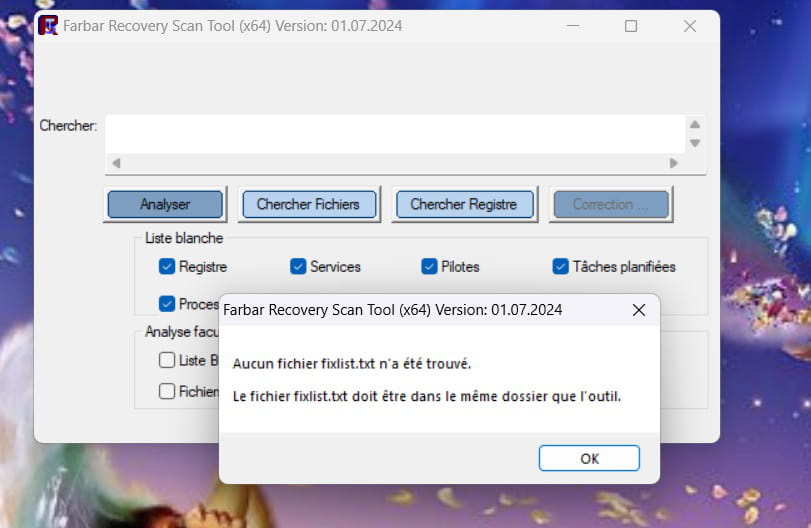
4) when the text is pasted into Notepad, save the file naming it ==> fixlist.txt
5) run FRST as administrator (right-click)
6) copy all the text from the fixlist.txt file
7) click on fix in FRST
8) let the fix complete with FRST and restart the pc when prompted
9) when the pc has restarted, you will have 1 file FIXLOG on the desktop, post it via Cjoint ==> click here
@+
-
re
ok for Avast
do this:
close all your running programs
run FRST as administrator (right click)
copy all the text from this link ==> click here
when the script is copied, click on fix in FRST
let the fix happen with FRST and restart the pc when prompted
once the pc has restarted, you will have 1 file FIXLOG on the desktop, post it by copying it in your reply
@+
-
-
@mariepel
That's good, it corrects
-
-
Hi
I know you have Avast, I'm asking you if you want to keep it or uninstall it since Windows Defender, which does the same job, is installed on the PC.
See you+
-
Hi
Do you have Avast on your PC? Do you want to keep it or uninstall it?
On W11, Windows Defender is installed by default with Windows and does the same job!
See you later
-
-
@mariepel
I'll come back later, thanks again for your help.
-


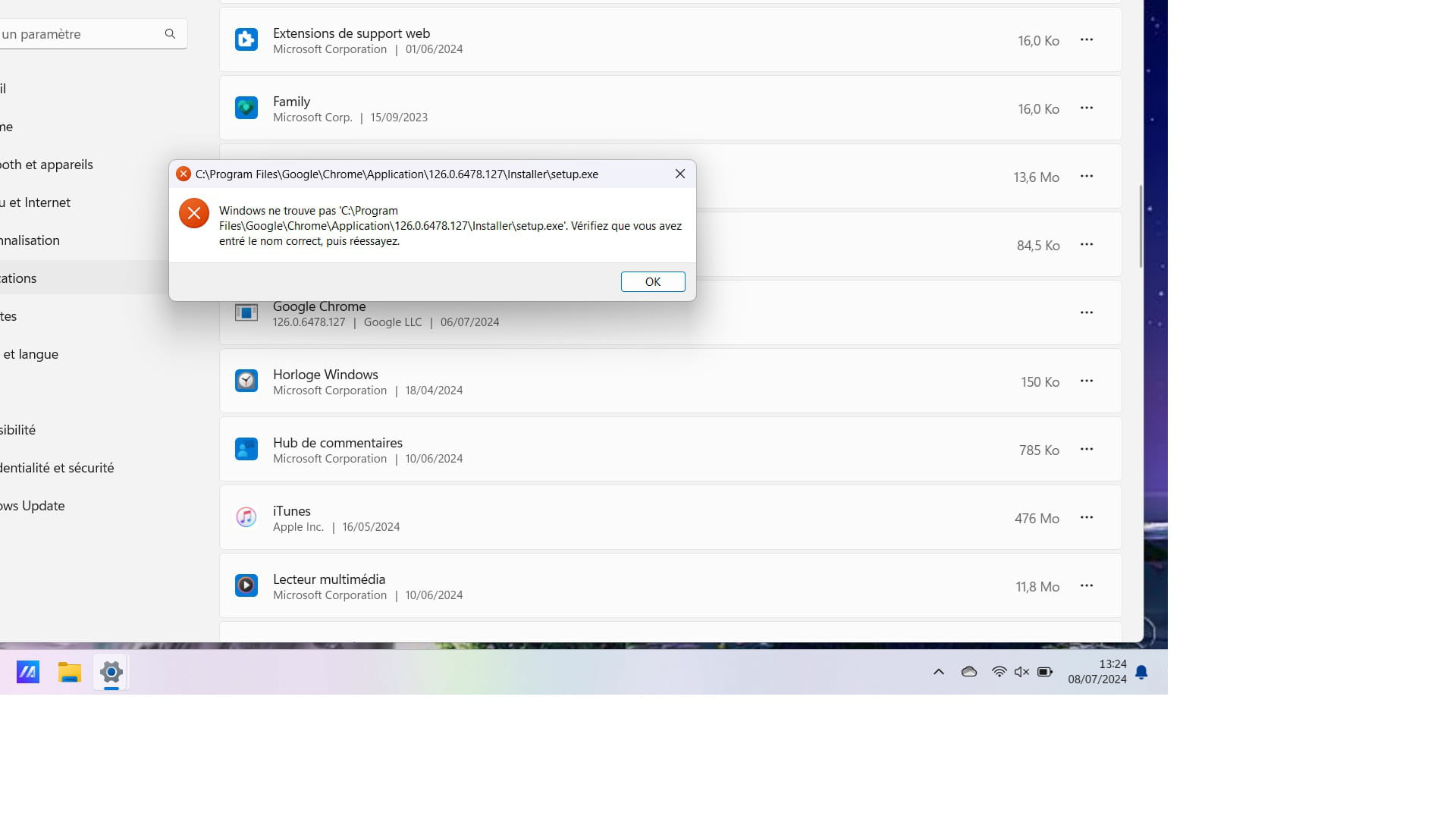
- 1
- 2