Textbox

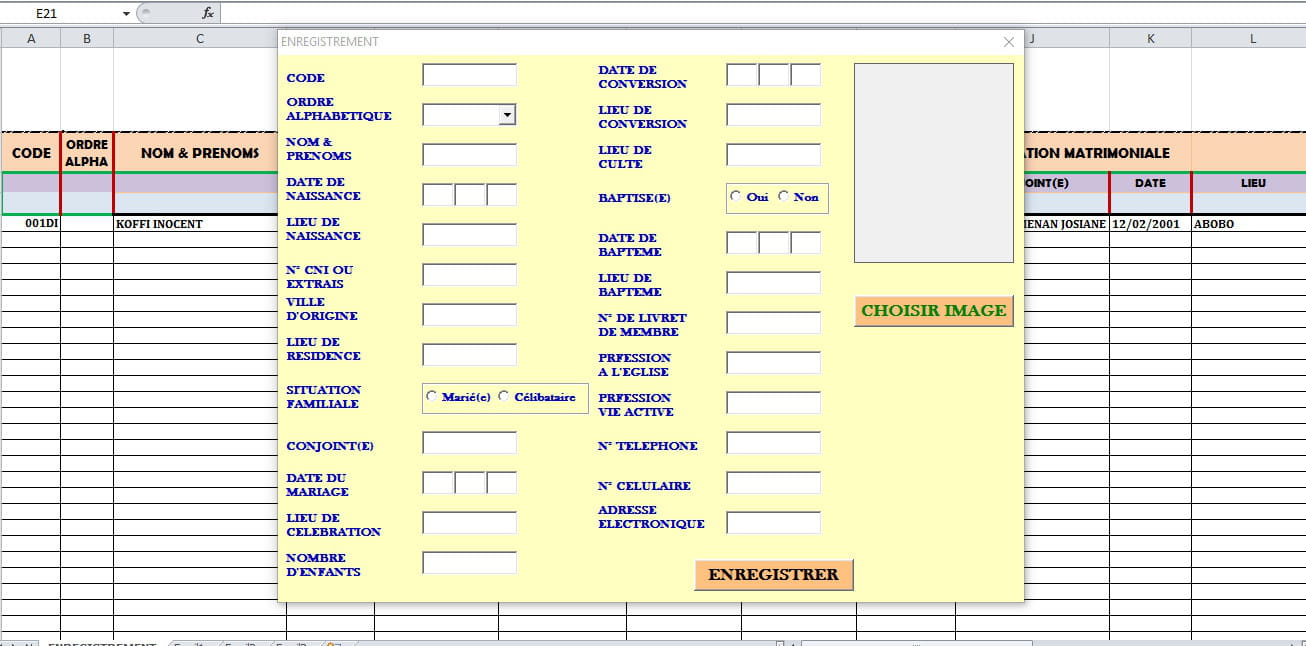
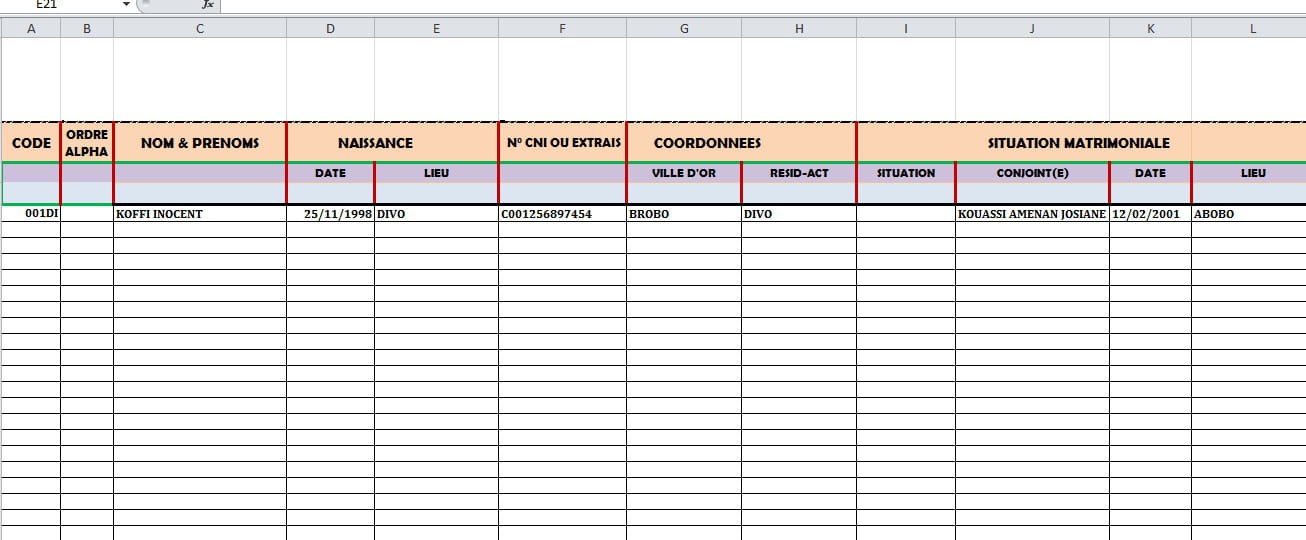
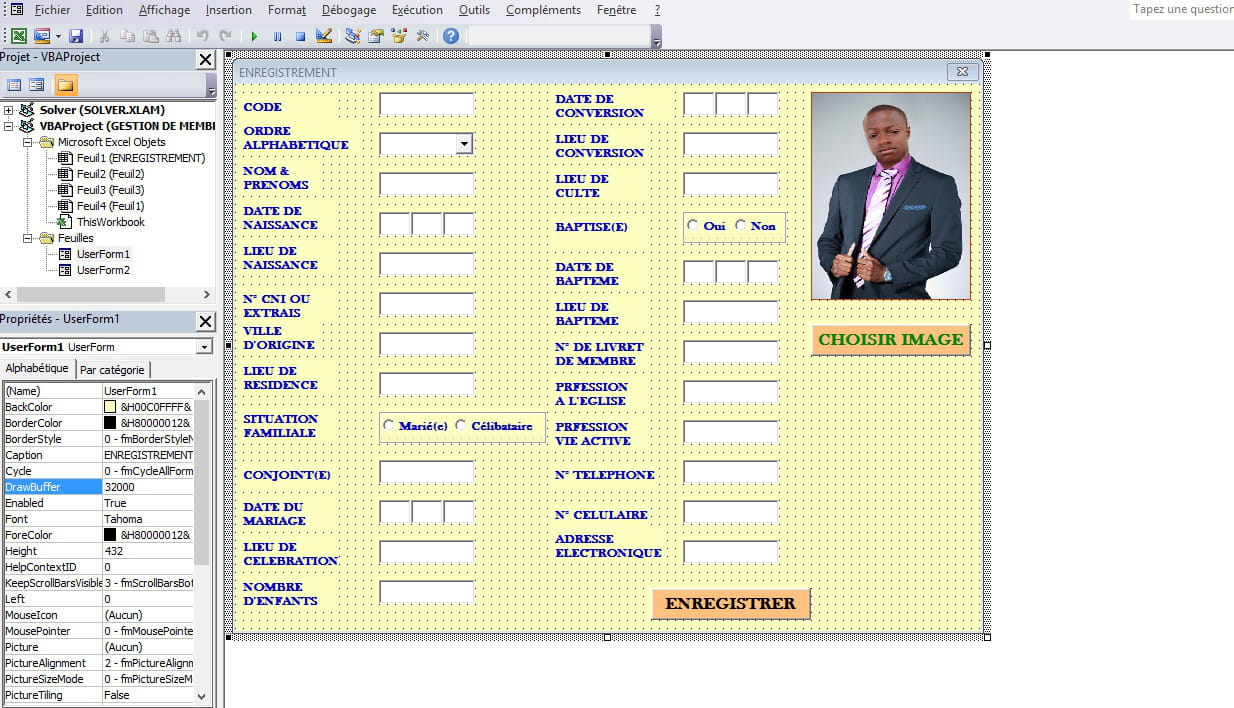
bonjour j’ai un soucie avec se codage quelqu'un pourrait il m'aider?
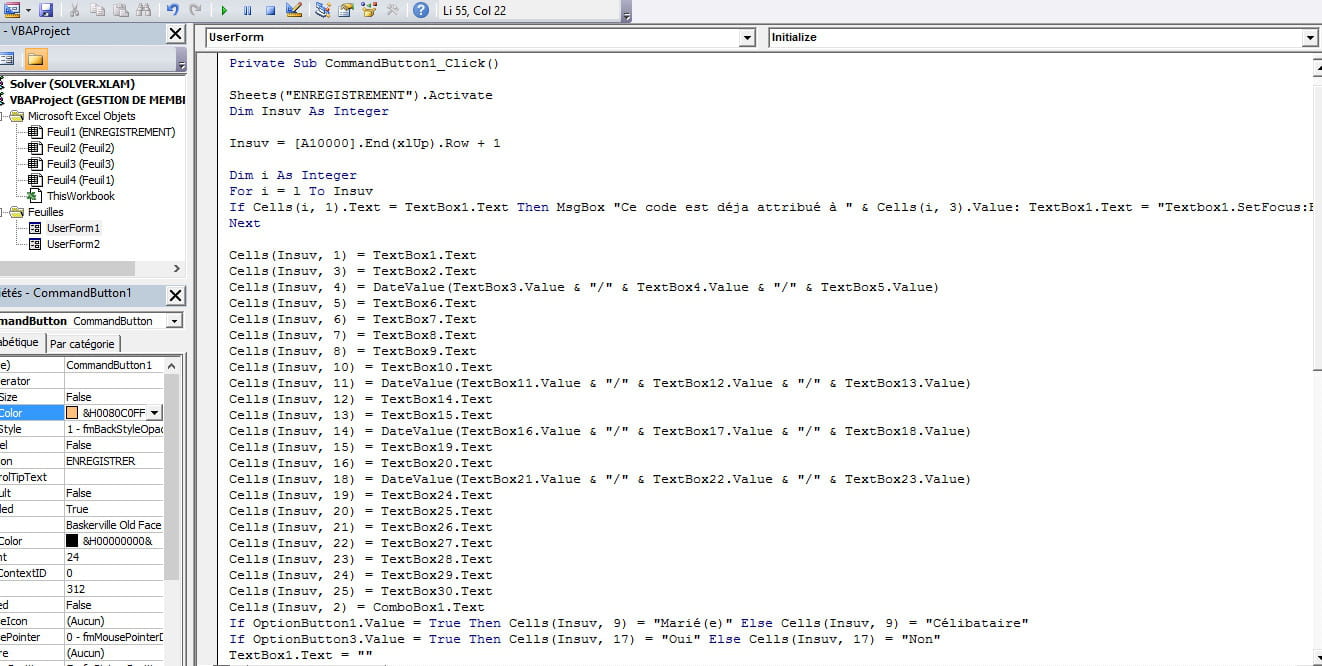
Private Sub CommandButton1_Click()
Sheets("Feuil1").Activate
Dim Insuv As Integer

Insuv = [A10000].End(xlUp).Row + 1
Dim i As Integer
For i = l To Insuv
If Cells(i, 1).Text = TextBox1.Text Then MsgBox "Ce code est déja attribué à " & Cells(i, 3).Value: TextBox1.Text = "Textbox1.SetFocus:Exit Sub"
Next
Cells(Insuv, 1) = TextBox1.Text
Cells(Insuv, 3) = TextBox2.Text
Cells(Insuv, 4) = DateValue(TextBox3.Value & "/" & TextBox4.Value & "/" & TextBox5.Value)
Cells(Insuv, 5) = TextBox6.Text
Cells(Insuv, 6) = TextBox7.Text
Cells(Insuv, 7) = TextBox8.Text
Cells(Insuv, 8) = TextBox9.Text
Cells(Insuv, 10) = TextBox10.Text
Cells(Insuv, 11) = DateValue(TextBox11.Value & "/" & TextBox12.Value & "/" & TextBox13.Value)
Cells(Insuv, 12) = TextBox14.Text
Cells(Insuv, 13) = TextBox15.Text
Cells(Insuv, 14) = DateValue(TextBox16.Value & "/" & TextBox17.Value & "/" & TextBox18.Value)
Cells(Insuv, 15) = TextBox19.Text
Cells(Insuv, 16) = TextBox20.Text
Cells(Insuv, 18) = DateValue(TextBox21.Value & "/" & TextBox22.Value & "/" & TextBox23.Value)
Cells(Insuv, 19) = TextBox24.Text
Cells(Insuv, 20) = TextBox25.Text
Cells(Insuv, 21) = TextBox26.Text
Cells(Insuv, 22) = TextBox27.Text
Cells(Insuv, 23) = TextBox28.Text
Cells(Insuv, 24) = TextBox29.Text
Cells(Insuv, 25) = TextBox30.Text
Cells(Insuv, 2) = ComboBox1.Text
If OptionButton1.Value = True Then Cells(Insuv, 9) = "Marié(e)" Else Cells(Insuv, 9) = "Célibataire"
If OptionButton3.Value = True Then Cells(Insuv, 17) = "Oui" Else Cells(Insuv, 17) = "Non"
TextBox1.Text = ""
TextBox28.Text = ""
TextBox29.Text = ""
TextBox1.SetFocus
End Sub
Private Sub CommandButton1_Click()
Sheets("Feuil1").Activate
Dim Insuv As Integer
Insuv = [A10000].End(xlUp).Row + 1
Dim i As Integer
For i = l To Insuv
If Cells(i, 1).Text = TextBox1.Text Then MsgBox "Ce code est déja attribué à " & Cells(i, 3).Value: TextBox1.Text = "Textbox1.SetFocus:Exit Sub"
Next
Cells(Insuv, 1) = TextBox1.Text
Cells(Insuv, 3) = TextBox2.Text
Cells(Insuv, 4) = DateValue(TextBox3.Value & "/" & TextBox4.Value & "/" & TextBox5.Value)
Cells(Insuv, 5) = TextBox6.Text
Cells(Insuv, 6) = TextBox7.Text
Cells(Insuv, 7) = TextBox8.Text
Cells(Insuv, 8) = TextBox9.Text
Cells(Insuv, 10) = TextBox10.Text
Cells(Insuv, 11) = DateValue(TextBox11.Value & "/" & TextBox12.Value & "/" & TextBox13.Value)
Cells(Insuv, 12) = TextBox14.Text
Cells(Insuv, 13) = TextBox15.Text
Cells(Insuv, 14) = DateValue(TextBox16.Value & "/" & TextBox17.Value & "/" & TextBox18.Value)
Cells(Insuv, 15) = TextBox19.Text
Cells(Insuv, 16) = TextBox20.Text
Cells(Insuv, 18) = DateValue(TextBox21.Value & "/" & TextBox22.Value & "/" & TextBox23.Value)
Cells(Insuv, 19) = TextBox24.Text
Cells(Insuv, 20) = TextBox25.Text
Cells(Insuv, 21) = TextBox26.Text
Cells(Insuv, 22) = TextBox27.Text
Cells(Insuv, 23) = TextBox28.Text
Cells(Insuv, 24) = TextBox29.Text
Cells(Insuv, 25) = TextBox30.Text
Cells(Insuv, 2) = ComboBox1.Text
If OptionButton1.Value = True Then Cells(Insuv, 9) = "Marié(e)" Else Cells(Insuv, 9) = "Célibataire"
If OptionButton3.Value = True Then Cells(Insuv, 17) = "Oui" Else Cells(Insuv, 17) = "Non"
TextBox1.Text = ""
TextBox28.Text = ""
TextBox29.Text = ""
TextBox1.SetFocus
End Sub
6 réponses
-
je te comprend pas
-
bonjour
voila la recherche textbox1Insuv = Range("A" & Rows.Count).End(xlUp).Row For I = 1 To Insuv If UCase(Cells(I, 1).Value) = UCase(Textbox1.Value) Then MsgBox "Ce code est déja attribué à " & Cells(I, 3).Value Textbox1.Value = "" Textbox1.SetFocus Exit Sub End If Next Insuv = Insuv + 1
A+
Maurice -
OUI OUI
VOICI


Private Sub CommandButton1_Click()
Sheets("ENREGISTREMENT").Activate
Dim Insuv As Integer
Insuv = [A10000].End(xlUp).Row + 1
Dim i As Integer
For i = l To Insuv
If Cells(i, 1).Text = TextBox1.Text Then MsgBox "Ce code est déja attribué à " & Cells(i, 3).Value: TextBox1.Text = "Textbox1.SetFocus:Exit Sub"
Next
Cells(Insuv, 1) = TextBox1.Text
Cells(Insuv, 3) = TextBox2.Text
Cells(Insuv, 4) = DateValue(TextBox3.Value & "/" & TextBox4.Value & "/" & TextBox5.Value)
Cells(Insuv, 5) = TextBox6.Text
Cells(Insuv, 6) = TextBox7.Text
Cells(Insuv, 7) = TextBox8.Text
Cells(Insuv, 8) = TextBox9.Text
Cells(Insuv, 10) = TextBox10.Text
Cells(Insuv, 11) = DateValue(TextBox11.Value & "/" & TextBox12.Value & "/" & TextBox13.Value)
Cells(Insuv, 12) = TextBox14.Text
Cells(Insuv, 13) = TextBox15.Text
Cells(Insuv, 14) = DateValue(TextBox16.Value & "/" & TextBox17.Value & "/" & TextBox18.Value)
Cells(Insuv, 15) = TextBox19.Text
Cells(Insuv, 16) = TextBox20.Text
Cells(Insuv, 18) = DateValue(TextBox21.Value & "/" & TextBox22.Value & "/" & TextBox23.Value)
Cells(Insuv, 19) = TextBox24.Text
Cells(Insuv, 20) = TextBox25.Text
Cells(Insuv, 21) = TextBox26.Text
Cells(Insuv, 22) = TextBox27.Text
Cells(Insuv, 23) = TextBox28.Text
Cells(Insuv, 24) = TextBox29.Text
Cells(Insuv, 25) = TextBox30.Text
Cells(Insuv, 2) = ComboBox1.Text
If OptionButton1.Value = True Then Cells(Insuv, 9) = "Marié(e)" Else Cells(Insuv, 9) = "Célibataire"
If OptionButton3.Value = True Then Cells(Insuv, 17) = "Oui" Else Cells(Insuv, 17) = "Non"
TextBox1.Text = ""
TextBox28.Text = ""
TextBox29.Text = ""
TextBox1.SetFocus
End Sub
Private Sub UserForm_Initialize()
ComboBox1.AddItem "A"
ComboBox1.AddItem "B"
ComboBox1.AddItem "C"
ComboBox1.AddItem "D"
ComboBox1.AddItem "E"
ComboBox1.AddItem "F"
ComboBox1.AddItem "G"
ComboBox1.AddItem "H"
ComboBox1.AddItem "I"
ComboBox1.AddItem "J"
ComboBox1.AddItem "K"
ComboBox1.AddItem "L"
ComboBox1.AddItem "M"
ComboBox1.AddItem "N"
ComboBox1.AddItem "O"
ComboBox1.AddItem "P"
ComboBox1.AddItem "Q"
ComboBox1.AddItem "R"
ComboBox1.AddItem "S"
ComboBox1.AddItem "T"
ComboBox1.AddItem "U"
ComboBox1.AddItem "V"
ComboBox1.AddItem "W"
ComboBox1.AddItem "X"
ComboBox1.AddItem "Y"
ComboBox1.AddItem "Z"
End Sub -
Merci gbinforme
en faite, mon soucie est que je veux empêché les duplication dans la cellules 1 ou A
-
Bonjour,
Je viens de tomber sur ce post, pour moi tout fonctionne sauf que les images ne reste pas figées sur mon userform, je suis obliger de faire une prise écran, la mettre sur word et imprimer et j'en ai pas mal à faire.
Ma question, est ce qu'il est possible que, quand je mets une photo sur l'userform elle reste incorporé quand je la rappelle
Merci par avance pour vos solutions
Bien cordialement
eric2027 -
ContributeurBonjour,
Quel est ton souci ?
Doit-on le deviner ?