
Paint ne peut pas sauvegarder ce fichier. La sauvegarde a été interrompue, donc votre fichier
brucine Posted messages 25279 Registration date Status Member Last intervention -
Hello,
I am on Windows 11. Previously, I could copy images in Paint and save them in JPEG format.
Now, I get the message "Paint cannot save this file. Save was interrupted, so your file ..." And the result is a tiny, unreadable image.
I can't find a solution.
Thank you for your help.
2 answers
-
Hello,
At the very least, you should indicate the original format of the source image (extension), knowing that Paint does not handle all formats and to my knowledge does not guarantee conversion from one format to another.
One of the few leads in French:
https://www.reddit.com/r/windows/comments/e4xpyz/paint_cannot_save_this_file_save_was_interrupted/
Otherwise, a more complete page to be translated by Google Translate (function included in Opera):
-
Hello,
Thank you for this information. Regarding the file C:\Users\USERNAME\AppData\Local\Temp, it does exist.
In fact, if I display a document, I take a screenshot of a part of that document, I paste it into Paint. And I can do it again with another part of the document to create a montage.
Right now, it's impossible to save it as a jpg!!!!
-
-
Hello,
Regarding the file C:\Users\USERNAME\AppData\Local\Temp, it does indeed exist.Move the file in question to your documents or to your desktop, for example, to view it before pasting it into Paint.

Hello,
The indicated path is not a file but a folder.
Everything inside it is not necessarily temporary or volatile; a counterexample is the Windows account user bmp avatar that remains there, but obviously, we cannot open a tmp file there, ~....
Paint is more than rudimentary, and there was a time when it didn't even allow saving in jpg; a real image editing software would be more appropriate.
As noticed, if the capture format is not bmp or jpg, we are likely to encounter issues.
Moreover, Paint generally does not allow copying images one after the other (if they are small, it's quicker to copy them, for instance, into Word and recapture).
All screen capture utilities store their images somewhere, some even without asking; there is no crazy logic in doing it directly by copy-pasting the capture.
In any case, for two saved images, I have no problem opening the first one, creating a transparent rectangular area, pasting from an image through which I scroll, and placing the dog in the landscape.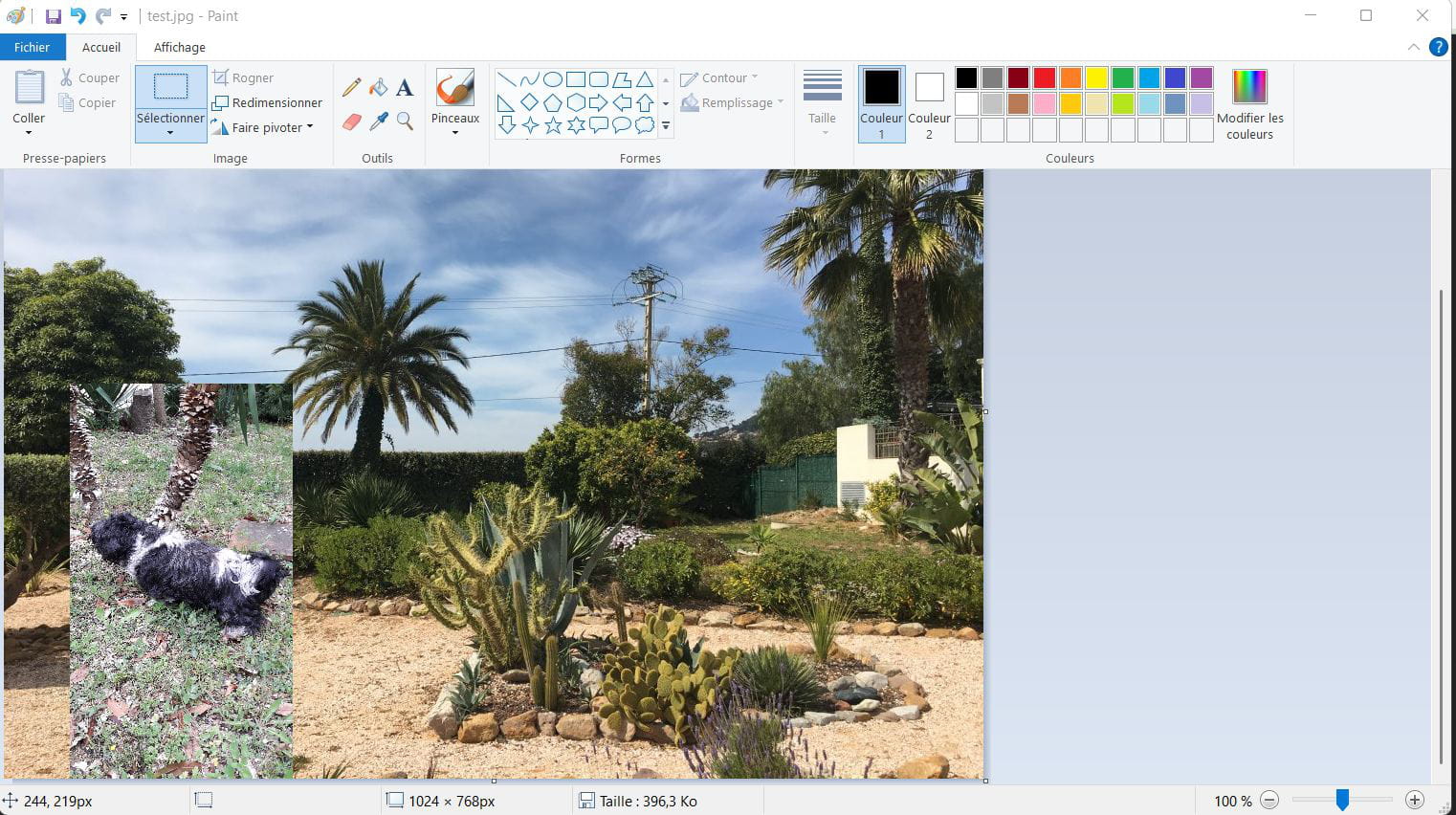
-
