Grundig remote control TV Proline all "incorrect" codes
Solved
fabnanou19850606 Posted messages 91 Registration date Status Member Last intervention -
Hello everyone,
I hope you are doing well.
Grandma, 89 years old, is entering a nursing home on Tuesday.
I retrieved her Proline L2433HD LED TV so she can take it to her penultimate home. No smileys on CCM, so: tears.
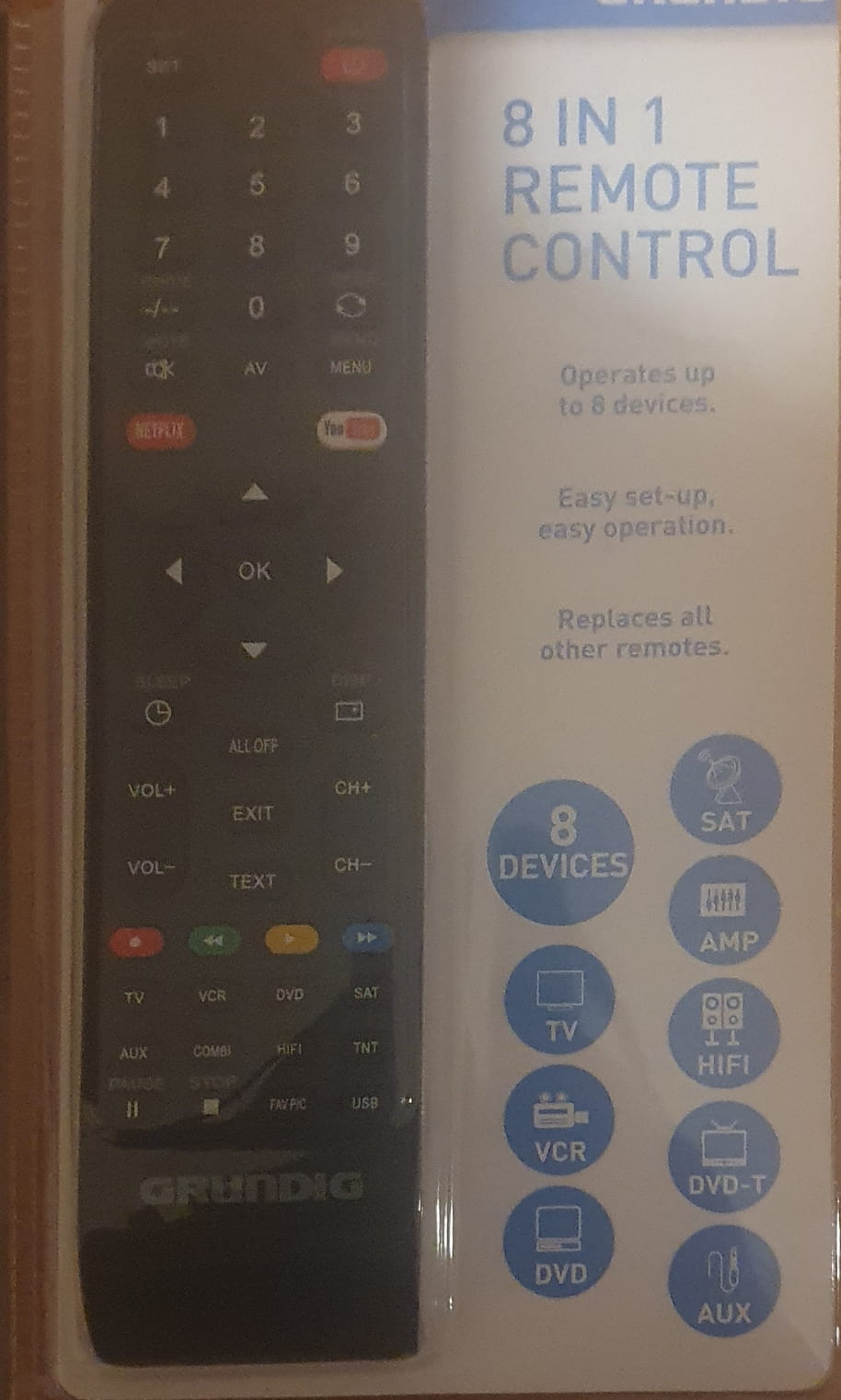
Because of her age and her illness (dementia?), she breaks and hides things. We can't find the remote for her TV. So, I managed to find a universal remote from Grundig, 8 in 1 ITEM No. 19935, on LBC. I tested all the codes listed for the Proline TV: 0043 0295 0554 0375 0230 0418 1619 0170 0540 0513. None of them turn off the TV (the TV does not recognize the remote).
What's wrong? I will call Grundig's service tomorrow, Monday 26/01.
I will try to keep you updated.
Thank you.
Fabien.
5 answers
-
Hello friends, I went to grandma's this noon with mom.
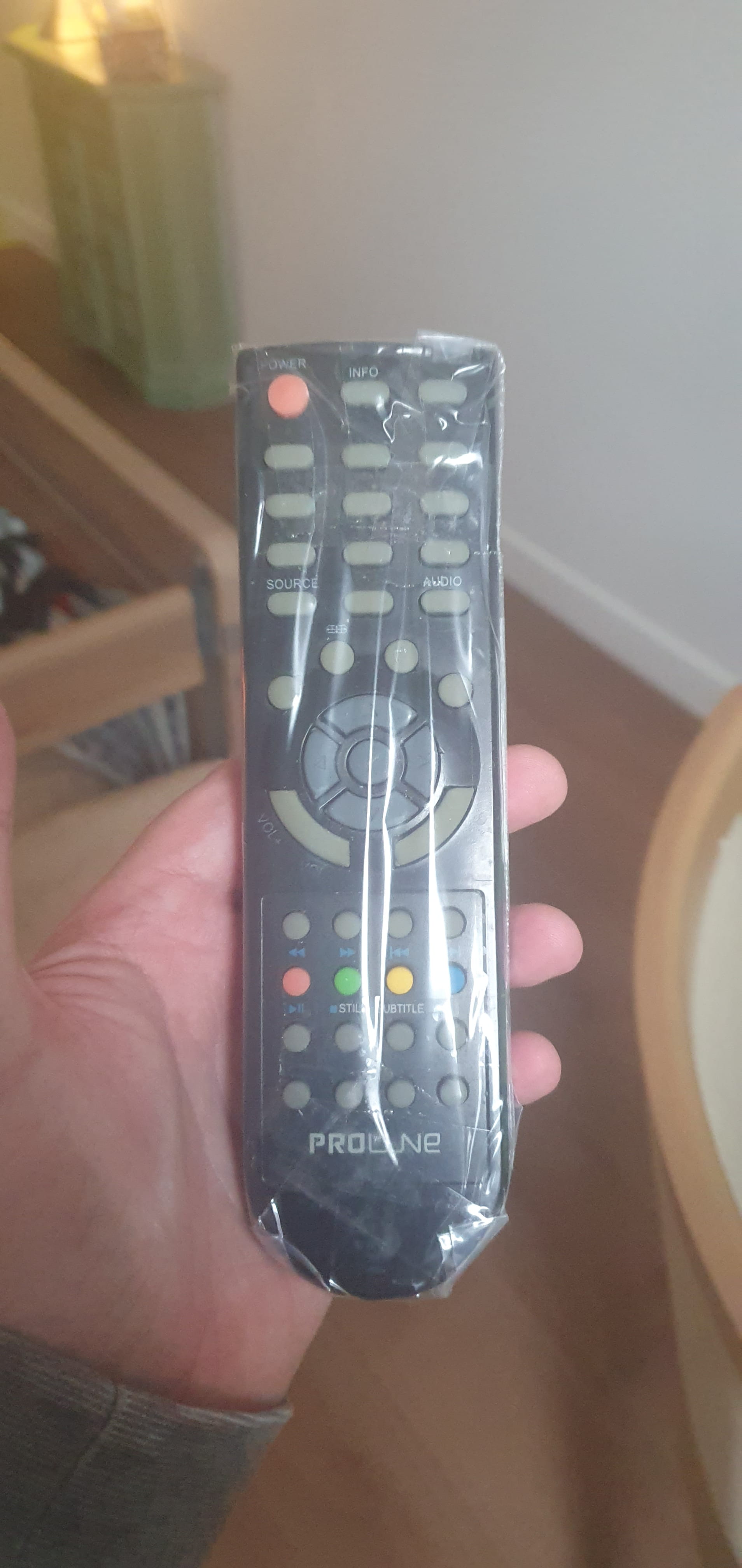
I found the Proline TVC for her Proline TV. It just needs the battery cover (grandma had a tendency to break all the little things like the TVC, smartphone, etc.)
We also took 2 of her furniture pieces to put in the nursing home.
She is going to be happy.
Thanks to everyone anyway.
-
Hello,
You are not the first to encounter this issue (link).
The TV manual (link) doesn't help us much either, but it does specify that the TV only accepts an infrared remote control.
I have 2 more leads:
- code list
- 0037 0178 0457 0556 0678 0714 0864 1004 1149 1335
- scan method
- TV
- turned on, the screen must display something.
- Do NOT enter the menu, change the source, or touch any buttons on the TV
- Remote control
- Initialization procedure:
- Press and hold the SET or SETUP button
- until the indicator stays on or blinks slowly
- Release the SET button
- Press ONCE the TV button
- The indicator stays on or blinks slowly
- Initialization is complete, proceed to the procedure.
- Press and hold the SET or SETUP button
- Procedure
- Monitor ONLY the TV: if it turns off or goes into standby (black screen), DO NOT press POWER
- Start of the loop:
- Press ONCE on POWER
- Each press sends a new TV code
- Wait 1 to 2 seconds
- Monitor
- If the screen is black, press ONCE on OK
- Repeat
- Press ONCE on POWER
- Initialization procedure:
- If the TV turns off but the volume or channels do not work, redo the initialization and the procedure to find another code.
- TV
If not, you can find a directly compatible model here (link).
The MAMAA may not have oil but they do have data!
Can you feel my Big Data?
Sacrifice a few freedoms for more security and you lose them ALL.
ALL YOUR DATABASE ARE BELONG TO US-
I just called Grundig. They told me that if no code worked, it was because the remote was acting up. I'm going to try your procedure @luckydu43 StatusMember.
And if not, at worst, I'll order one from Amazon. And then I shouldn't have any problems normally (no scanning or code to enter).
-
@luckydu43 StatusMember I tried all your codes (your list, I don't know where it comes from, the brand TCL, TVfunfen, and Vestel); that makes 50. None of them work.
I think I'm going to buy the Proline TV on Amazon. I'm also going to order my SSD.
I'm still going to contact Grundig again to ask for help or advice.
-
Argh, for the codes, it's crazy that after so many tries, not one of them is correct o_O
Sorry about the sources, I do mention them often. It was late too
Just have to see with the remote, I hope I didn't give bad advice this time
-
Hello luckydu43, I went to install the little TV at grandma's nursing home. No TVC but she's very happy.
Maybe I’m doing something wrong with the codes? I don't trust myself, so whenever there's a problem, I think it's my fault.
I want to test it with my Samsung TV (code 6). What does the 3 in the manual mean?
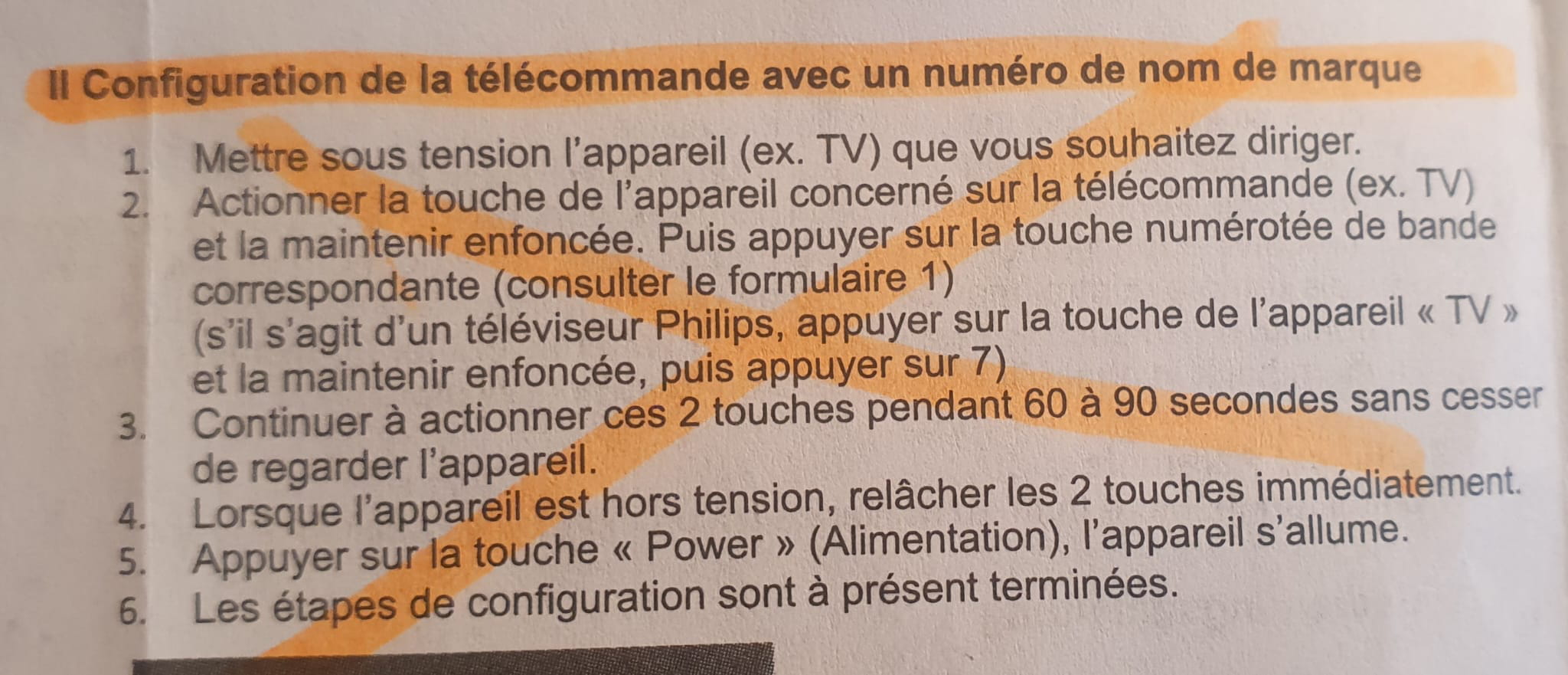
Do I need to do this: press the TV button until it stays lit and then press 6??? It's the phrase "release both buttons" that I have trouble understanding. What does it mean? Stop touching the buttons? Does it mean that the TVC is recognized by the TV?
"I don't trust myself, so as soon as there's a problem, it's my fault"
Don't forget:
- Only those who do nothing never make mistakes
- Be happy if there's a problem; many won't have tried.
Let's get back to the image
In fact, this procedure will identify the correct code for the TV.
There is no "protocol", no "response" from the TV to the remote control: if the correct code is sent, the TV will react; otherwise, it won't.
Hence the procedure:
- Turn on the TV
- Do not touch the TV anymore
- Press Power on the remote
- It shouldn't react from the TV side; that's the whole problem, and we know it
- Check form 1 to see which button is the right one
- 6 apparently
- Once in front of the powered-on TV and ready:
- Press and hold the [TV] and [6] buttons on the remote
- It will scan lots of codes until it finds the right one
- As soon as the TV turns off, RELEASE IMMEDIATELY
- This is the essence of "staying alert." You need to be reactive too.
- Confirm the pairing with "Power" on the remote, the TV should turn on. If not, start over.
- Press and hold the [TV] and [6] buttons on the remote
Hello,
- I indeed noticed that the remote controls of this brand often cause issues.
- OK for infrared, I have the little bulb that sticks out.
" you can see …. a "mini bulb" (sticking out of the casing ….. )
- codes :
-you
0037 0178 0457 0556 0678 0714 0864 1004 1149 1335
- me
0043 0295 0554 0375 0230 0418 1619 0170 0540 0513
Your codes do not match mine at all. Yet I did take the TV section and the very small Proline line.
Where did you find your codes?
- I will try the scan method you gave me.
- for the link to the remote control, you're on point. I need to create an Amazon account and buy a Crucial SSD
https://www.amazon.fr/Crucial-CT480BX500SSD1-Interne-BX500-Pouces/dp/B07G3KGYZQ
to replace the old HDD of the old family Acer laptop (me and mom) which dates back to Christmas 2012 (yes it’s 13 years old). I used to have a Sony Vaio, I also liked it a lot, I kept it for over 10 years (motherboard is probably dead).
-
I ordered my future DDI SSD CRUCIAL on Amazon for €78 !!!!
Prices have skyrocketed. I had the same disk in my cart for over a year at around €50 before buying a Netac TLC 2TB SSD for €105 at the end of November.
This same SSD is now offered by the same seller for €202.
Your offer isn't bad; it reflects the current market trend.
At least the BX500 is a decent reference. You shouldn't be disappointed ;-)
Hello,
Just to add to the very good answers already given.
On many Proline TVs (often manufactured by Vestel), the codes provided with universal remotes are not always up to date or compatible, even if they are listed in the manual.
The automatic scan method remains the most reliable, but it really requires close attention: as soon as the TV responds (turns off or enters standby), you must immediately release the buttons, otherwise the correct code is skipped.
Another important point: make sure that the universal remote emits only in infrared (IR) and not in Bluetooth, as these TV models do not manage Bluetooth.
Finally, on some Proline models, only the basic functions (Power / Volume / Channels) will work with a universal remote, even if the pairing is correct.
Good luck, and well done for your patience with this type of equipment, it's never easy.
Great news, I went with Mom to see Grandma at the nursing home. We set up the two little pieces of furniture from her place. And I put the remote back. So, I reset the TV to zero (searching for digital DTV channels, turning off subtitles, etc.).
Thank you all!
- code list