
Locked screen notification
Solved
lecouguar
Posted messages
158
Registration date
Status
Member
Last intervention
-
lecouguar -
lecouguar -
Hello,
On my Samsung A05s, I'm unable to get notifications on the locked screen in the "card" type.
The notifications from the messaging app are all properly activated.
In the locked screen notifications, I only have these options as shown in the picture:
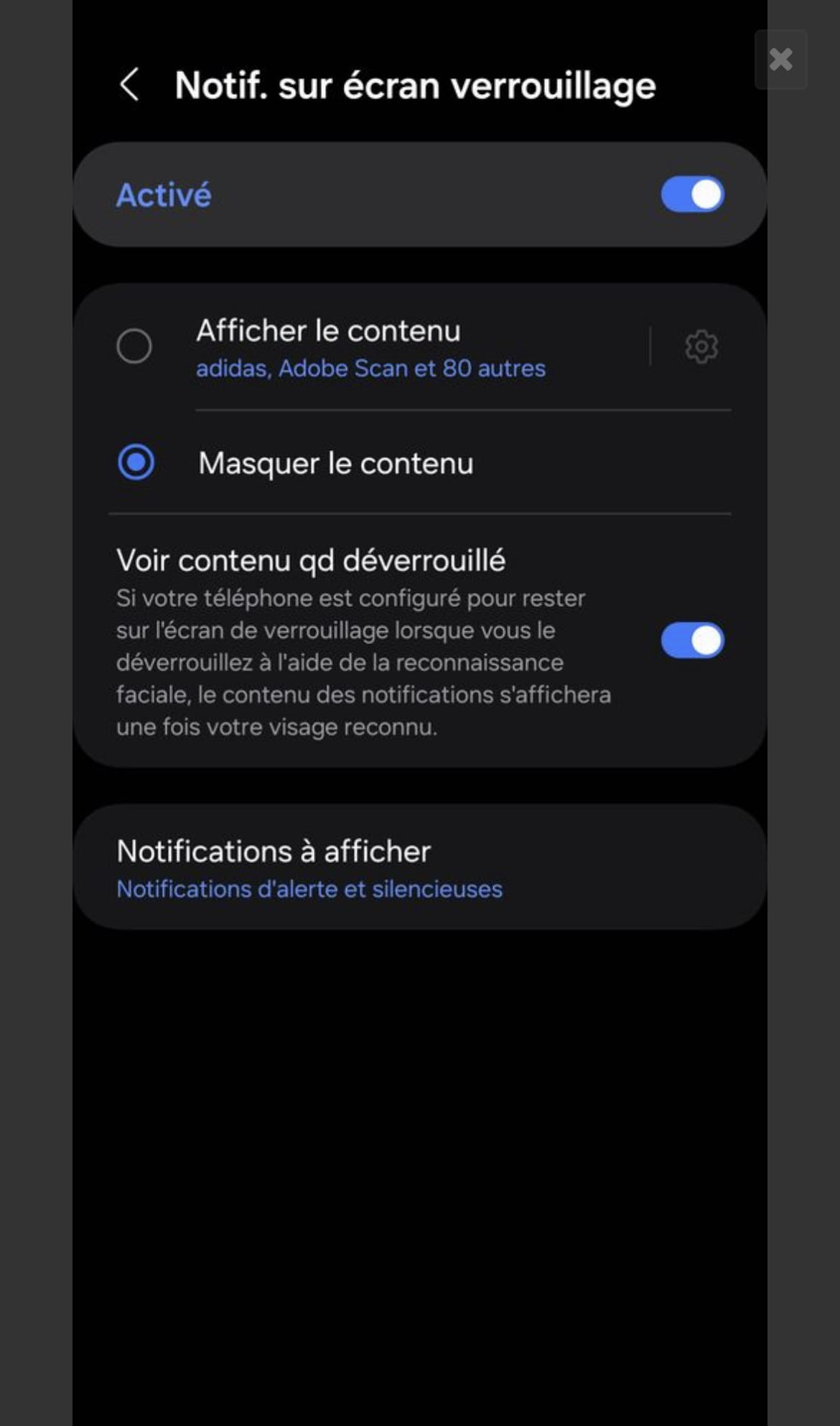
What should I do then, please?
Thank you,
4 answers
-
Hello, I solved my problem... on this model... you need to lock the screen, press and hold, tap on the notification center, and click on what you want (I chose details).
Thank you for your help,
-
-
Hello,
I don't have a Samsung where the software overlay may be different, but I believe it's an Android setting.
Notification on the lock screen is generally managed for each app in the app management settings, under notifications. -