
L'application WhatsApp n'apparaît plus.
BartoliniFontignano Posted messages 6 Registration date Status Member Last intervention -
Hello
I have a Samsung S23. My WhatsApp application no longer appears in the apps. It's not in the cached applications. My Play Store indicates that it can't download WhatsApp. I've cleared enough storage, I'm at 73%. I've turned my phone off and on again. Nothing works. If you have a solution, I’m all ears. Thank you in advance.
3 answers
-
Hello,
Go to Settings > Applications
Find WhatsApp.
Click on the line and uninstall the app (icon at the bottom of the screen).
You will reinstall it from the Google Play Store.
(Be careful in the Play Store, the first suggestion is an ad and has nothing to do with WhatsApp! It's labeled "Sponsored".)
What is well conceived is clearly expressed,
And the words to say it come easily.
(Boileau) -
Hello
As I mentioned in my first message, I no longer have WhatsApp in the applications section, just like in the masked applications. It no longer appears in the list of applications.
-
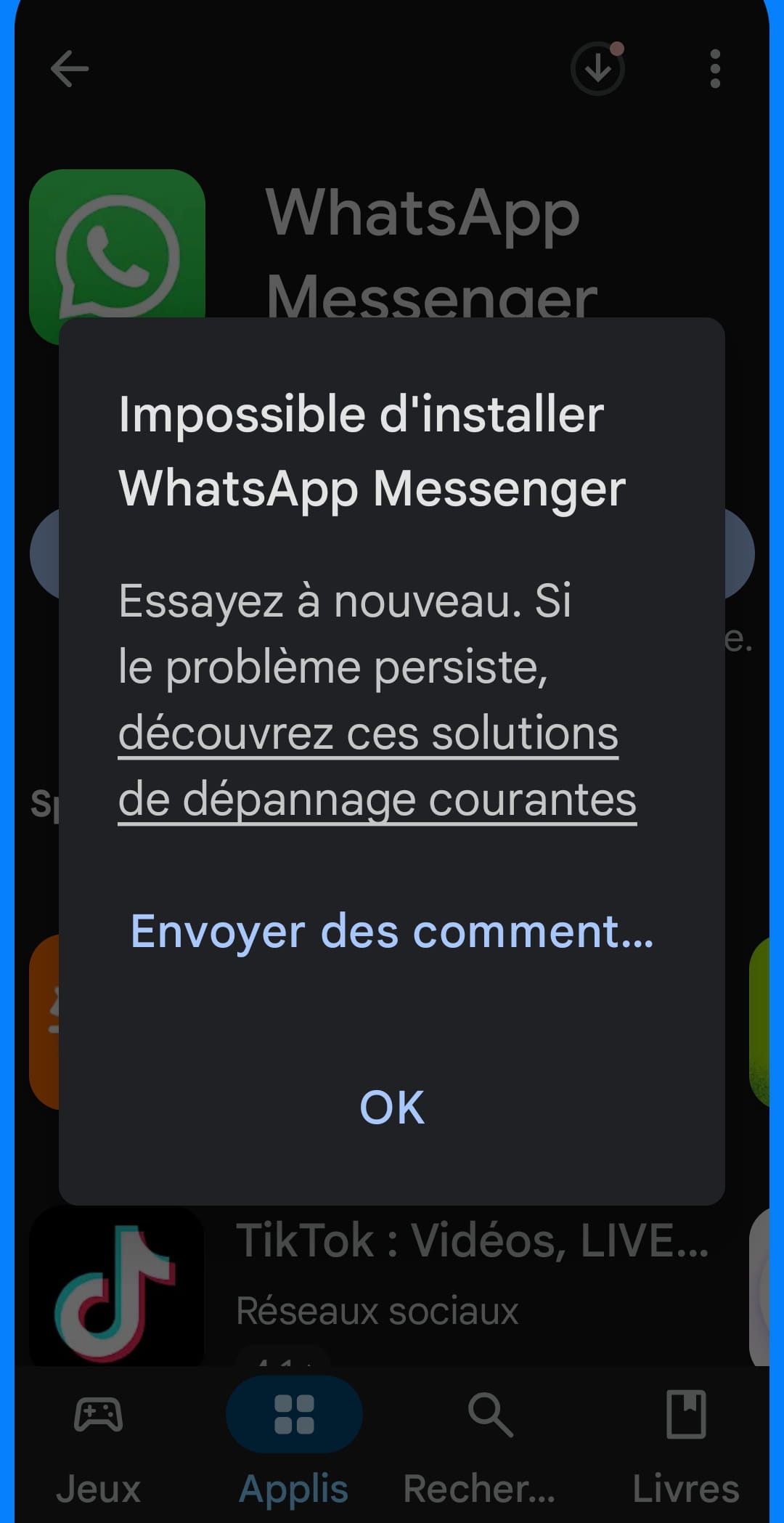
The message is as follows. Every time I clear the Play Store cache. But it still doesn't work. The other solutions indicated in the error message have all been executed
