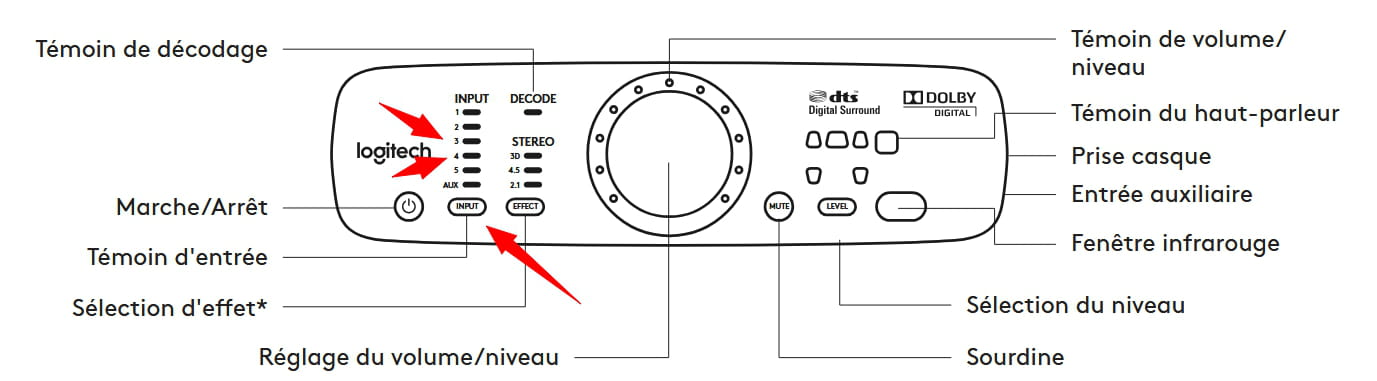
Logitech Z906
Solved
Hello, I bought the Z906 ultimate THX surround sound from Logitech, I bought it to replace my Cambridge SoundWorks for use with my PC.
But I wanted to try it on my television and I thought if it works, why not buy a second one.
The big issue is that I couldn't get it to work.
Do you think the cord is not suitable? Or that the TV is not compatible? Other reasons?
Thank you very much for your help
16 answers
-
Moderator
What are the references (Brand and model) of this PC?
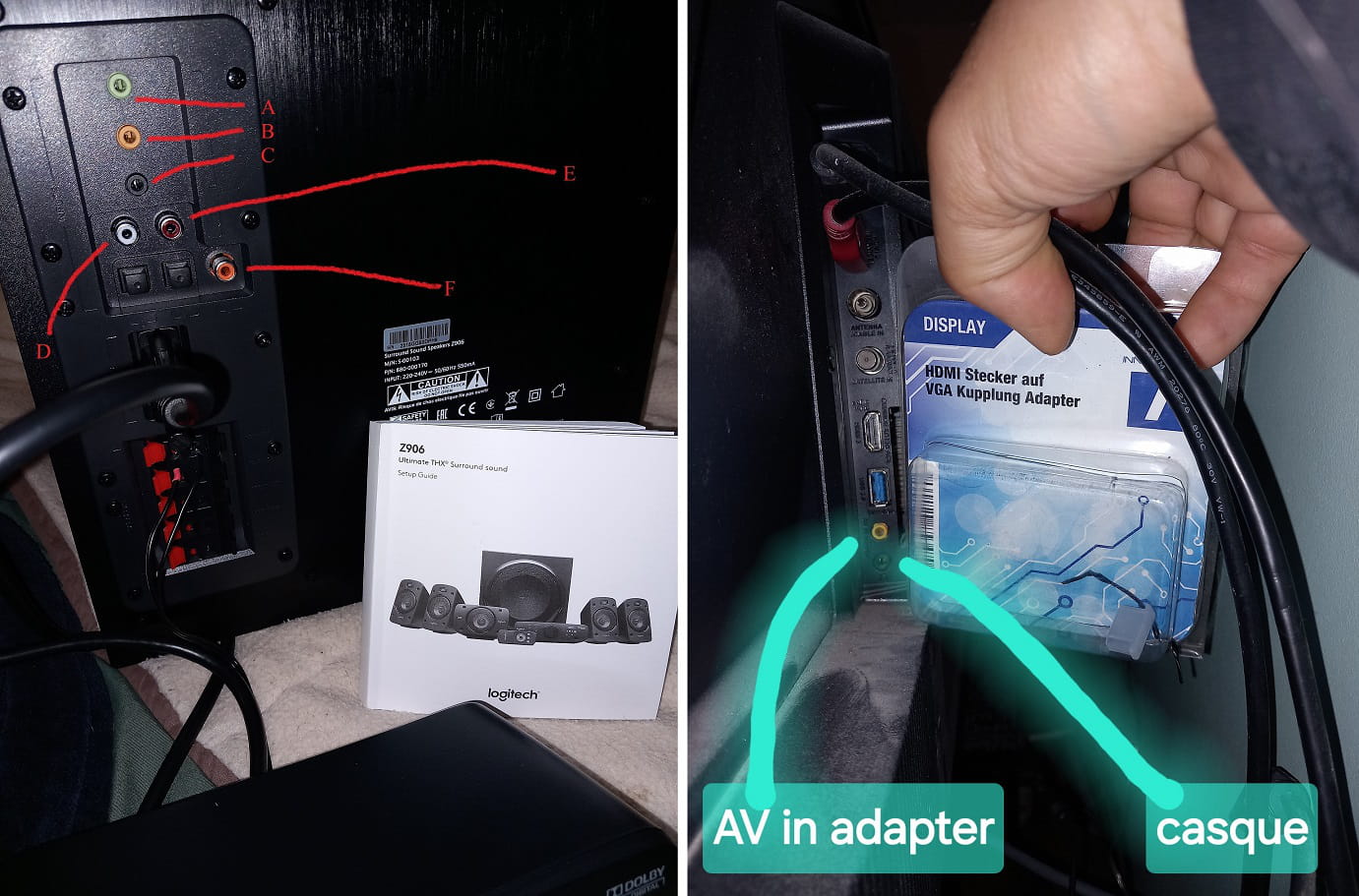
The green jack is the audio output (stereo) to connect to the RCA (white red) inputs of the Z906 with a 3.5mm audio jack/RCA cable.
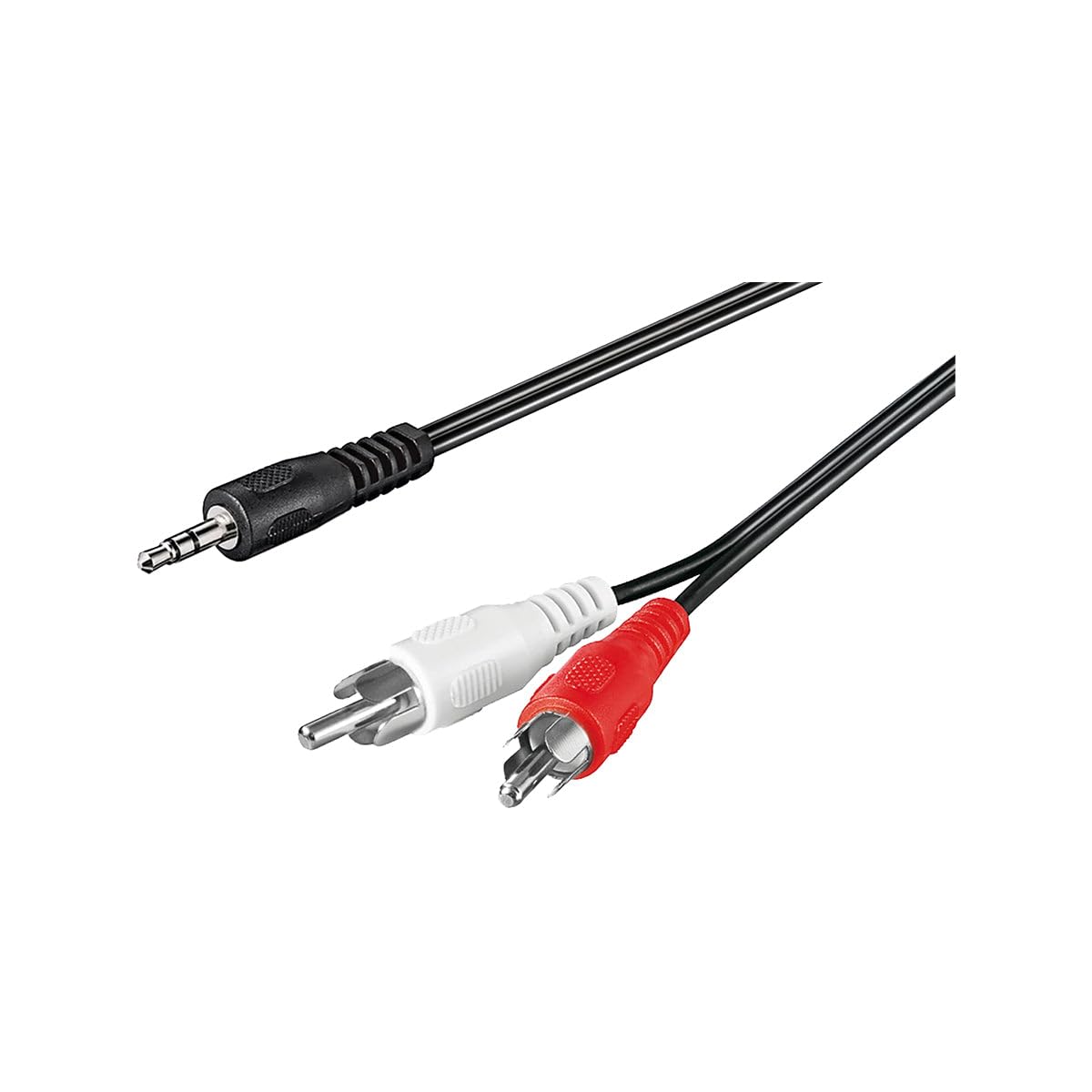
https://www.amazon.fr/Goobay-50018-C%C3%A2ble-adaptateur-Audio/dp/B000L0W5BG
You will need to select input 2 using the input button on the Z906.
Very hard to catch a black cat in a dark room.
Especially when it's not there... -
Moderator
Hello,
What are the references (Brand and model) of your PC and your Television?
It's very difficult to catch a black cat in a dark room.
Especially when it's not there... -
thank you Baladur for your help
so the PC I have no issue (I haven't tried)
and the TV is a TCL 43P635
-
Moderator
The TCL television only has one analog audio output: the headphone output.
The only solution (via the television) therefore involves a 3.5mm/ RCA red and white jack cable to connect to the RCA jacks of the Z906 (Markers H and I in your photo).
However, with this, you'll only get stereo sound.
As I have already asked you, what are the model numbers of the two devices connected via HDMI to your television? This is to see if these devices have optical or coaxial digital outputs that could provide sound of much better quality.
Very difficult to catch a black cat in a dark room.
Especially when it isn't there... -
thank you very much for your help
Are H and I the inputs obstructed by the covers, I assume?
And when you say stereo, what else could I have, please?
The 2 HDMI outputs are one for the Free decoder/TV and the other a simple cable to plug in a USB stick at the end to avoid going behind the TV every time
-
Moderator
No, the sockets (H and I in your photo) are not the sockets obstructed by covers. They are the RCA sockets (white and red) located just above these "obstructed" sockets, which are the optical sockets.

"when you say about stereo, what else could I have otherwise please"
Your system is capable of providing 5.1 sound.
see https://fr.wikipedia.org/wiki/5.1You say you have a FREE TV decoder, which model?
Unless I'm mistaken, all Free TV decoders have an optical audio output, so you can connect the TV box directly to the Z906 with an optical cable.
You will probably need to enable the optical output via the Free decoder remote, depending on the model.
Very difficult to catch a black cat in a dark room.
Especially when it’s not there... -
Well, I must say you are perfect baladur13!!!
It’s very concise and very clear
Thank you
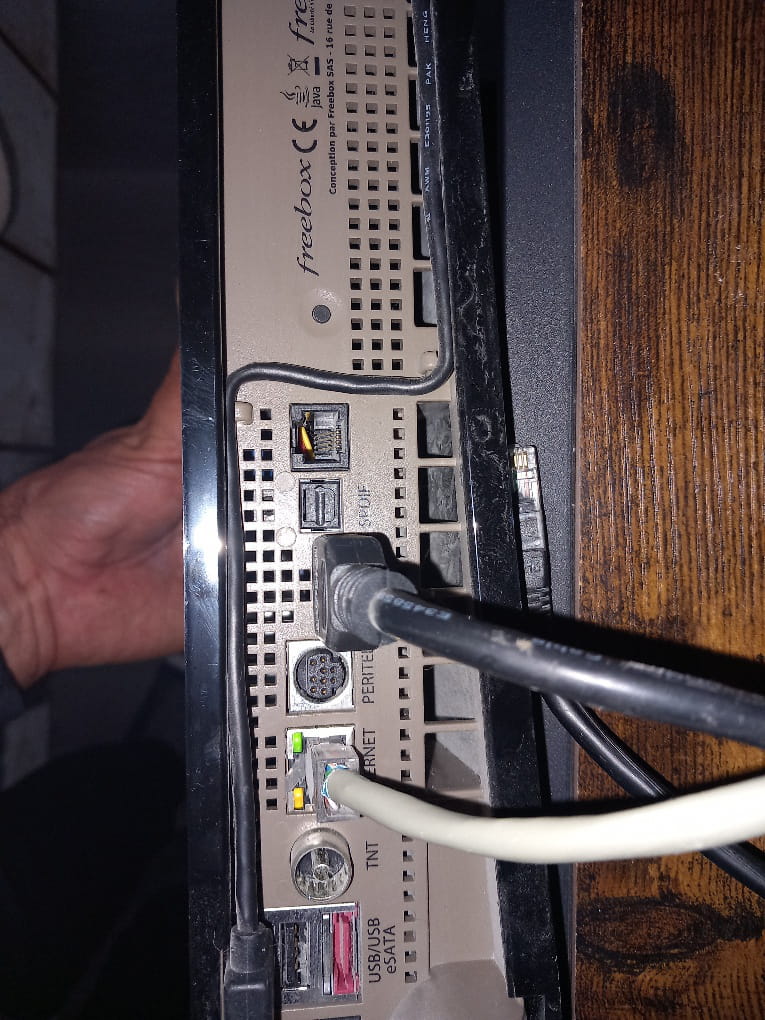
Attached is the back of the Free TV decoder
-
Moderator
The optical digital output is labeled SPDIF
for settings in the TV player menu see https://www.01net.com/actualites/bien-parametrer-les-sorties-audio-540734.html
and/or
https://www.youtube.com/watch?v=LZDE7nktLGQ
-
-
you are amazing, thank you!!!
so to enjoy the best sound possible, is it better for me to do the manipulations with the free TV player?
what cable do I need, please?
thank you
-
Moderator
Of course, you need to connect to the TV player.
An optical cable can be found in many places such as supermarkets - specialized stores - Darty - Boulanger - etc.
For example on Amazon https://www.amazon.fr/KabelDirekt-C%C3%A2ble-Optique-TOSLINK-optique/dp/B004YEEPNQ
-
-
thank you, that's great, I didn't know about this cable at all
and once I have it, I connect it to the TV player via SPDIF, but on the soundbar do I plug it where the covers are, in optical port 3 or 4 please?
-
thank you very much because I wouldn't have thought to do the input 3/4
great you were perfect !!!!!!!!!! thank you thank you thank you
-
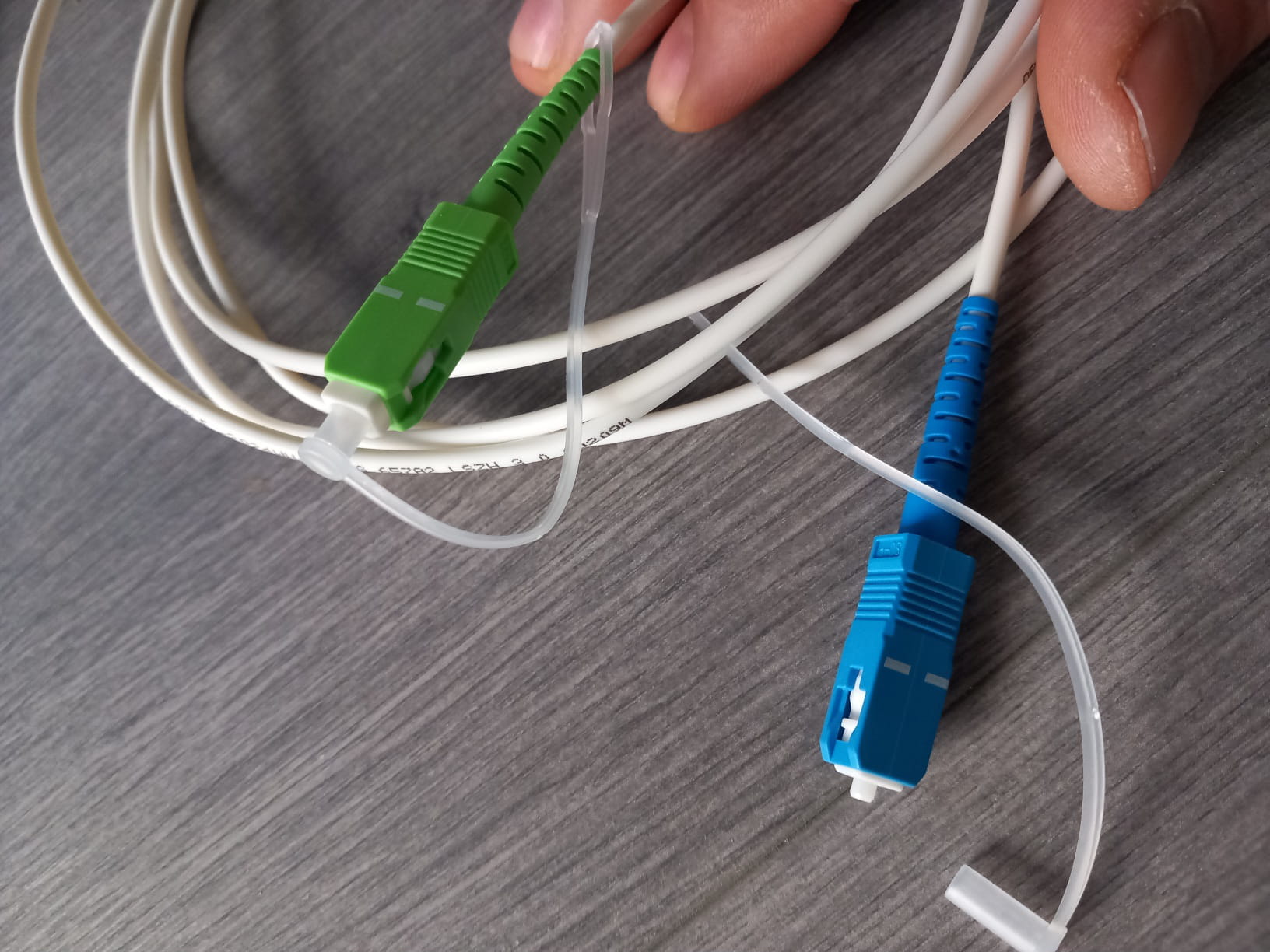
hello, I just bought an optical cable, I tried to connect it, I guess it's not the right one sniff, which one should I get please?
-
ok super nice, I went to buy it thank you very much <3
-
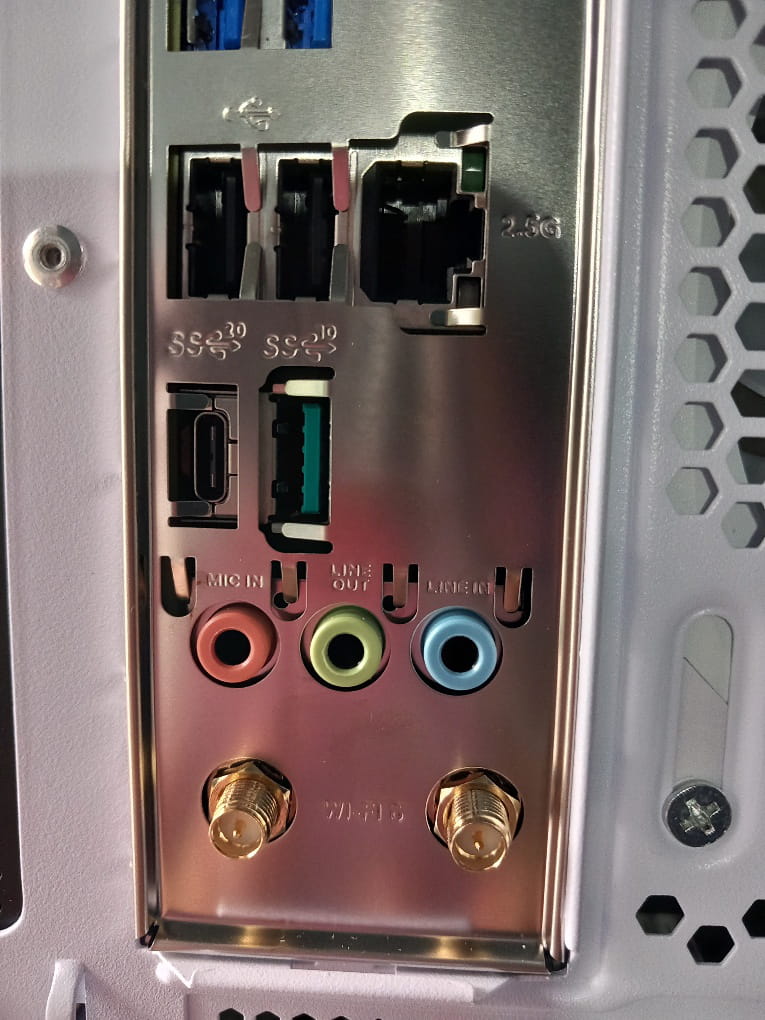
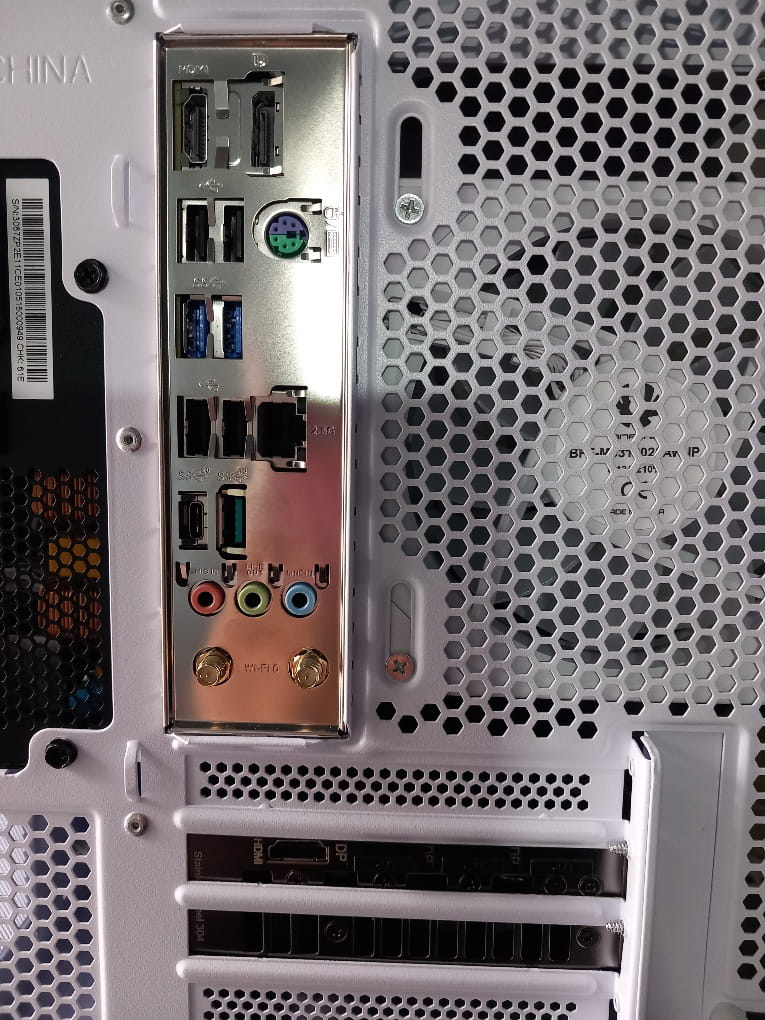
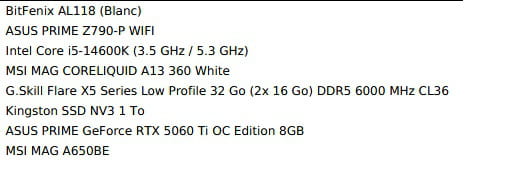
For my PC, what do you think is better to switch to, please? The 3 color cables?
-
-
-
ps: the sound on the TV with the optical audio cable is AMAZING WOW
You are awesome!!! I don't know how you know all this :-)
I'm getting my PC screen this Monday or Tuesday, I'm telling you this because I've connected the sound to the screen on my current monitor
with my Z906 sound system, is it better for me to do my connection as you previously described or will the sound be better on the PC screen, if yes, where and with which cable please?
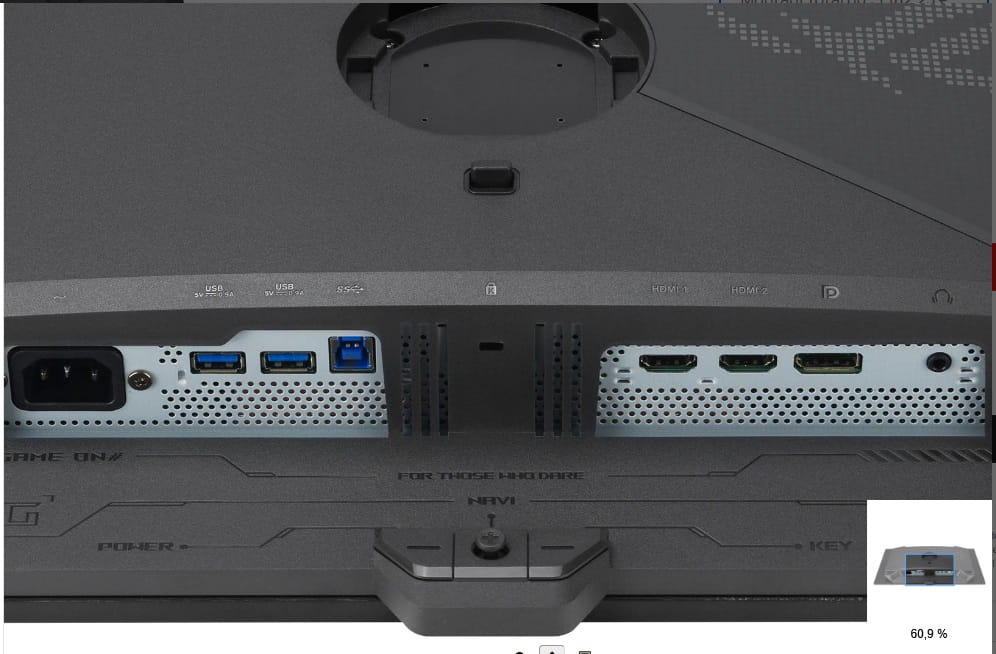
big thank you to you <3 my screen Asus ROG XG27AQDPG
-
Moderator
The audio output on the Asus monitor is a headphone output.
So it's a stereo output.
For connecting the headphone output of the Asus screen to the Z906, the same 3.5mm jack/RCA cable will do the trick.
It's up to you to decide which provides the best sound, the PC output or the headphone output of the screen.
-