Install Windows 11 for free on an incompatible PC

jee pee Posted messages 31892 Registration date Status Moderator Last intervention -
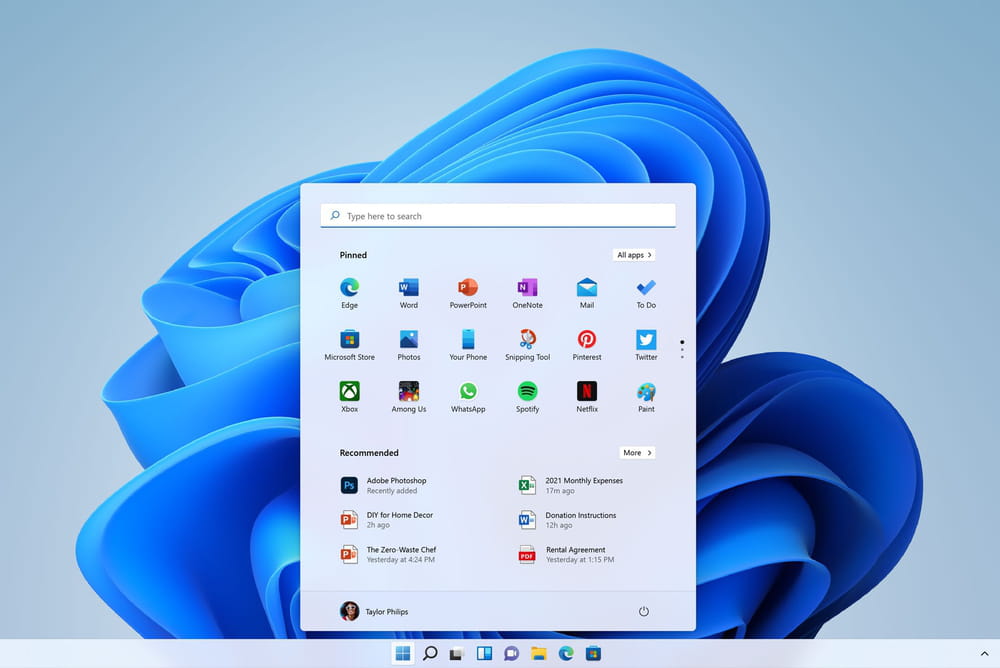
Microsoft has announced the end of support for Windows 10 by October 2026. However, a simple solution to make the new operating system Windows 11 compatible seems to be to install it for free via a text command. This "Server" type installation request bypasses their hardware checks. After installation, this program automatically retrieves the key used for Windows 10. Therefore, it is a free and legal transition to the normal version of Windows 11 while preserving your files and applications. Who among you has already tried this technique? What do you think?
Source
16 answers
-
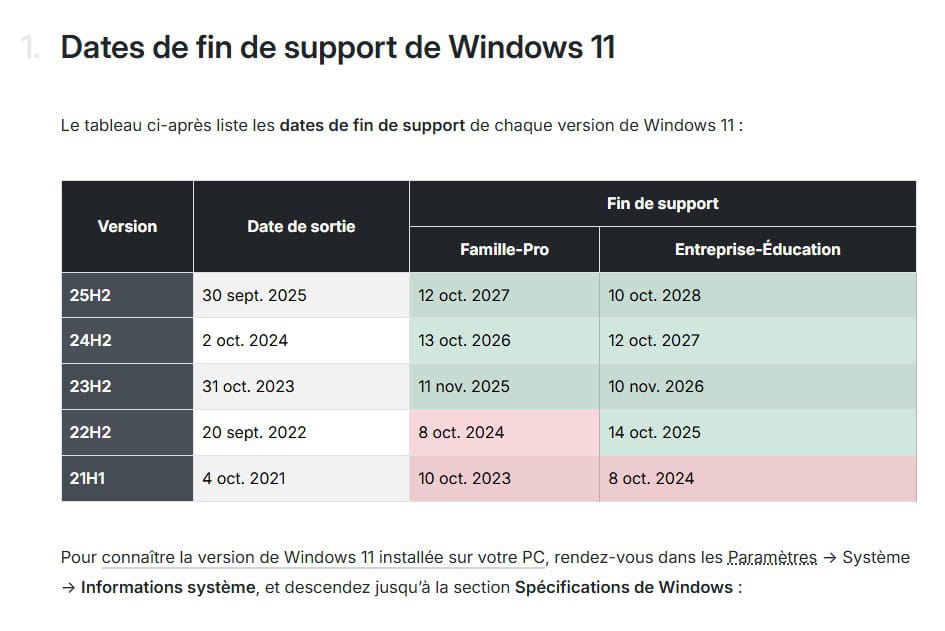
Thank you for your reply, the issue is that the end of support date for 23H2 is the same as that for Windows 10...
-
Windows 11 22H2 end of support October 2024.
Not more secure than Win 10.
-
Windows 10 or Windows 11 22H2; in any case, it is no longer supported.
-
More or less yes.....For example, Windows XP, support ended in 2014 for a release date of 2008 for the last version. With current versions, support durations are shorter because security issues on the OS are much higher than in the past.
However, the hardware issue of a PC remains the same; after about ten years of design, we start to have compatibility problems with just about everything.
Hello,
I'm not sure that W10 and W11 versions, with 1 or 2 versions per year, follow the logic of previous versions, from XP up to SP3, and W7 with SP1.
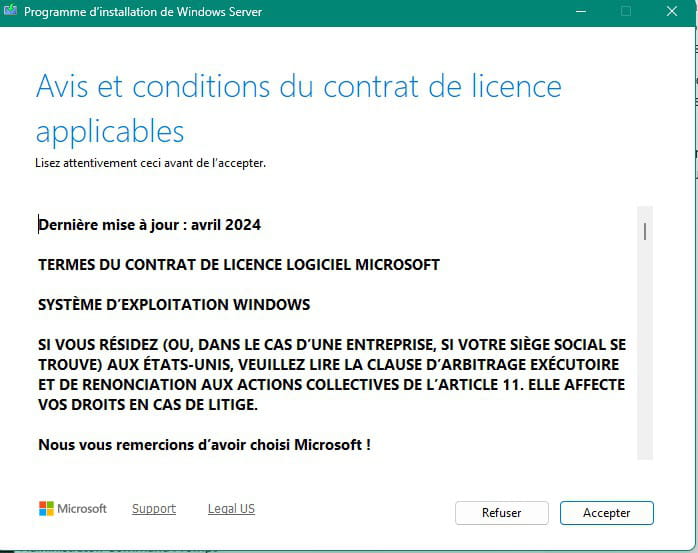
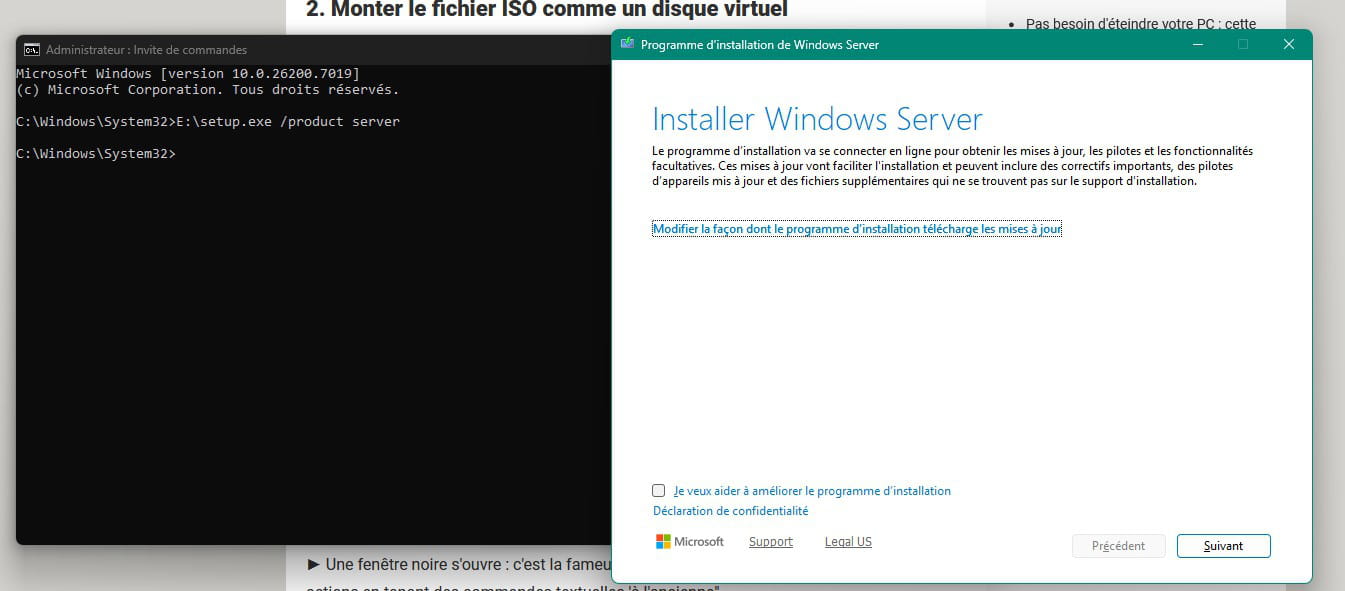
I have a Sony from 2009 that came with Vista. I've installed all subsequent versions, W7, 8, 8.1, 10, and 11. To install W11, it’s indeed on a PC that doesn’t meet the requirements; I don't use a key to bypass the prerequisites, but since W10, I perform an update with the W11 ISO, using the command line with "setup.exe /product server".
On this PC, the last possible version of W11 is W11 23H2, because in the later versions W11 includes instructions not recognized by the too old processor.
-
-
The ISO you are talking about is for 64k computers.
However, you start by presenting the technique as compatible with all old PCs.What about 32k computers?
-
Hello,
Windows 11 only exists in 64 bits. Windows 10 was the last version available in both 32 and 64 bits.
What is an old PC? I have a Sony from 2009, originally running Vista on which I installed Windows 11. It is stuck on version 23H2 because version 24H2 contains machine instructions not supported by its processor.
-
There is no such thing as 32 or 64K; installers are in either 32-bit (X86) or 64-bit (X64) version, depending on whether the processor has a 32-bit or 64-bit architecture, although it is possible to install 32-bit on 64-bit but not the other way around.
Windows 11 is no longer available in 32-bit version, unlike Windows 10, which settles the issue.
-
-
Hello,
I tried to install W11 on my W10 Dell 64bit with 12GB of RAM and 456GB yesterday, as mentioned in your article. It turns out that Microsoft is blocking the download and indicates that the server is down.
All my attempts to download have been in vain. It seems that Microsoft no longer wants to allow the upgrade to Windows 11.
-
Hello,
Yet just now:
Hello,
I just downloaded the Windows 11 ISO from this page https://www.microsoft.com/fr-fr/software-download/windows11 using the MediaCreationTool.exe provided.
Since your IP is not in France, you are either living abroad or using a VPN. This may be the cause of the downloading issues as the same options may not be offered everywhere.-
Hello,
You're doing it from Windows 11.
I seem to have read that Microsoft has blocked the trick in question.
I believe you now need to use:
setupprep.exe /product server
https://winaero.com/microsoft-has-patched-the-product-server-for-tpm-check-bypass/
In any case, an ISO created with Rufus provides options to remove the BIOS and TPM security requirements.
Good evening brucine,
Yes, that's right, personally I reinstall every year using Rufus with the removal of obligations... A bit longer but radical and clean.
As for the Bob Pony method, I don't know if it's still applicable with Win 10.
I did it about 2 years ago on several computers without any issues.
Hello everyone,
I sincerely thank you all for your responses.
Thank you very much
It works perfectly, installed as a Windows 10 update I kept everything (desktop, software, etc.)
Windows Update works very well.
Hello,
I have a processor "amd phenom II X4 965" that has only the SSE4A instruction but does support POPCNT.
If I understand correctly, SSE4.2 is essential.
Is it possible to work around it anyway?
Thank you
Yes, that's true, but the PC runs very well, better than some recent low-end PCs.
So it's a shame to "throw it away", it feels like planned obsolescence in a time when we want to repair instead of discard.
Let's see if I can "only" change the processor.
flo88 Posted messages 28495 Registration date Status Contributor Last intervention Ambassadeur 5 171
Changing just the processor would be insufficient. The motherboard, processor, and RAM need to be upgraded. At a minimum.
And it's hard to talk about planned obsolescence with a PC that's probably at least 15 years old... especially since the technologies integrated in W11 didn't even exist at that time. A horse-drawn cart can't be transformed into an Audi... The 23H2 version would work, even if Microsoft stops support, it will be operational for a few more years.
Hello everyone,
My laptop runs on W10 Pro 64-bit.
Yet, I cannot install W11.
I did create a Rufus USB key in MBR.
So it’s not that obvious or simple...
PS: considering the car industry these days, I can easily imagine a beautiful Audi transforming into a horse-drawn cart... if you can find a horse ^^
Hello,
The latest versions of Windows 11 do not work on an MBR partition. You need to convert the partition to GPT. And modify the BIOS to UEFI.
Is the PC compatible with Windows 11 or not?
If not, it should be taken into account when creating the bootable USB drive with Rufus, no checks.
-