
THUNDERBIRD how to delete the "all messages" folder
Solved2 answers
-
Moderator
Hello,
To begin with, it is worth recalling the usual rules of courtesy on this forum:
https://www.commentcamarche.net/infos/25855-charte-d-utilisation-de-commentcamarche-net-respect-d-autrui/------------------------------
The All Messages folder is specific to Gmail, for accounts using the IMAP protocol.
To delete this folder, right-click on the account name (usually the Gmail address) and then click on Subscribe...
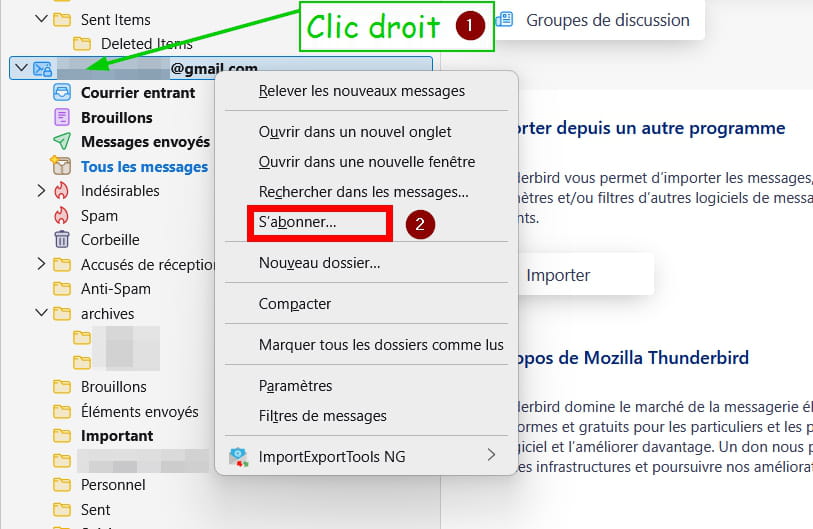
In the list that appears, uncheck All Messages and confirm by clicking OK.
What is well conceived is clearly stated,
And the words to express it come easily.
(Boileau) -
Problem solved, thank you very much
