Scanpst.exe not found due to Outlook 2007 error
Solvedfaco67 Posted messages 4 Status Member -
Hello, I am still using Outlook 2007 and I am very happy with it... until now!
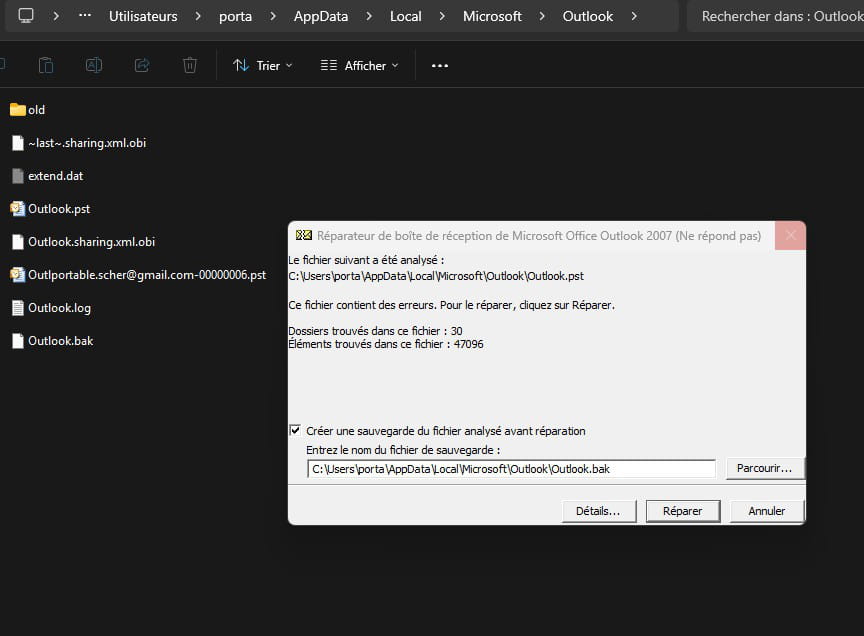
I get this error message when I try to send the email I just wrote:

I have gone through several topics on the site, I can see the hidden files, but I can't find this utility:
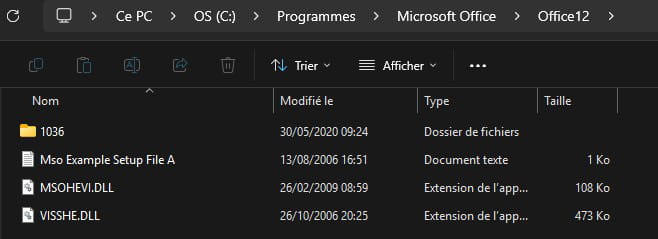
Where can I download it please?
Is it easy to use?
Thank you for your feedback
3 answers
-
Hello,
Scanpst is located in the Office Programs folder,
C:\Program Files\Microsoft Office\Office12 if 32-bit and
C:\Program Files (x86)\Microsoft Office\Office12 if 64-bit.
Apart from the possible corruption of the pst file, I wouldn't bet my hand on the continued full functionality of Office 2007 on Windows 10 and 11. -
Thank you for this quick response! Indeed, I hadn't thought of that! But it's there!
I'll try that tonight!
-