
Network connection pc on bbox external drive impossible
BernieLeDingue Posted messages 9 Status Member -
Hello,
I just changed my PC and I can no longer connect to the external drive connected to my Bbox.
The PC (Windows 11) is connected via Wi-Fi to the fiber box.
Thank you for your help!
7 answers
-
Hello.
The entire system needs to be reconfigured https://www.assistance.bouyguestelecom.fr/s/article/partage-ordinateurs-disque-dur-bbox
.
bazfile
Moderator/Security Contributor.
A hello, a response, a thank you are always appreciated.-
Hello and thank you!
Sorry, I had been away.
I had already done it and I did it again... When I enter \\Bbox I get an error message saying that Windows cannot access it. I ran the diagnostic and as often the response is that everything is fine!
I also restarted the box, no result. I have 2 other PCs (on W10) connected to the USB key. Is it related to the fact that it's W11?
-
-
Hello,
did you set the wifi network to private on this PC?
And there you go....
But goodness, the line spacing is so annoying!! -
What does that mean? Do we need to switch to a private network? But that's not what's blocking access to the network.
-
It can be, the public network adds a firewall that blocks a lot of things, but not knowing exactly how you go about it, it's better to start there.
I switched to private, restarted everything including the Box, but I still can't connect to the USB key on the Box. However, sharing between PCs is active.
I don't understand. I have exactly the same network configuration as my old PC, but nothing works, and yet I've tried several methods described on the Internet that are supposed to solve the problem.
Thank you for trying to help me!
The problem is that on my network all the PCs including mine can communicate and share with each other, and the other PCs (on W10) can access the USB key but not mine. Exactly the same Windows firewall and antivirus + Malwarebytes + ProtonVPN configuration on all PCs.
The only difference I can find between them all is that mine is on W11 Pro.
-
-
Thank you. I did exactly what you said but I'm still getting the same message... "Windows cannot access..."!
I did the same thing on a PC that was already connected to the USB key and I also got the same message.
-
I did exactly what you said.
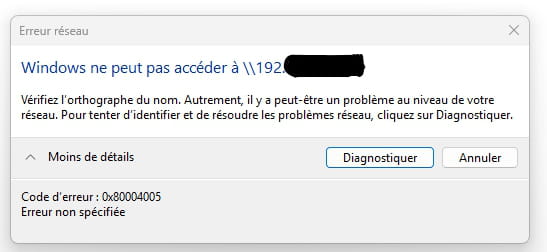
I ran IPconfig, retrieved the IP address of the default gateway, and entered \\IP address in the address bar of the explorer.
And here is the message:
-
There is no need to hide your box's local address; there must be something you're doing wrong. If you enter the address correctly, there’s no reason to receive this message.
This is what I get when I type the address of my box (which has Windows sharing) in the explorer:
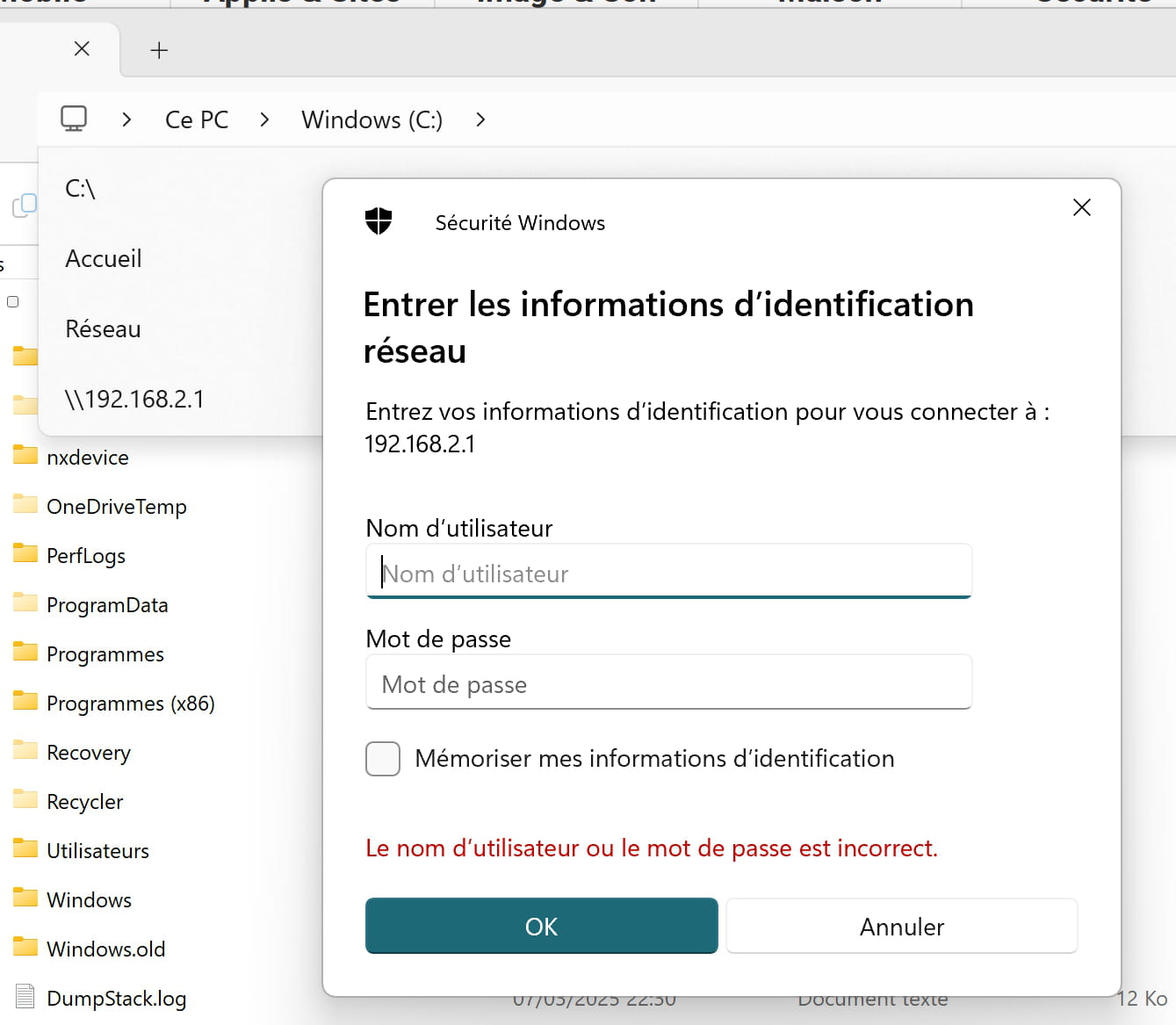
access sharing by ip © brupala It's normal for it to ask for authentication; it's configured on the box and under a username different from my Windows account.
Just in case, try enabling the SMBV1 client in the Windows options, but the message you’re getting does not correspond to that, and a modern box should not need this antiquity.
-

