
Connection issue with WireGuard
Solved
brupala Posted messages 111189 Registration date Status Member Last intervention -
Hello,
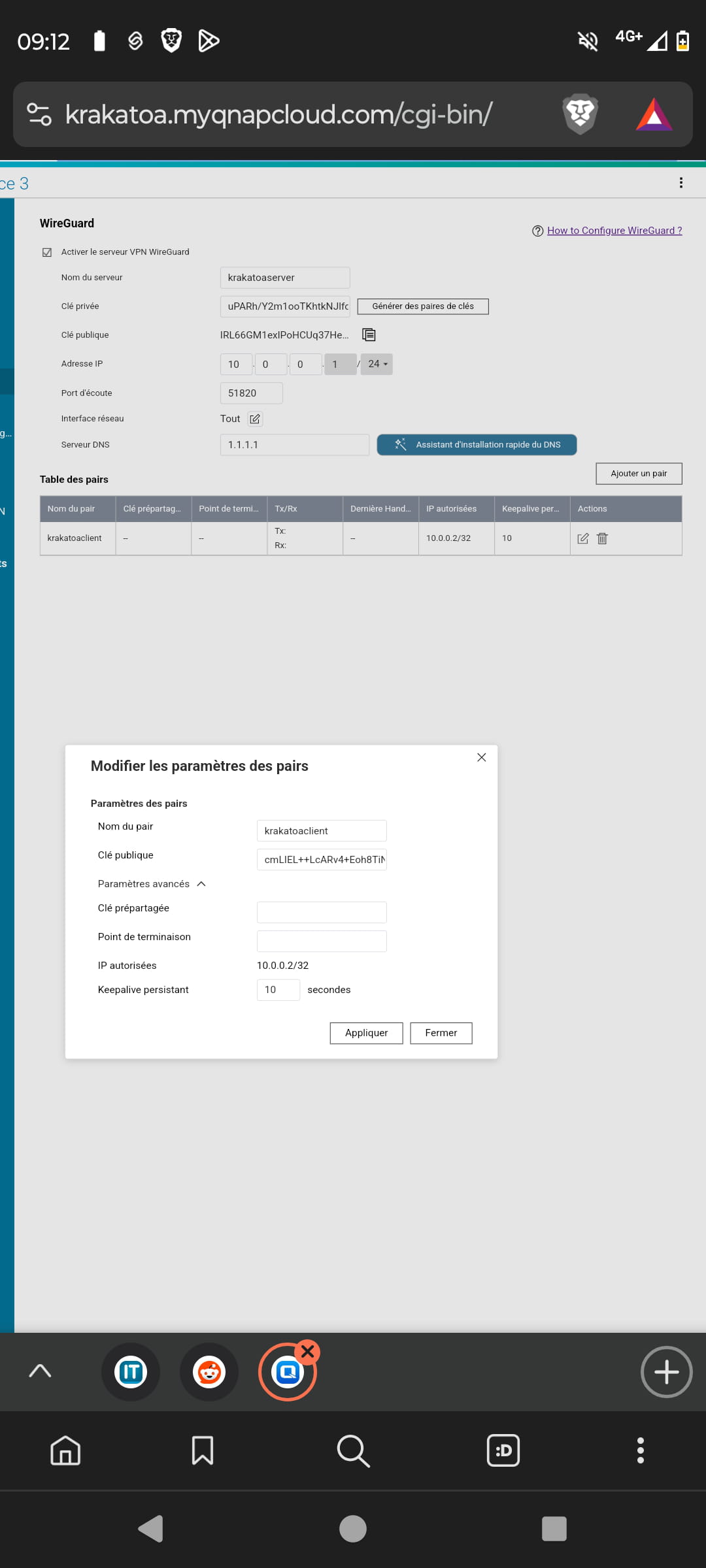
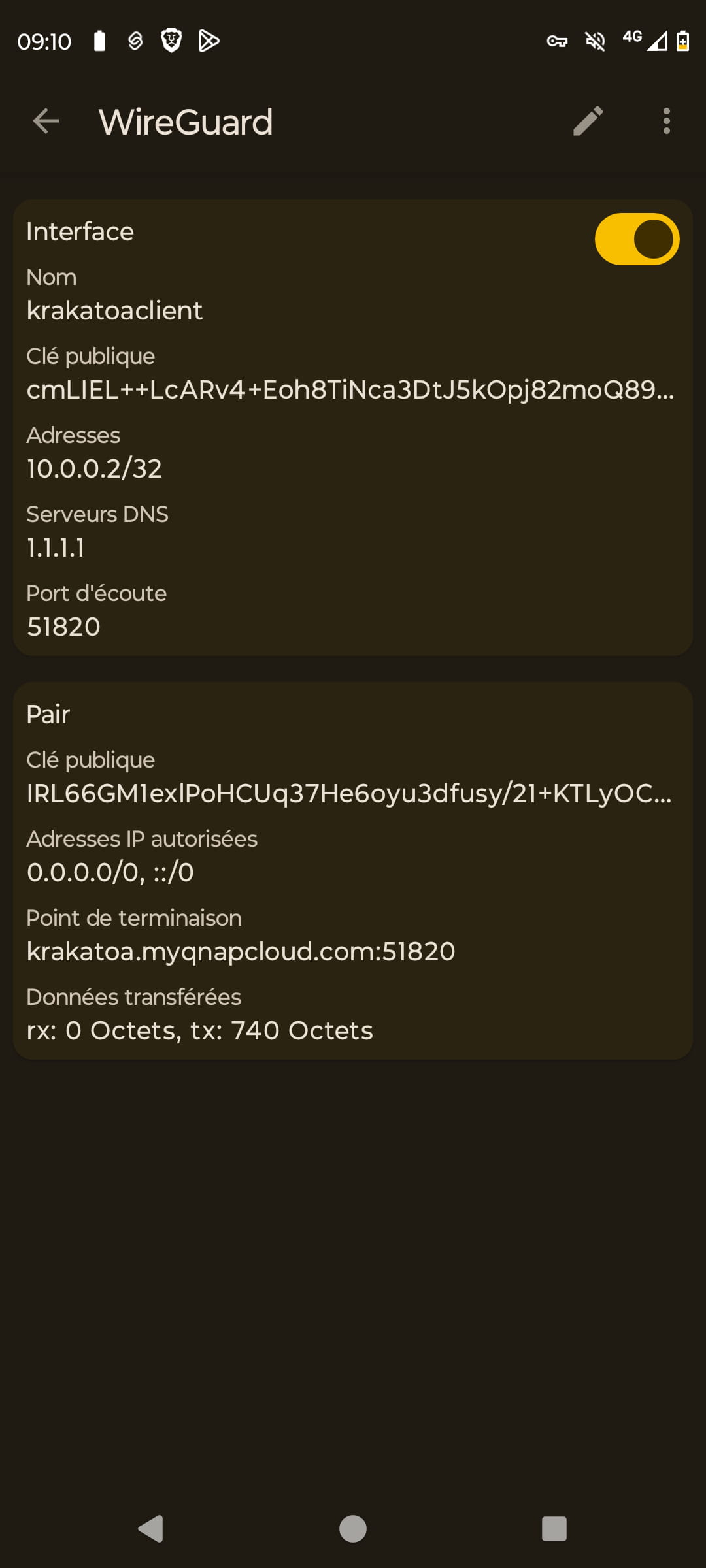
I recently decided to secure my QNAP NAS with WireGuard. Once the configuration was finished, I started it up, and as long as it is running, I cannot connect to the internet and I also cannot access my server.
I have never used it before, so I don't know what to do. Thank you in advance ????
1 answer
-
Hello,
I see that the client is on a mobile network with 4G, I assume your NAS is behind your router, have you thought about forwarding UDP port 51820 to the IP of your NAS in your router?
After that, you may be able to access the NAS with the VPN, but not the internet, the NAS is not a router.
Also, I see that krakatoa.... resolves on a Freebox, if you haven't activated the Freebox fullstack for IPv4, you'll need to do so, for IPv6 you need to allow port 51820 in the firewall, but on the Freebox, it is open by default.
I also point out that the Freebox itself allows for a WireGuard VPN.
So you also need to check that your mobile internet connection has a proper IPv6 address, for example here
And there you go ....
But misery, how annoying the line spacing is!!-
-
-
-
Why are you using a search engine to connect to your NAS?
Do you think its content is indexed on the internet?
What question do you ask the search engine?
If you try to ping 10.0.0.1 when the client is connected, to ping a mobile, you can use network analyser
-
It was purely out of curiosity... And maybe a bit of paranoia????
In any case, thank you very much, I reconfigured it while making sure to redirect the port and it worked!
He might not have saved the change.
Thank you very much for your help brupala
-

