Wi-Fi network speed higher than wired Ethernet speed.
Pate-de-Crabe Posted messages 7 Registration date Status Membre Last intervention -
Hello, I am taking the liberty of reaching out to you,
As stated in the title of this question, I have a network problem at my home.
My computer, currently connected via Wi-Fi to a Freebox Ultra fiber box, has an average speed of around 300 Mbps, while when I connect it with an Ethernet cable, it tops out at a speed of 90 Mbps.
Just to clarify about the network cabling in my home,
The network cabling in my home was entirely done with shielded Cat 6A Ethernet cable.
The cable connecting my box to the communication cabinet is a Cat 6.
The cable connecting my wall Ethernet socket in my office to my computer is a Cat 8.
I have already changed some settings, specifically the "speed and duplex" of my network card. When I set it to a speed of 1 Gbit/s in full duplex, my computer loses the Ethernet connection. When I revert the speed and duplex to 100 Mbit/s, my computer detects the Ethernet connection again.
I do not have a second computer or a second network card to test on that side of things.
If anyone has a solution or an analysis to share with me, I would be happy to hear it!
Best regards.
5 réponses

Hello,
Is the box in the communication case? Is it a desktop PC?
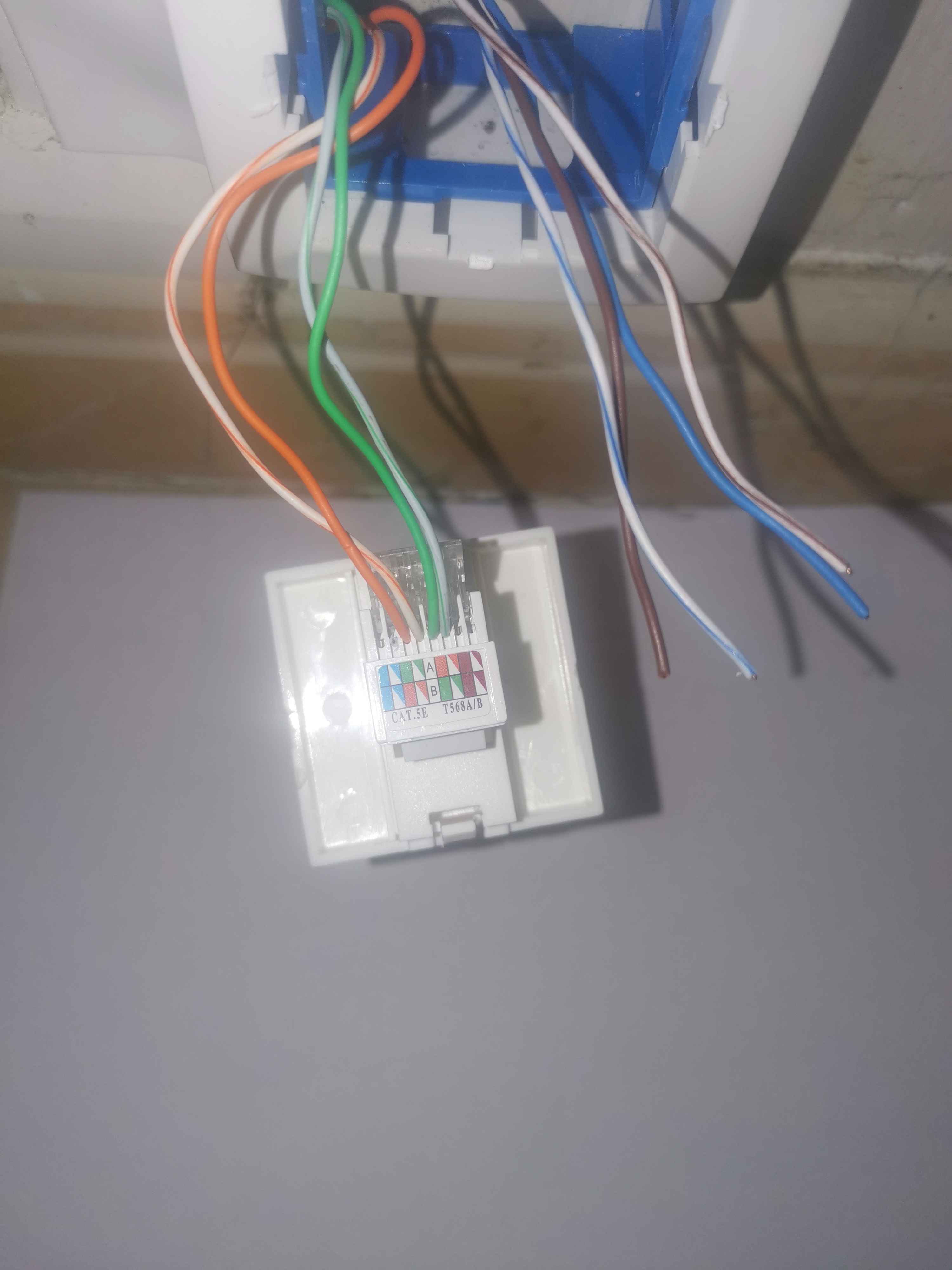
If the PC's card is indeed a gigabit card and it's limited to 100Mbps, it could be due to the cables, so try several. And above all, it's often a wiring problem with the outlets. Patch panels or wall sockets. We can use a tester, or you would need to open the outlets and send us photos for examination.
The box is just placed on the communication cabinet and yes, it's a desktop PC.
My father-in-law, who worked in telecommunications, had already come to fix an issue I had with my RJ45 sockets because I had no bandwidth. He also told me that for the internet, 4 wires were enough.
Here is a picture of my socket.


Hello,
bopopa didn't specify (he might not have known) that 2 twisted pairs (not 4 wires) are sufficient, but only for 10BaseT and 100BaseT; beyond that, you need 4 pairs.
For gigabit, you should also avoid untwisting the pairs too much when wiring; the closer they stay twisted near the connection, the better:
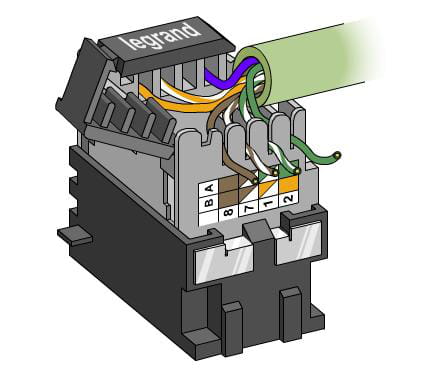
Moreover, these old sockets are not very suitable for high-speed cabling.
He worked in Telecommunications, probably on the PSTN network, where only 2 wires are needed ;-) There he did the job halfway.
Because 4 wires are enough for a 100Mbps Ethernet network. It wasn't noticeable with ADSL, but with fiber, to benefit from gigabit, or more, all 8 wires need to be connected.
Well, that's one issue apparently resolved; I've wired the rest of the cables to the correct location, I guess I followed diagram B.
However, my speed remains capped at 90Mbps over Ethernet.
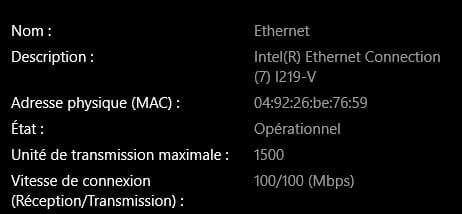
When I try to set the Speed and duplex of my network card to 1Gbps, my computer automatically loses connection.
My network card is set to "Auto negotiation" in the screenshots; I imagine my issue comes from that because the indicated values are the maximum values my network card has access to?
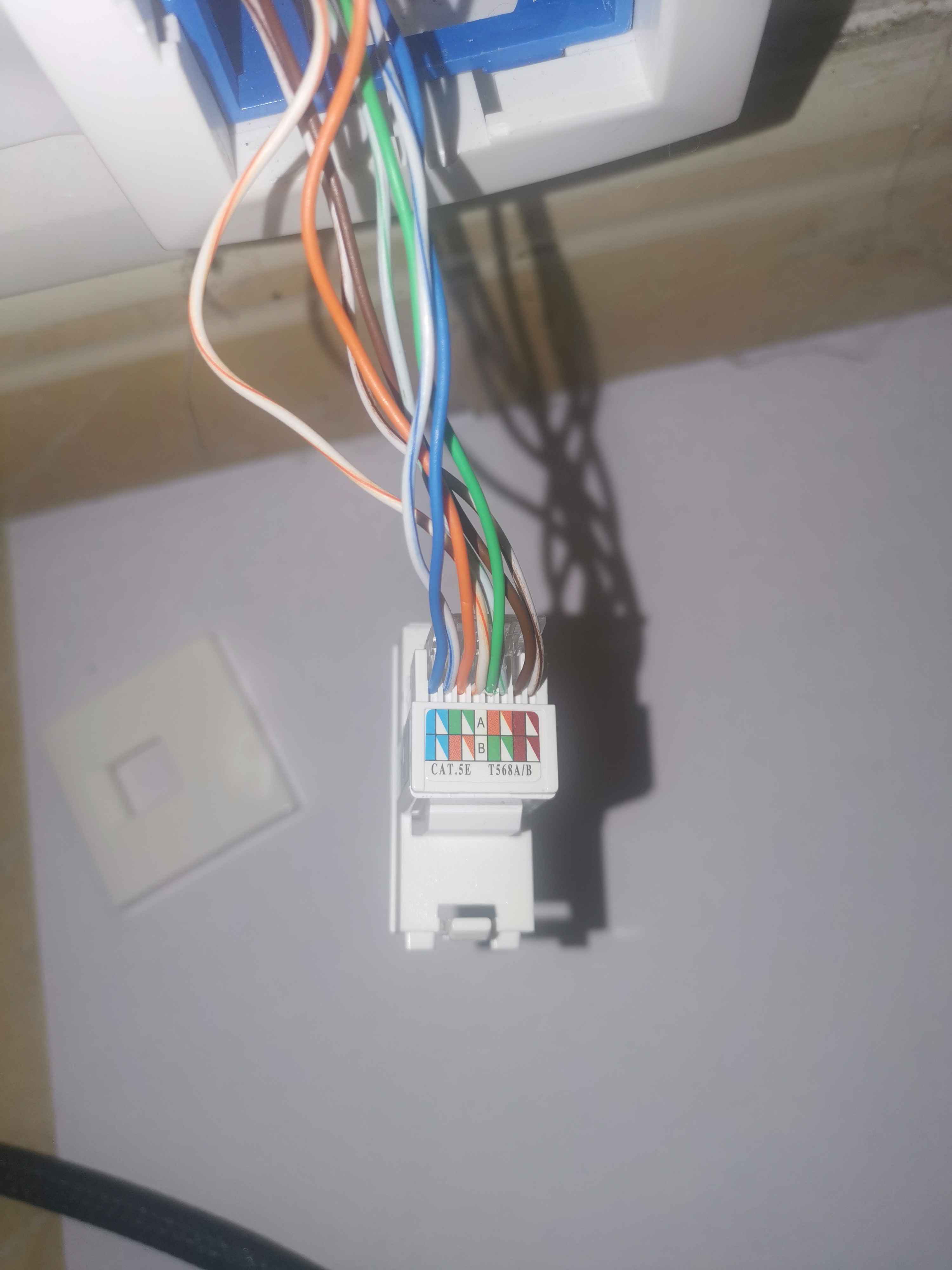
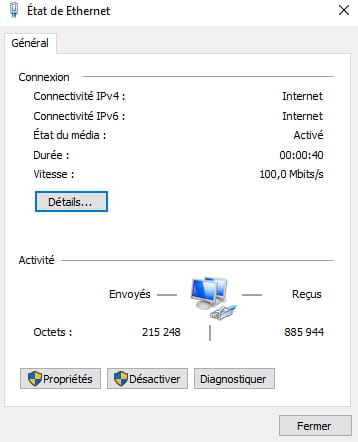
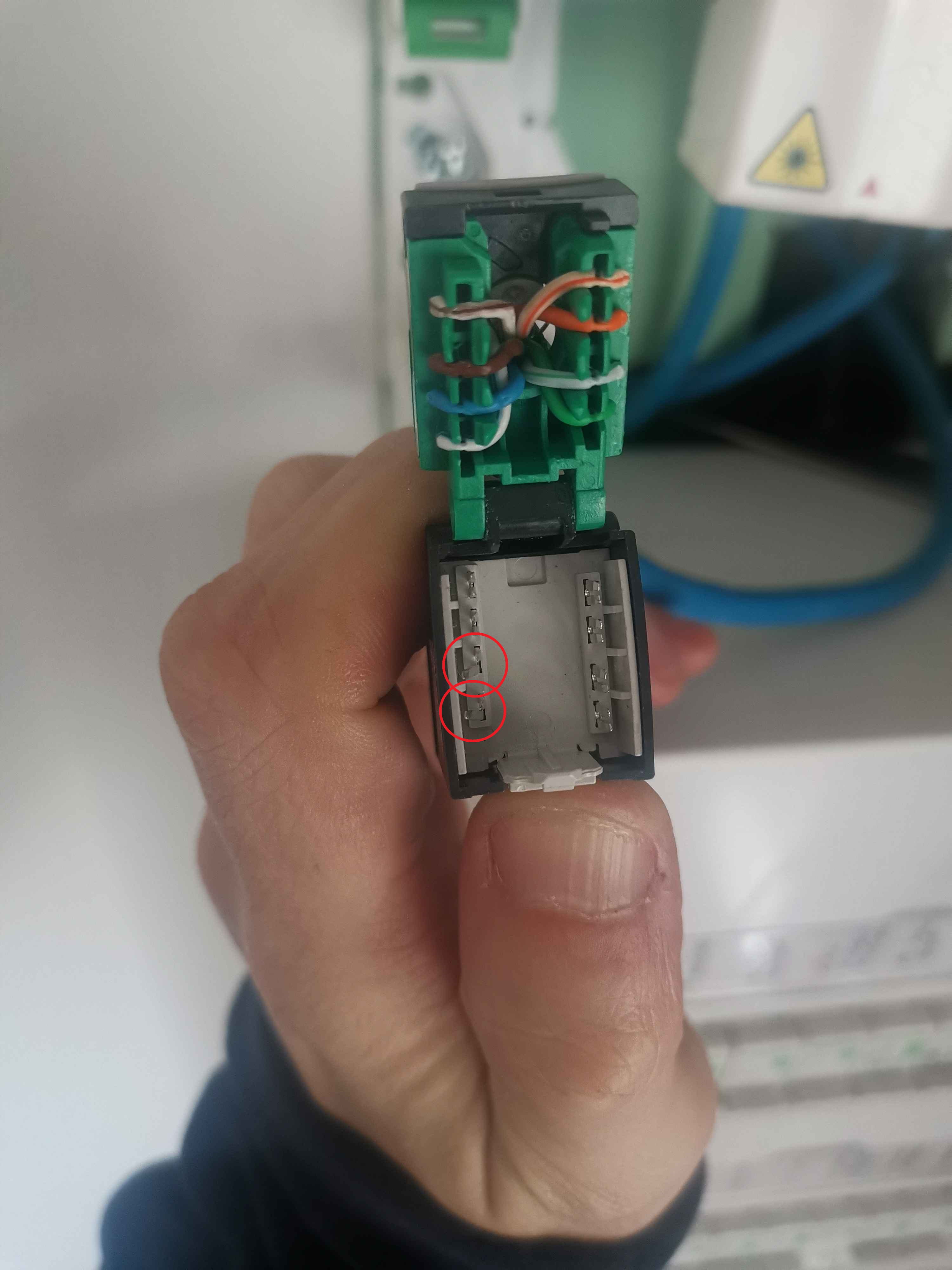
After checking, when I opened the socket, the brown wire came with it; I imagine it wasn't crimped, and looking closer, you can see that there are 2 twisted metal connectors.
I straightened the connectors that were twisted so that the wires could be correctly crimped, and I took the opportunity to check the 4 patch panels.
After a new test, it did not improve my speed, and my network card still freezes when I set it to 1Gbps.
Hello,
it's clear that bent CAD forks won't work; you need to straighten them back to their proper position using needle-nose pliers. If you can't do it, you need to change that socket.
According to your photo, the wire that came with it is actually a good sign for him, as it should have been well inserted into the CAD.