
Ccleaner no longer cleans
Solved
Hello,
A technician formatted my laptop and now I can't clean with Ccleaner! I run the scan (as always) and then, in principle, I should be able to clean by accessing "CLEAN" at the bottom of the page, but I can no longer see "CLEAN": the page won't scroll down far enough! What should I do then?
3 answers
-
Moderator
Hello,
A computer scientist formatted my laptopIs Windows up to date?
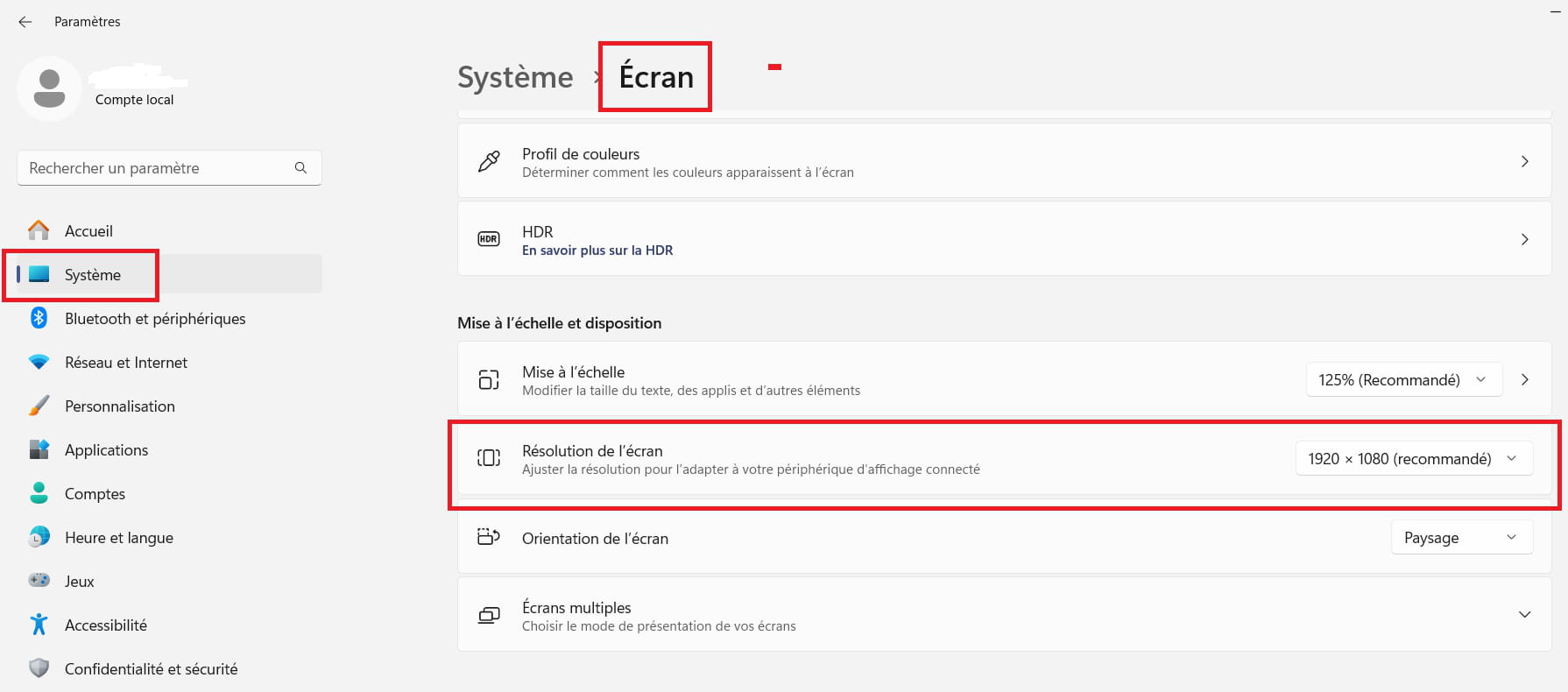
Have you tried changing the screen resolution?
Right-click on the desktop
Display settings
Example image:
----------------------------------------------------------------------------------------------------------------
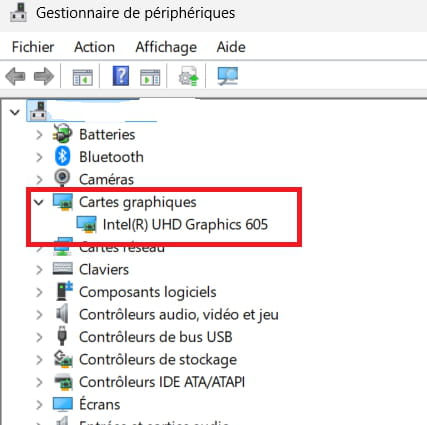
To check if the video card is up to date:
Windows + R
Type --> devmgmt.msc and OK.
What do you have under graphics cards?Example image:
-----------------------------------------------------------------------------------------------------------------
Currently, what is the version and date of the video card driver?
Right-click on the video card
Properties
Driver tab
Example image: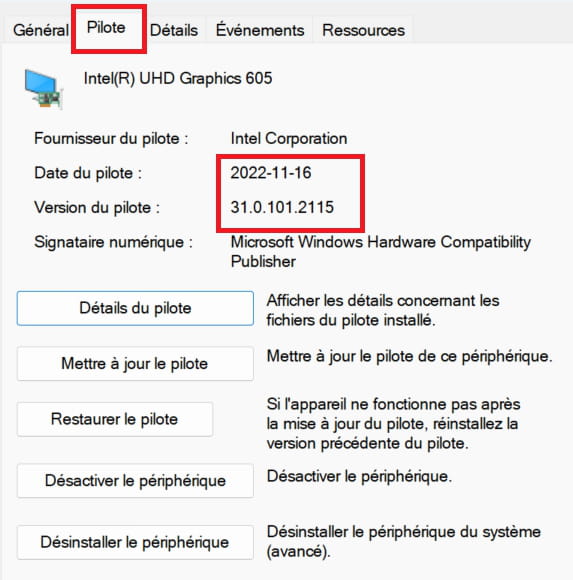
---------------------------------------------------------------------------------------------------------------
Is Windows 11 32-bit or 64-bit?--------------------------------------------------------------------------------------------------------------
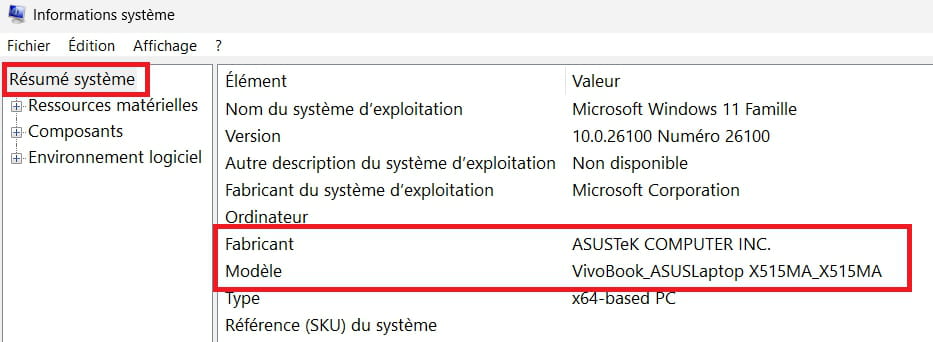
Brand and model number of the PC?
Windows + R
Type --> msinfo32.exe and OK
Look in Manufacturer and model
Example image:
-
Moderator
Hello,
Could it be a zoom issue...?
Try Ctrl -
Very hard to catch a black cat in a dark room.
Especially when it's not there...-
-
Moderator@Sychrad
Ctrl - ====> This is the Ctrl key + the minus key
-
@baladur13
Hello, I did it and nothing has changed!
-
-
Hello,
Too complicated for me! I'm not a pro!!! I get lost in all these details! THANK YOU anyway for replying: it's me who's useless...


