
Unable to start a DooGee N55
Hunter555 Posted messages 6 Status Member -
Hello,
I just bought a DooGee N55 smartphone released earlier this year and running Android 14 (full version).
The problem is that I can't turn it on. Let me explain: as soon as I want to enter the PIN code to unlock it, I don't have any confirmation key to validate this code and proceed...
Does any kind soul have an idea, or should I go ahead and arrange for a return to customer service directly??
Thanks in advance ;)
5 answers
-
Hello.
Generally, you just need to press a small arrow at the end of the PIN code field.
If not, take a picture of what you have on the screen and insert it in your response.
bazfile
Moderator/Security Contributor.
A hello, a response, a thank you are always appreciated. -
Hello and thank you,
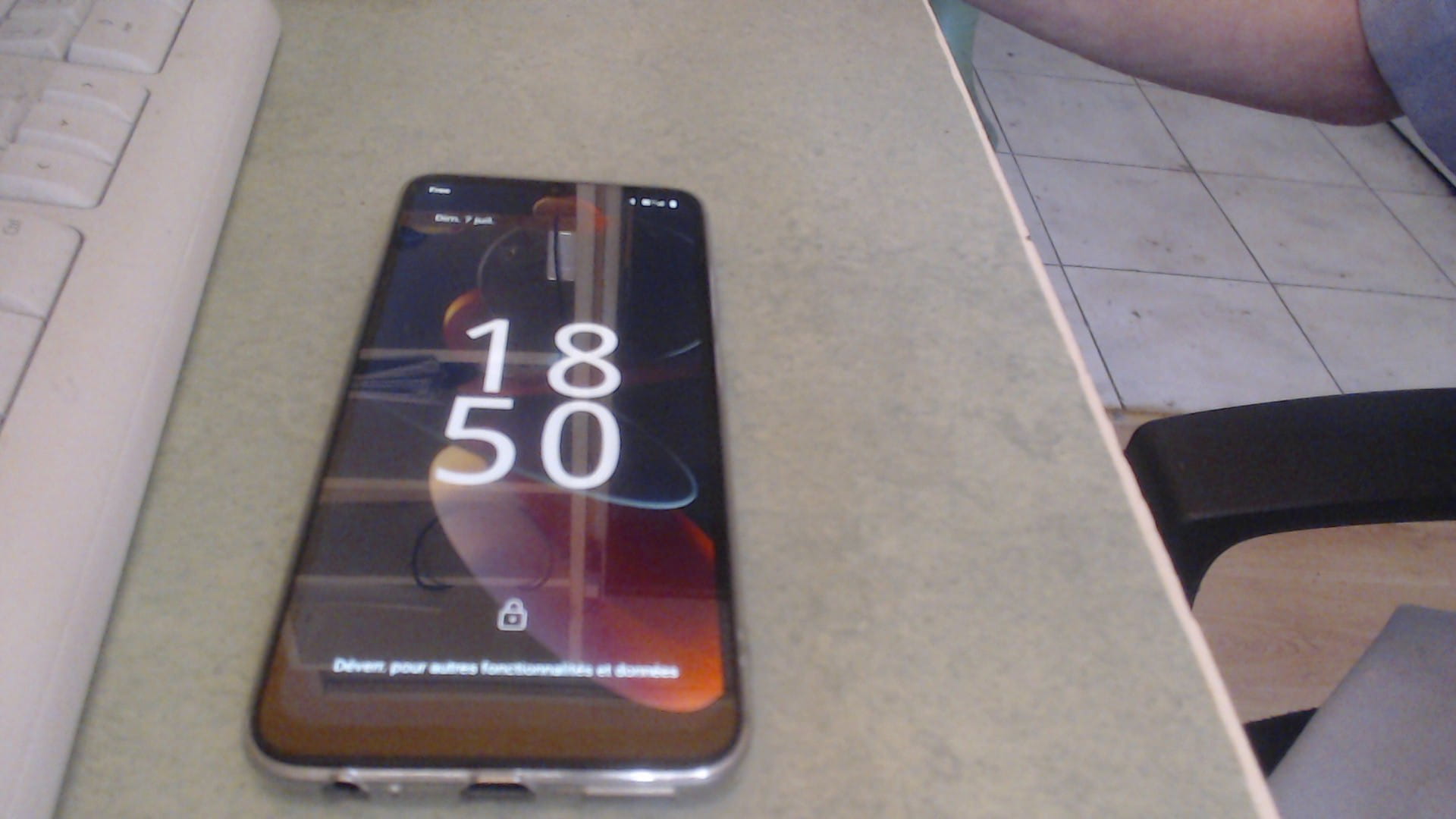
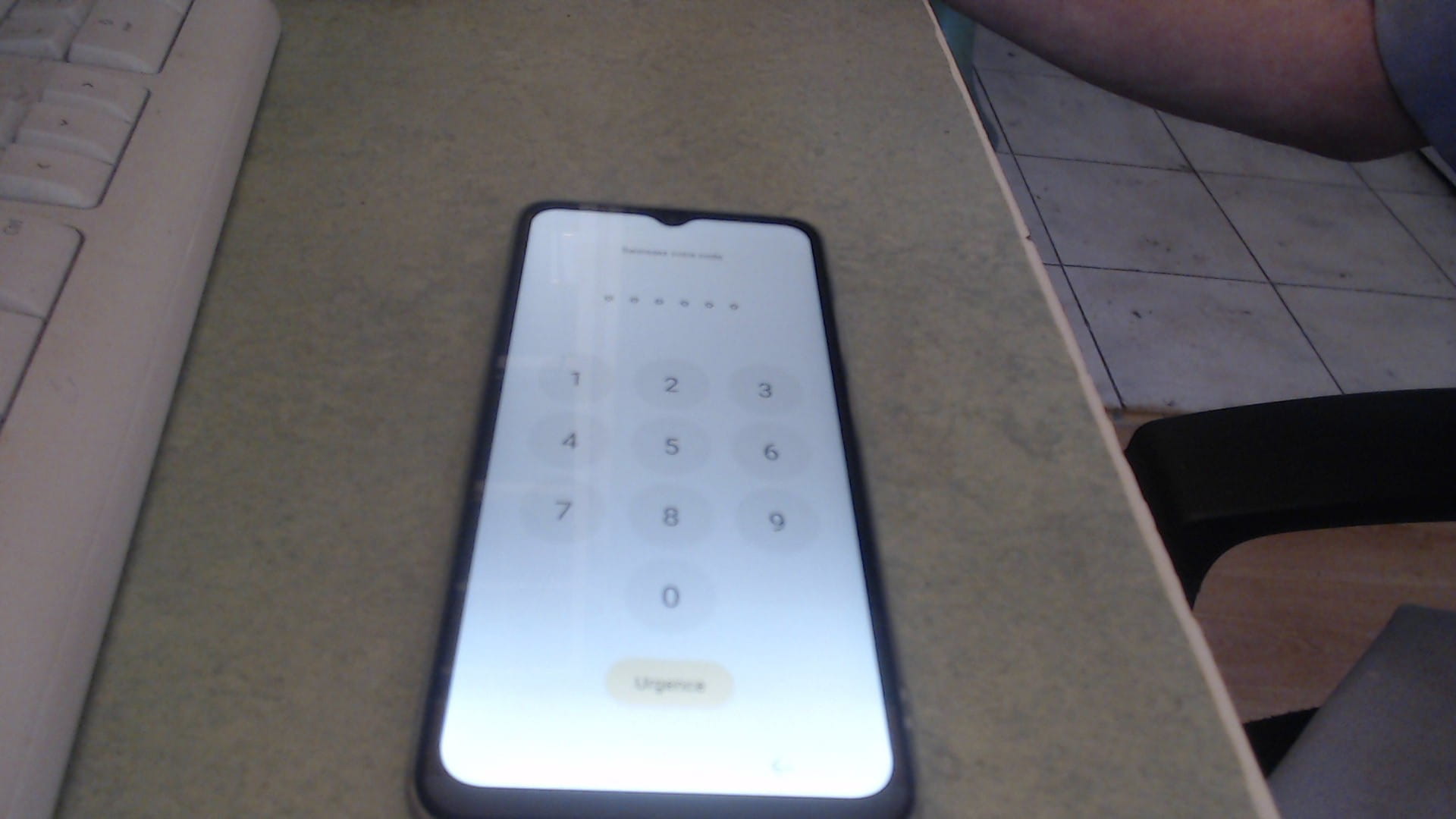
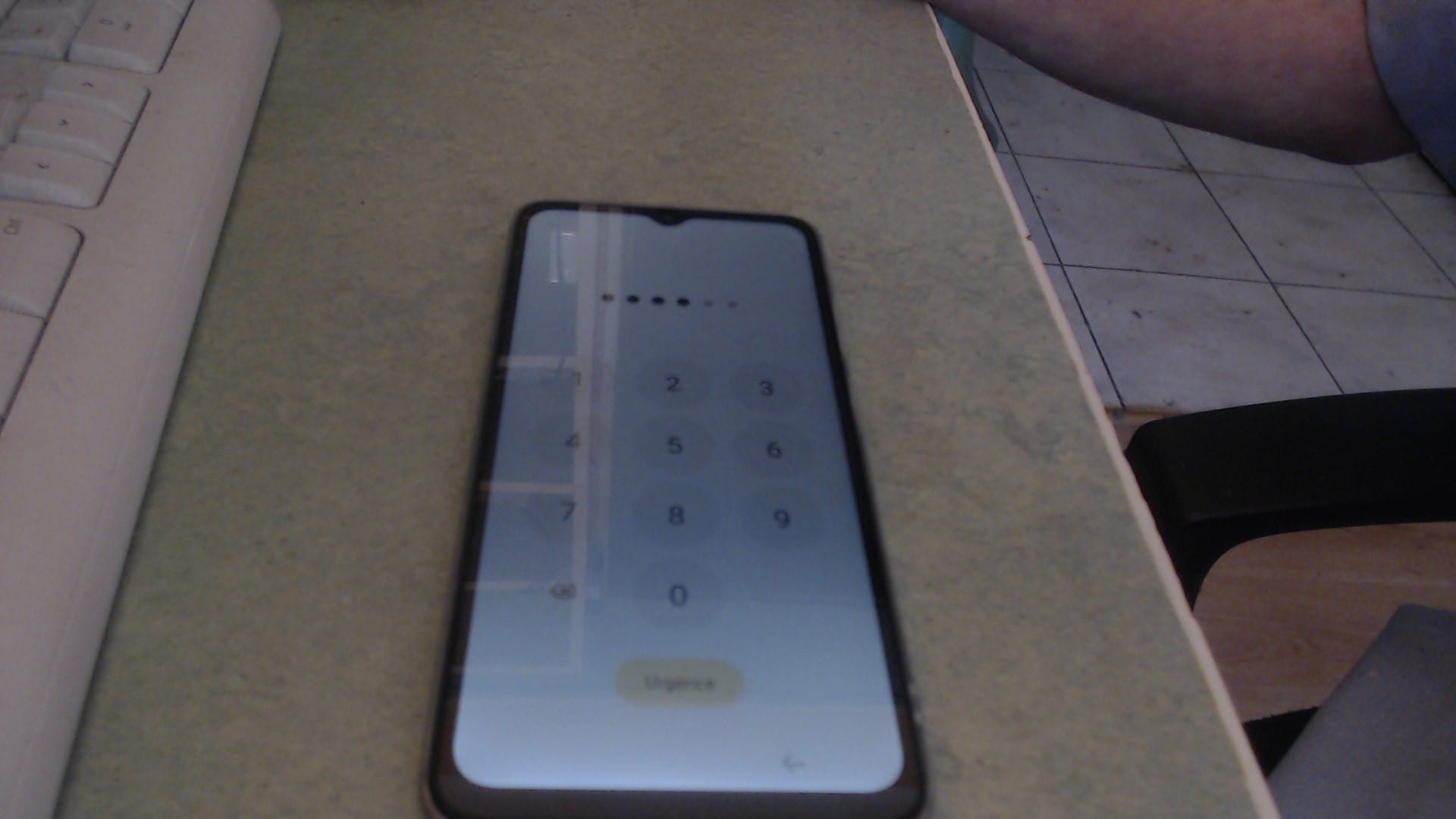
I'm sending you 3 photos:
-
-
- </div></li></div></li>
The first one is the phone in standby screen,
The second one is the PIN code input screen before entering,
The third one is the same screen after entering; no way to validate the PIN code, and the small arrow to the left of the zero only goes back in case of input errors, and there's no arrow next to the input field....
In short, I don't understand anything at all...Any ideas, anyone??
Thank you in advance.
-
@Hunter555 StatusMember .
We can see that you have only entered 4 digits instead of the 6 required for the phone unlock code, which is why it's not working, because there are two codes to enter. The first one requested is the 6-digit phone unlock code, and then you will be asked for the 4-digit SIM card PIN.
-
-
Hello,
Well, I'm still at the same point with the home screen locked, making it impossible to access the settings or anything else.
I tried to call this phone from another phone, and it works perfectly.
So the problem is that I have absolutely no idea what the 6-digit unlock code is, and therefore I can't do anything; I even tried entering the 8-digit PUK code to unlock it, but unfortunately, it didn't work.
With all this, I can't even attempt a factory reset...
Why sell a brand new phone that requires a code without providing that code???? -
I even looked at unlock sites that sell a kit supposedly capable of unlocking everything for 40 euros; I wasn't tempted, I'm more than wary.
-
Yes, I bought it new and I have no idea if I set a code and what it might be.
(Not Alzheimer's yet...)
So since I have no way to find this code, my only option is to buy a new phone and recycle this one.-
@Hunter555 StatusMember .
You don’t buy a new phone for forgetting your code if you can’t remember it, you just need to reset your phone using the volume up button and the power button see this page.
That’s all I had to say on my part.
Thank you for your help,
I'm getting back to you to let you know that I tried everything without success. In the end, I went to see a repairman who solved my problem for 20 euros; he also tried the usual methods without results, as well as running a unlocking software without success either... finally, he found a solution, kept secret, and everything is okay now.
Thanks again
-
