Disassemble essential B all-in-one PC back cover
sata54 Posted messages 1 Status Member -
Hello
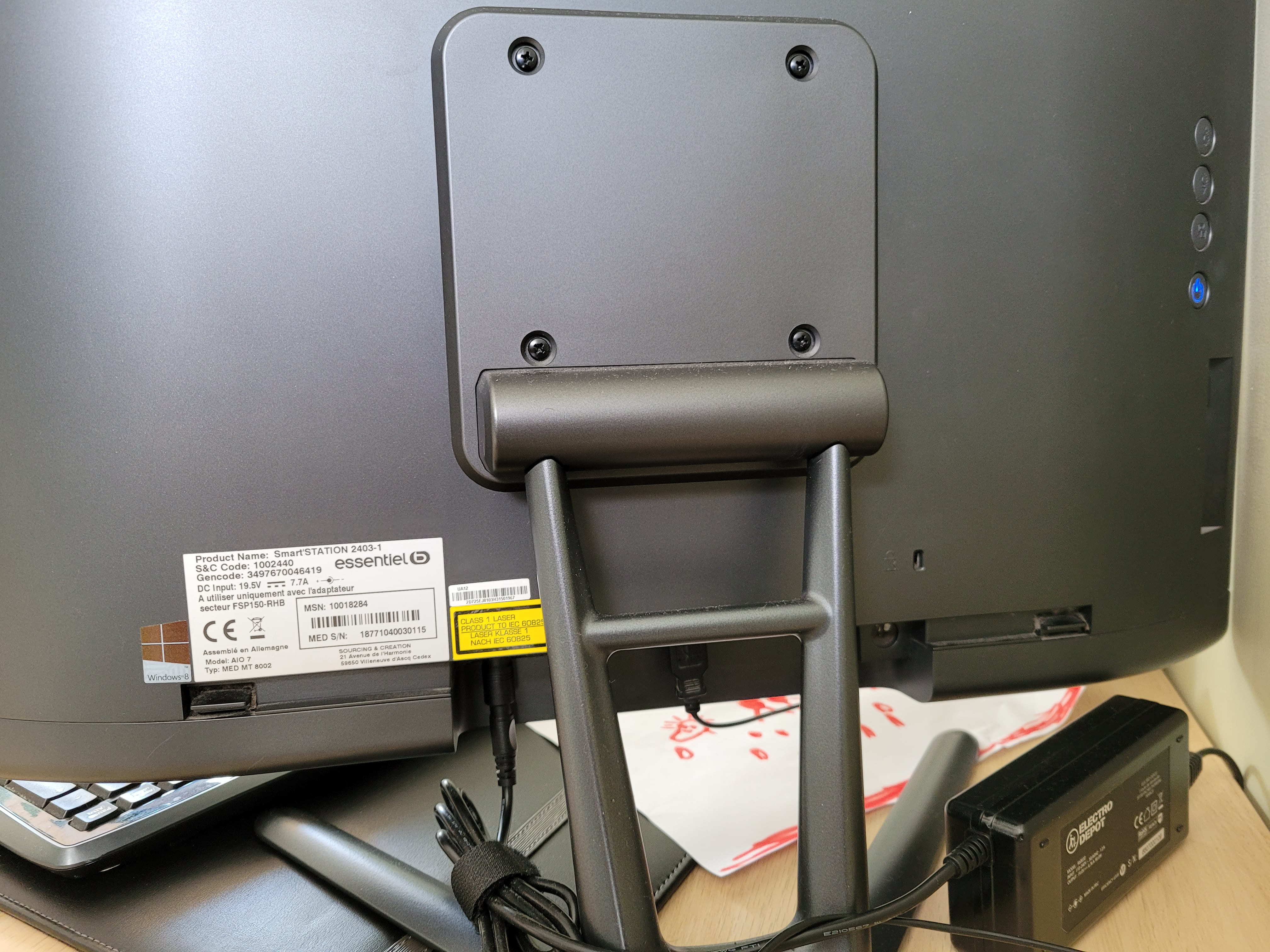
I want to dismantle the back panel of my essentialB 2403-1 all-in-one PC to add more RAM.
I searched on the internet, but the only "tutorials" I find are for HP PCs....
If someone could enlighten me before I break everything ????
Thank you very much
2 answers
-
Hi
to disassemble the rear plastic casing,
you should place your laptop upside down on a flat surface, on a clean cloth to avoid scratching it.
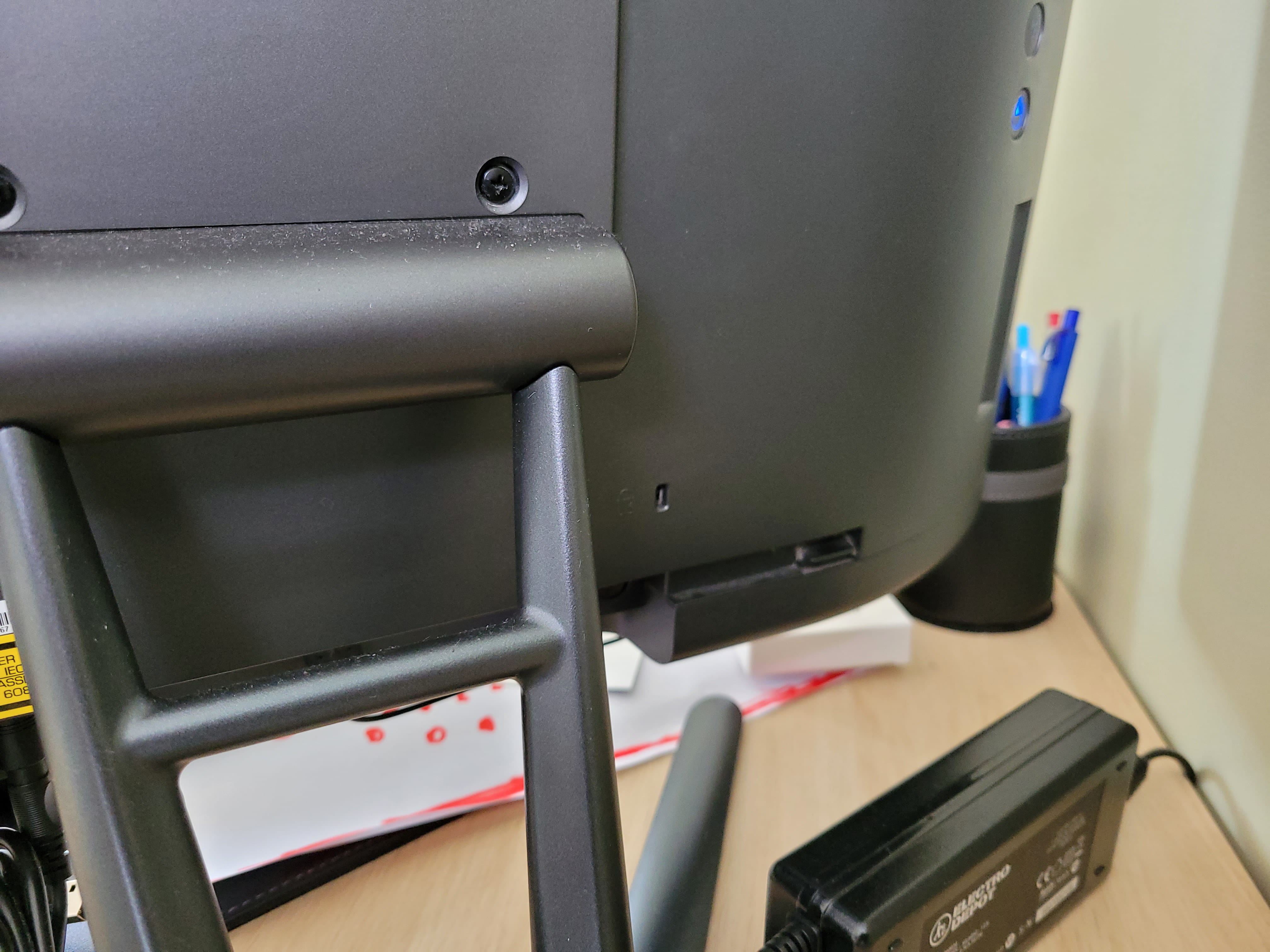
To start, you'll need to remove the four screws from the stand.
Then, you will make the soundbar extend so that it no longer rests on your table
(it should be in mid-air), there are two clips on each side at the bottom back.
They are used to detach the soundbar.
You need to gently pry the clips apart to free them.
(be careful, it's very fragile, don't go too far or it will break)
And while keeping the clips released, you will push the soundbar downwards (towards the screen), it will slide out difficultly.
Once the soundbar is removed, unplug it from the connector on the right to set it aside.
Now you can see on each side small metal tabs with a rectangular hole in each.
These are levers, and with a screwdriver, you will need to flip them towards the inside of the laptop.
This will release the clips that surround the frame.
Be careful, the levers are not of good quality (a bit like the rest :o( )
the plastic breaks like glass.
For your information, the RAM is not soldered, there are two RAM slots.
The disassembly idea is well thought out, but you will see that they skimped on the materials
and that everything is fragile.
-
Hello, Honestly, adding memory to a 2013 MEDION!? Everything is obsolete, I'm not even sure it's possible (soldered RAM). A good piece of advice: save up a bit of money and buy yourself a laptop, there are some really good ones for not too much money.