MacBook Pro shuts down with more than 50% battery remaining

Aliboron Martin Posted messages 3664 Registration date Status Contributor Last intervention -
Hello,
I am writing this message because I recently acquired a used MacBook Pro 13" 2017 (non Touch Bar). The Mac is running MacOS Ventura 13.1. The first day everything was fine, but since then the battery seems to be failing. In fact, everything goes well during charging, but when I unplug it, work on it for about 2-3 hours, and still have more than 50% battery left, I close it, and when I come back a few hours later, there’s no battery left, and it won't start. However, when I plug it back in, the device resumes charging from where I had closed it. The same scenario happens when I recharge it before going to bed in the morning. The previous owner assured me they had never encountered this kind of problem.
I looked a bit on the internet, but I have never seen this situation before. As a point of information, the battery indicates a "normal" status in settings and has 670 cycles.
Thank you in advance,
5 answers
-
Your MacBook Pro's battery may need to be replaced. Even if the previous owner did not encounter a similar issue, it is possible that the battery has reached the end of its lifespan and can no longer hold a charge as long.
I recommend checking the battery's condition by clicking on the battery icon in the menu bar at the top right of the screen. Then click on "About This Mac" and go to the "Power" tab. You should see the current state of the battery (Normal, Replace Soon, or Service Recommended).
If the battery status is "Replace Soon" or "Service Recommended," it is likely that the battery needs to be replaced. In this case, I recommend contacting an Apple Authorized Service Provider to have the battery replaced. If the battery is still under warranty, it should be replaced for free.
If the battery status is "Normal," I advise you to check the applications that are running on your MacBook Pro. It is possible that an application or background process is consuming more battery than expected. You can check this by going to "Activity Monitor" (in Applications > Utilities) and checking the battery consumption for each application or process. If you identify an application or process that is using a lot of battery, you can try closing it or uninstalling it to see if that resolves the issue.
Finally, if none of these suggestions resolve the problem, your MacBook Pro may have a hardware issue. In this case, I recommend contacting Apple Support for assistance.
-
Thank you for your prompt response,
I checked the battery status and it is classified as normal. I am attaching a screenshot, as well as the activity monitor which does not seem to indicate an abnormal percentage of energy usage.
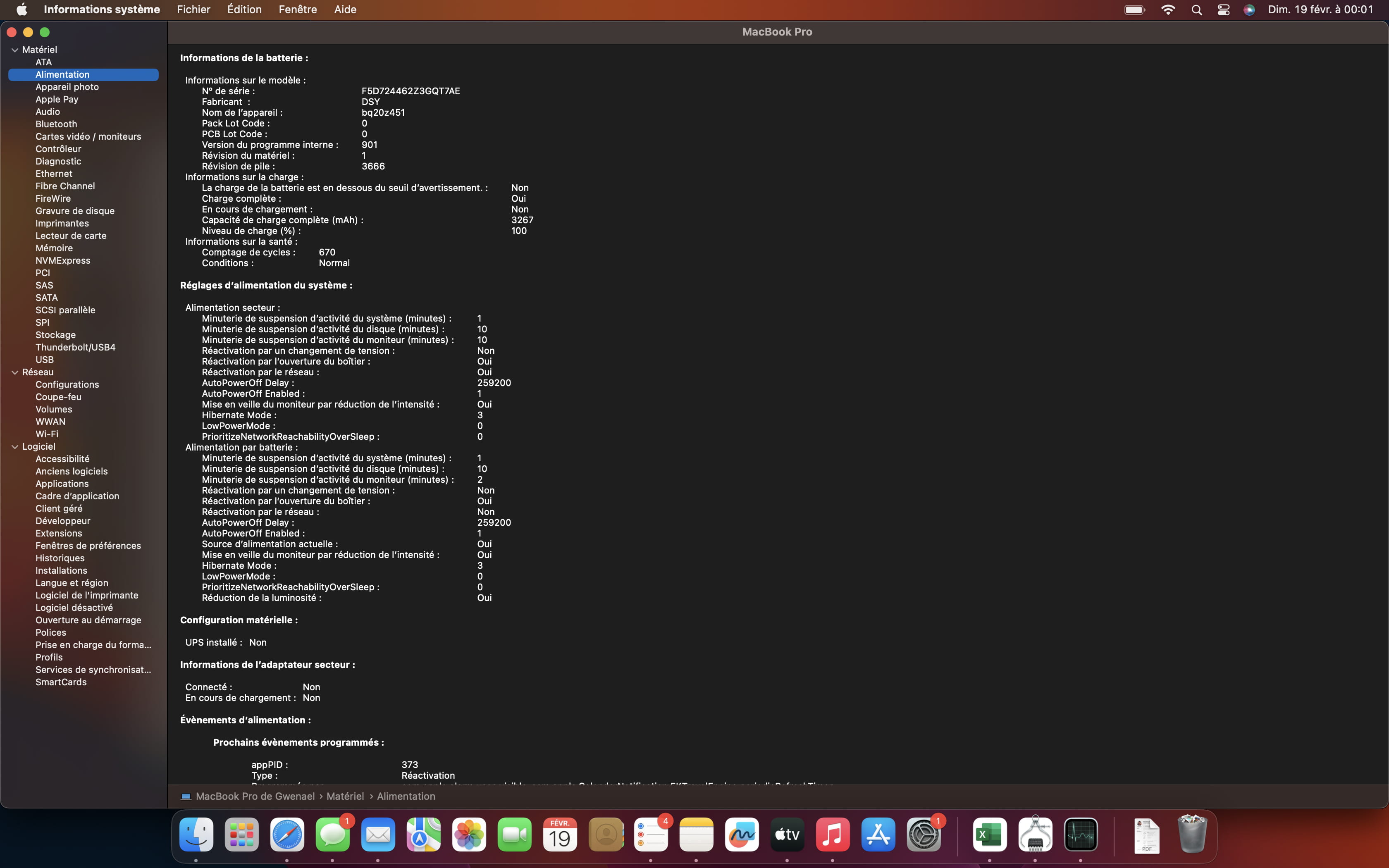
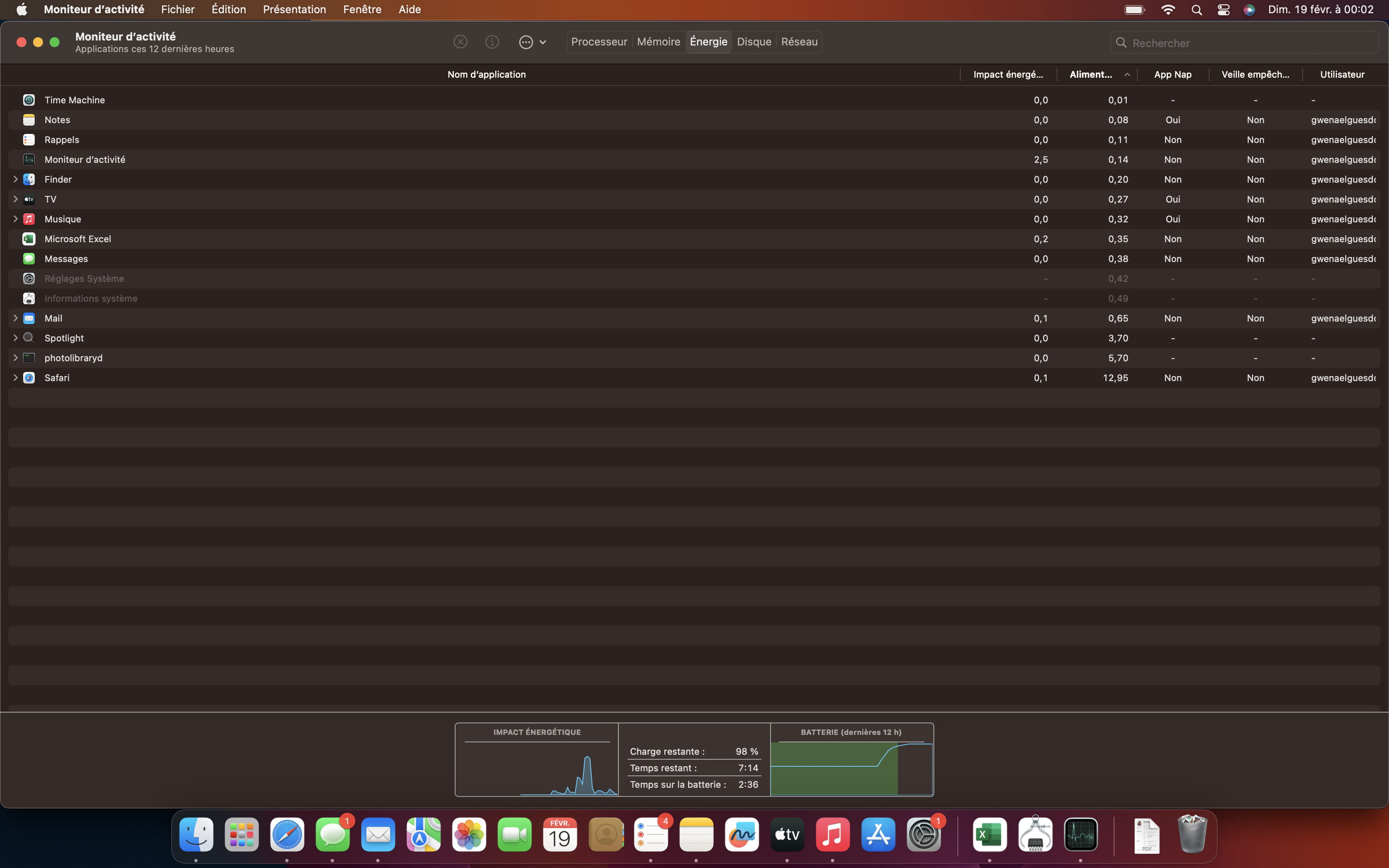
I noticed that an update was available. Perhaps it's a bug and it will be resolved by doing the update or by resetting? As a student, I unfortunately do not have the means or the desire to change the battery. I am hesitant to contact the previous owner.
Thank you in advance,
Have a good evening
Hello, I have exactly the same problem on a 2017 MacBook Pro without a touch bar.
My battery lasts a maximum of 1 hour and at 50-60% it shuts down and I can't turn it back on...
I have 323 cycles on my battery and I don't know what to do...
Hello,
If you are still plugged in, the number of cycles is not reliable.
The only test you can perform is to go to an authorized service center or an APPLE STORE to measure its life status very precisely.
Hello,
No need for an unlimited budget, the test is free (not everywhere) but by appointment.
The battery replacement costs €229 including tax until March 1st, after that date it's an additional €60.
However, I did not understand the part: I wonder if it would be better to directly return the MacBook to its owners.
Thank you for your response,
€229 is no small amount, and I say "I wonder if it wouldn't be better to return it" because I bought the MacBook second-hand last week.
I reached out to them again this morning but no response; last week they told me they hadn't had any issues with the battery.
The problem regarding the Apple store is that I live in Rennes and I don't know if there is an authorized store nearby.
-
You will find the list of the five authorized Apple service and repair centers in Rennes on this page (by default, it indicates "Paris," but by clicking on the link, you can enter the postal code for Rennes and voilà!).
-