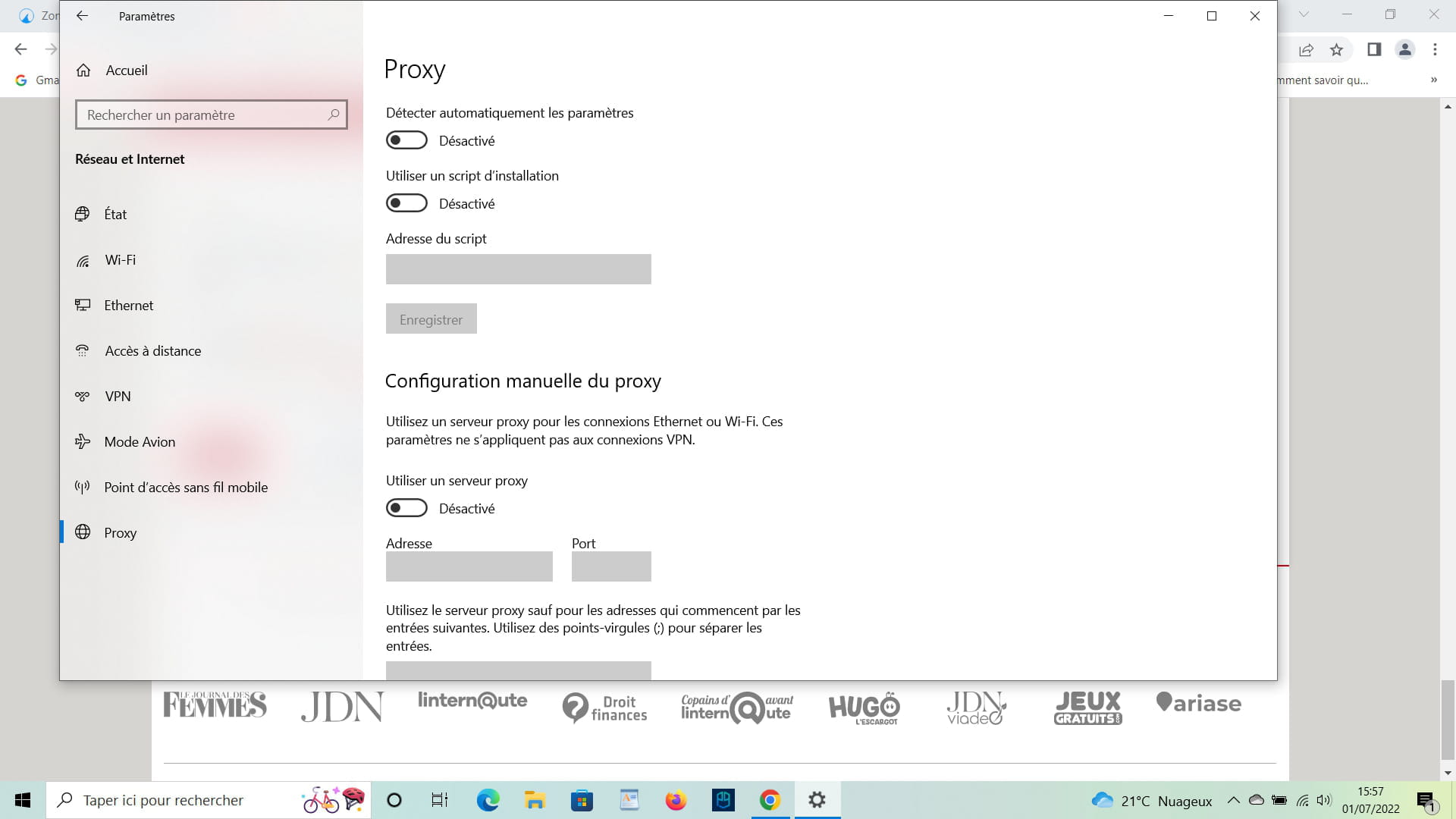
"127.0.0.1" (port: 1080) localhost
Solved
galaxyone92
Posted messages
103
Status
Member
-
galaxyone92 Posted messages 103 Status Member -
galaxyone92 Posted messages 103 Status Member -
Hello CCM community,
PS: I know I already asked this question in a previous message, but I was explained what it was while my question was whether it was normal or if it was a proxy virus to hijack what I'm doing on the internet; it's more to reassure me (I'd rather be warned than cured).
Generally speaking, the other 2 give me directly the router 192.168, I recently bought a third computer where I have no internet connection issues or firewall or antivirus problems (GData antivirus, Malwarebytes, Skyhunter 5).
As seen below, here’s what I get when I type: Windows + r / cmd / netstat. It's only on the 3rd one that it does this

I want to know if I am a victim of a keylogger, or if it's normal?
Given that it's only on this computer that I have the proxy 127.0.0.1.
I saw on the CCM forum with FRST by Nicola Goldman that this proxy could be removed; do you think I should remove the proxy 127.0.0.1 or is it entirely normal, and why is it doing this to me?
Best regards
PS: I know I already asked this question in a previous message, but I was explained what it was while my question was whether it was normal or if it was a proxy virus to hijack what I'm doing on the internet; it's more to reassure me (I'd rather be warned than cured).
Generally speaking, the other 2 give me directly the router 192.168, I recently bought a third computer where I have no internet connection issues or firewall or antivirus problems (GData antivirus, Malwarebytes, Skyhunter 5).
As seen below, here’s what I get when I type: Windows + r / cmd / netstat. It's only on the 3rd one that it does this

I want to know if I am a victim of a keylogger, or if it's normal?
Given that it's only on this computer that I have the proxy 127.0.0.1.
I saw on the CCM forum with FRST by Nicola Goldman that this proxy could be removed; do you think I should remove the proxy 127.0.0.1 or is it entirely normal, and why is it doing this to me?
Best regards
16 answers
-
Hello
127.0.0.1 is the IP address of the PC
https://astucestechnologiques.com/quest-ce-que-127-0-0-1-et-que-signifie-localhost/
https://www.ionos.fr/digitalguide/serveur/outils/introduction-a-netstat/
please read and study the content of the links
I use informal language with everyone. Take your time to comment! A thank you is appreciated.
Mark as resolved if your problem has found a solution. Resolved is located under the "ellipsis" key. -
I'm asking the question because I'm learning everything related to Python or C++, so I don't want to make mistakes because I will make errors and that's how we learn, and I'm afraid of getting hacked because of that.
Thank you for your answer. -
I am going to make mistakes that's how we learn
some details don't lie!
--
I address everyone informally. Take the time to comment! A thank you is appreciated.
Mark as resolved if your issue has been solved. Resolved can be found under the "ellipsis" key. -
"some details don't lie!"
Please forgive me, but I didn't understand your response. I'm learning programming with the sole aim of a career change into IT.
Is it possible for a Trojan horse already present in my system to install what is called a backdoor? Please forgive my paranoia, but these days, it's important to take all precautions.
Best regards -
Hello,
you should have continued on your first discussion instead of starting another one with the same ideas in mind.
In the other discussion, I suggested using the resource manager instead of netstat; you would have the name of the program that creates this connection and its actual activity.
Moreover,
if you multiply antivirus programs, you will have more and more issues; they are the first to install this kind of redirections to better control your traffic.
--
and... There you go! -
This is the local IP address of your PC (localhost)
which you can also call the loopback address
This allows the client and server applications that are installed on your PC to communicate with each other via different ports
depending on which one is used by the application. -
"you should have continued with your first discussion instead of starting another one with the same ideas in mind."
(it's true I should have, you were right to remind me, besides I hadn't resolved it, I forgot)
thank you for all your answers, given that all my work is on the new one I was afraid of being hacked by a proxy.
and sorry again I really didn't want to disturb with all my questions but since I don't know I really preferred to ask all the questions just in case.
thanks again for your answers -
Hello,
Port 1120 relates to the Battle.net application.
See here: https://www.speedguide.net/port.php?port=1120
Application that can be seen in your screenshots.- Do the other machines also have this application running?
- Do you observe these connections if you completely close the application, making sure it leaves no service running in the background?
-
Hello,
Thank you for your response, but yes you are right about the link you provided, it does have battle.net.
Is it normal that I have about 50 instances of 127.0.0.1:1120? On the other computers, I don’t have that. Is it really impossible for me to remove this proxy 127.0.0.1? Besides, in the browser settings on my computer, everything is disabled regarding proxies, which is why I don’t understand why 127.0.0.1 is there in the terminal?
I was told that it’s a loopback address, "a mirror effect", but I don’t understand what it is in the links given, did I misunderstand?

However, I can't run "netstat -b" in the command prompt, it just shows me help and description instead of the applications on 127.0.0.1:65012 for example. This was a response from Brutala "netstat -b" to see the applications.
I WILL BE HONEST WITH YOU, WHY AM I ASKING SO MANY STRANGE QUESTIONS ABOUT 127.0.0.1? I HAVE WORKED ON THIS COMPUTER, BUT IT'S ESPECIALLY A 3-PAGE COMPLAINT THAT I HAVE TO ADDRESS TO THE ADMINISTRATIVE JUDGE OF A COURT. I FEEL LIKE I'M BEING SPYED ON NOW WHEN I GO ONLINE.
I SPOKE NORMALLY WITH THEM, AND THEY KNEW WHICH GAME I WAS PLAYING. I NEVER TOLD ANYONE THAT I WAS PLAYING THIS GAME, I WAS TOLD THAT THEY COULD HACK MY COMPUTER, ARE THEY KEYLOGGERS?
IF I FILE A COMPLAINT, THEY WILL BLACKMAIL ME WITH MY COMPUTER'S BROWSING HISTORY; I HAVE NOTHING TO BE ASHAMED OF, BUT I WAS WARNED THAT THEY WOULD MAKE UP STUFF. THAT'S WHY I'M TRYING TO DO EVERYTHING TO REMOVE 127.0.0.1, WHICH I'VE NEVER HAD ON OTHER PCs.
Thanks again for your help and your responses. -
But why are you talking about a proxy? It has nothing to do with it
You should go through the task manager -> Performance -> Open Resource Monitor
From there you will have a view of the network traffic -
Hello, "francky0504", I'll make it shorter, summarizing all the other messages
computer 1 (command prompt): netstat= TCP 192.168. directly to the router
computer 2 (command prompt): netstat= TCP 192.168. directly to the router
computer 3, the one with all my questions (command prompt) netstat= TCP 127.0.0.1:1120 about 50 times
TCP 127.0.0.1:54930 4 times
TCP 192.168 also about 50 times
knowing that when I used the 3rd computer while playing a game that no one knew about, some people knew what I was playing?
I thought my request was simple and clear, but given the number of messages, it seems I really explained myself poorly and I also misunderstood some responses, I apologize but I don't know much about this kind of localhost and proxy settings, I've never had any, and it shows in the number of messages I send.
I know there are more urgent messages than this one, (that's to reassure me) a keylogger that they mentioned about dangerous proxies to know people's lives.
these were the three questions I thought were simple, if it's dangerous or not.
should I be wary of this proxy 127.0.0.1, why do I have it from my purchase at Darty, without having activated it?
can I remove 127.0.0.1? "ZHPcleaner from Nicolas Goldman, I saw a message from CCM that he removed it with them, his internet didn't work because of his proxy. I DON'T HAVE THIS PROBLEM, I JUST WANT TO UNDERSTAND.
is it a dangerous proxy like being spied on by a keylogger to know everything I do on the internet or other files?
"But why are you talking about a proxy? It has nothing to do with this"
I've never had a proxy, initially I thought it was a virus and since I know some people who have had fun sending this kind of software to know someone's life, I am wary, I invite you to reread what I wrote in big.
thank you for your response, which I know just repeats the same questions. -
Well, I don't know how to explain it to you
But 127.0.0.1 is not a proxy... I don't know who put this idea in your head, but it’s not a proxy
Everyone uses this IP locally
You're not the only one -
ok
can you then tell me the steps to remove it or is it normal?
that's all I wanted to know.
thank you for your quick response -
Hello "avion-f16"
my three computers have the same applications, but really perfectly the same apps, and it doesn't show me TCP 127.0.0.1
that's why I'm so paranoid about this computer and I ask too many questions that must be really annoying?
can you tell me in which settings I can put 54489 to see what 127 opens in terms of applications
thank you for your quick responses -
Hi, brutala
resmon? If I understood correctly, is that what you meant?
Task management / open resource monitor / processor, then check the PID (to see
the application).
"What's this story about 54489?"
TCP 127.0.0.1: 54489 is what it shows me, and I can't find it in the PID of the monitor, or maybe I'm just not looking closely enough.
"We've repeated it to you 3 or 4 times now."
Believe me, it doesn't really please me to keep giving the same information all the time, but when I do what I'm told to do on the computer, it doesn't show me the same value and I end up back at square one.-
Resmon is command-line based, but you can also do it through the path you indicate.
The important thing is that you actually do it, not just talk about it.
Afterwards, if you at least respected the syntax of my username, it would probably go better... -
-
-
Hi
brupala and georges97, you seem to know each other well, but you're scaring me talking about victims :-) (just kidding of course)
So, the IP address 127.0.0.1 is my computer's address, if I understood correctly, I'm not at risk of being hacked or redirected to a fraudulent web page, right? (I'm learning Python and C++)
That was just what I wanted to know, but I also took up too much space with my messages, I admit it, (even though it's true that I didn't quite understand half of the messages that were too technical for me).
Thank you for your answers -
-
-
hi
I just looked at my post, I'm really stupid because it was indeed the battle.net download (1120) that gave the same image. Please excuse me for all these messages.
I tested on my 2nd computer 192.168 after the battle.net download 127.0.0.1, it did the same thing.
Please excuse me for all these messages.
I feel more at ease now, have a very good day.