PCI Data Acquisition and ASUS Signal Controller
Solved
D3Dou
Posted messages
5
Status
Member
-
kaneagle Posted messages 86296 Registration date Status Moderator Last intervention -
kaneagle Posted messages 86296 Registration date Status Moderator Last intervention -
Hello,
A few days ago, I returned my university laptop. I then took out my old PC, an ASUS X555LN. I noticed the following line in my device manager under "Other devices":
- PCI Data Acquisition and ASUS Signal Controller
I can't find the driver that allows this device to function. When I search automatically, Windows tells me it can't find it.
In the device's general tab, I have the following description for the device status:
The drivers for this device are not installed. (Code 28)
There are no compatible drivers for this device.
To find a driver for this device, click Update Driver.
In the Events tab, I have the following information:
The device PCI\VEN_8086&DEV_9C24&SUBSYS_16CD1043&REV_04\3&11583659&0&FE requires that the installation be continued.
My computer is running Windows 10. Can you let me know if this is a real problem and how I can fix it if it is?
Thank you in advance for your help :).
A few days ago, I returned my university laptop. I then took out my old PC, an ASUS X555LN. I noticed the following line in my device manager under "Other devices":
- PCI Data Acquisition and ASUS Signal Controller
I can't find the driver that allows this device to function. When I search automatically, Windows tells me it can't find it.
In the device's general tab, I have the following description for the device status:
The drivers for this device are not installed. (Code 28)
There are no compatible drivers for this device.
To find a driver for this device, click Update Driver.
In the Events tab, I have the following information:
The device PCI\VEN_8086&DEV_9C24&SUBSYS_16CD1043&REV_04\3&11583659&0&FE requires that the installation be continued.
My computer is running Windows 10. Can you let me know if this is a real problem and how I can fix it if it is?
Thank you in advance for your help :).
4 answers
-
Hello,
Give the device identification numbers for the 2 peripherals
Check this --> Find the identification number of a device on PC
Post the numbers in your next message.
-----------------------------------------------------------------------------------
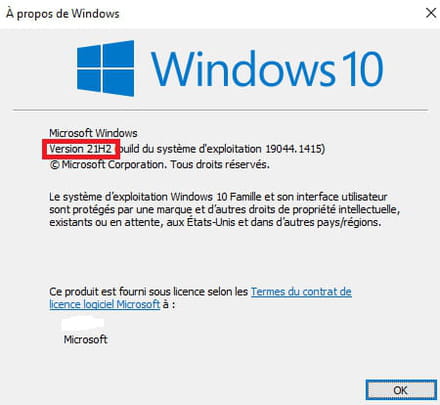
Is Windows up to date?
Press Windows + R
Type --> winver and OK
What's the version?
Example image: