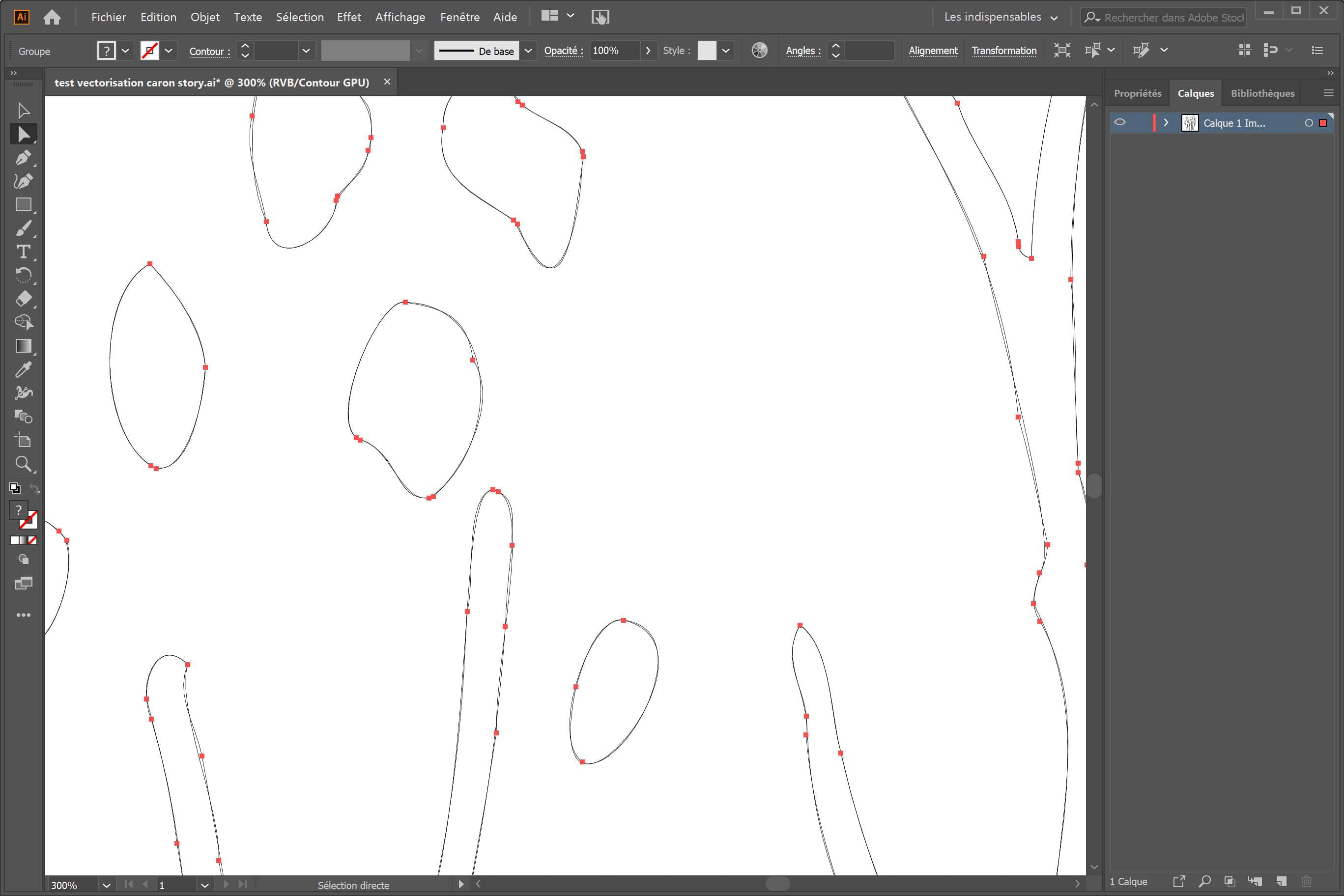
Double line in cutout

JeanNicolasB
Posted messages
7
Status
Member
-
JeanNicolasB Posted messages 7 Status Member -
JeanNicolasB Posted messages 7 Status Member -
Hello
I would like to keep only one cutting line;
I have vectorized my pattern, created a cutting line, simplified it, and two lines appear. How do I delete the one that has too many anchor points?
Thank you
I would like to keep only one cutting line;
I have vectorized my pattern, created a cutting line, simplified it, and two lines appear. How do I delete the one that has too many anchor points?
Thank you
6 answers
-
You need to burn the trace to separate the two..(menu "object/decompose")
And you delete one of the 2 with the white arrow tool. -
Hello again
First of all, thank you for your response.
I've tried, but it doesn't seem to be enough. The two traits still appear at my printer. It's true that I can get them to reappear both when I do "select" "all". They remain in the file. I must be forgetting something.... -
Yes, it's done up to the selection area. Not much is happening with "decompose", but... it might be how to use the white arrow that I didn't understand
-
Good evening
Yes, I am able to remove the anchors, but everything disappears. My paths are certainly grouped as you mentioned. There must be something I'm missing during the vectorization or in the creation of the cut line. I feel like I'm missing a proper procedure.
I'm hesitant to send you my PSD and AI files to solve the problem, probably efficiently. I saw your website. Do you have a pricing for this type of service?-
I think it would be better if you learned to do it...
Upload your vectorized file to https://www.cjoint.com/ and send the link via private message if it’s confidential or post it here if it’s not a problem..
There’s also something to consider when vectorizing... a line in an image can be vectorized in two ways: following its contour based on its thickness (that’s probably what you have) or following its axis. In that case, you only have a trace that is the center of the line.
Well, vectorizing with Illustrator isn’t my cup of tea... I prefer Corel’s, which is more effective.
-
-
Hello
You must have found the error with the choice of vectorization, but I don't know how to proceed.
I have nothing confidential, and I sent you an email with the attached files.
I would really like to understand because I don't see what could be complicated at first glance...
Thank you in advance.-
It's indeed a vectorization problem...
In fact, in your image, there is a halo around each surface due to pixelation. The vectorization engine considers it a surface and adds a stroke.
You can, of course, select it and delete it. You will need to do this for each of the surfaces (with the white arrow), but since the halo is not regular, you have several overlapping strokes that are also not continuous. As a result, for one surface, you may have 1 or 2 strokes to delete.
When you vectorize in Illustrator, in the toolbar, there is an icon that gives you access to the vectorization options. The options aren't great, but they might allow for some improvement.
Personally, I did this in Corel-Trace (the vectorization tool in Corel) and it gives a result without any retouching (we'll need to verify, but it seems good).
-
-
Hello
I'm looking at all of this closely and I will get Coreldraw to see. In fact, I have a very large drawing of which you only have a small piece, and it needs to be done in thick cutting. I can't have fun deleting everything point by point. I'll let you know....
Thanks again for now
Jn