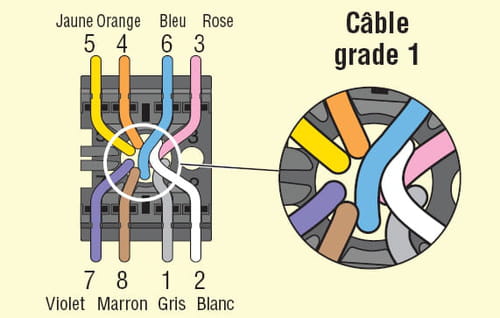
Freebox server installation in the garage
elbuenocoin
-
brupala Posted messages 111138 Registration date Status Member Last intervention -
brupala Posted messages 111138 Registration date Status Member Last intervention -
Hello,
I need help (so I'm calling on experts!) to find out how to connect my Freebox (server part) to my DTI box.
My current setup is as follows:
- my server box and my video box are in the living room
- my server box is connected with an RJ11 cable (I think) to an RJ45 socket to get the xDSL connection
- my video box is connected to my server box with an RJ45 cable
What I want:
- to move my server box to the garage
- to connect the server box directly to the DTI box to get the xDSL connection of which there are 2 photos:
- photo of the box: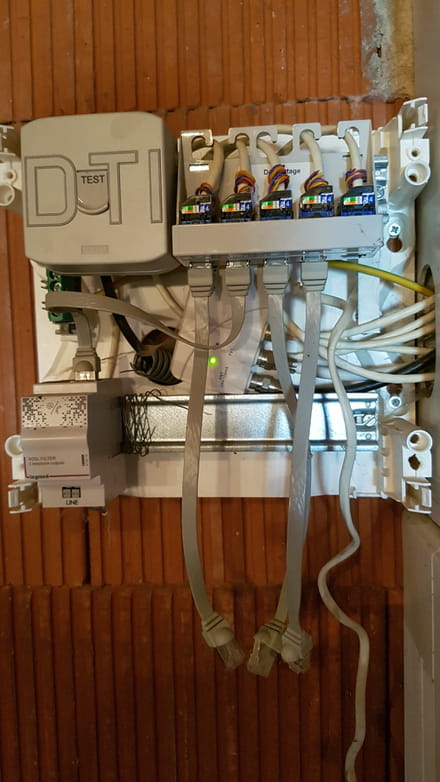
- photo of the xDSLFilter: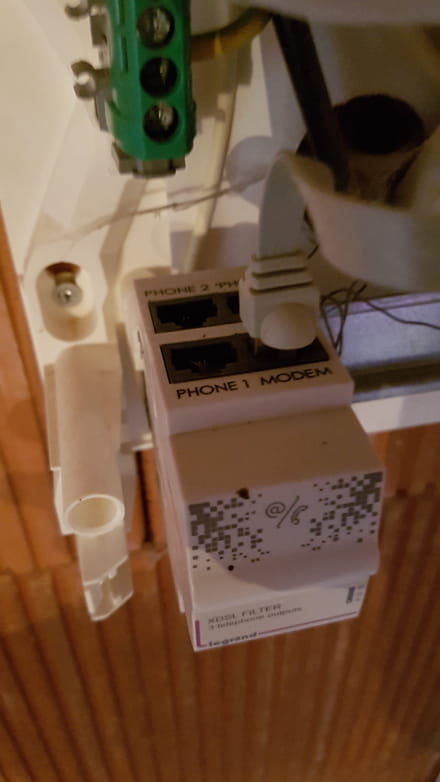
- to connect the RJ45 socket of the DTI box (that leads to the living room) to one of the RJ45 sockets of the server (potentially in the future connect all the sockets to serve all the rooms, but that's for later)
- to keep my video box in the living room and connect it via RJ45
How should I cable the xDSL connection between the DTI box and the Freebox server?
I see there is an xDSLFilter; I'm not really sure what to connect where?
Should I keep my RJ11 cable currently in the living room and connect it directly to the "MODEM" socket on the xDSLFilter? That's what I was thinking, but I'm not sure about anything…?
Thank you for your help!!
I need help (so I'm calling on experts!) to find out how to connect my Freebox (server part) to my DTI box.
My current setup is as follows:
- my server box and my video box are in the living room
- my server box is connected with an RJ11 cable (I think) to an RJ45 socket to get the xDSL connection
- my video box is connected to my server box with an RJ45 cable
What I want:
- to move my server box to the garage
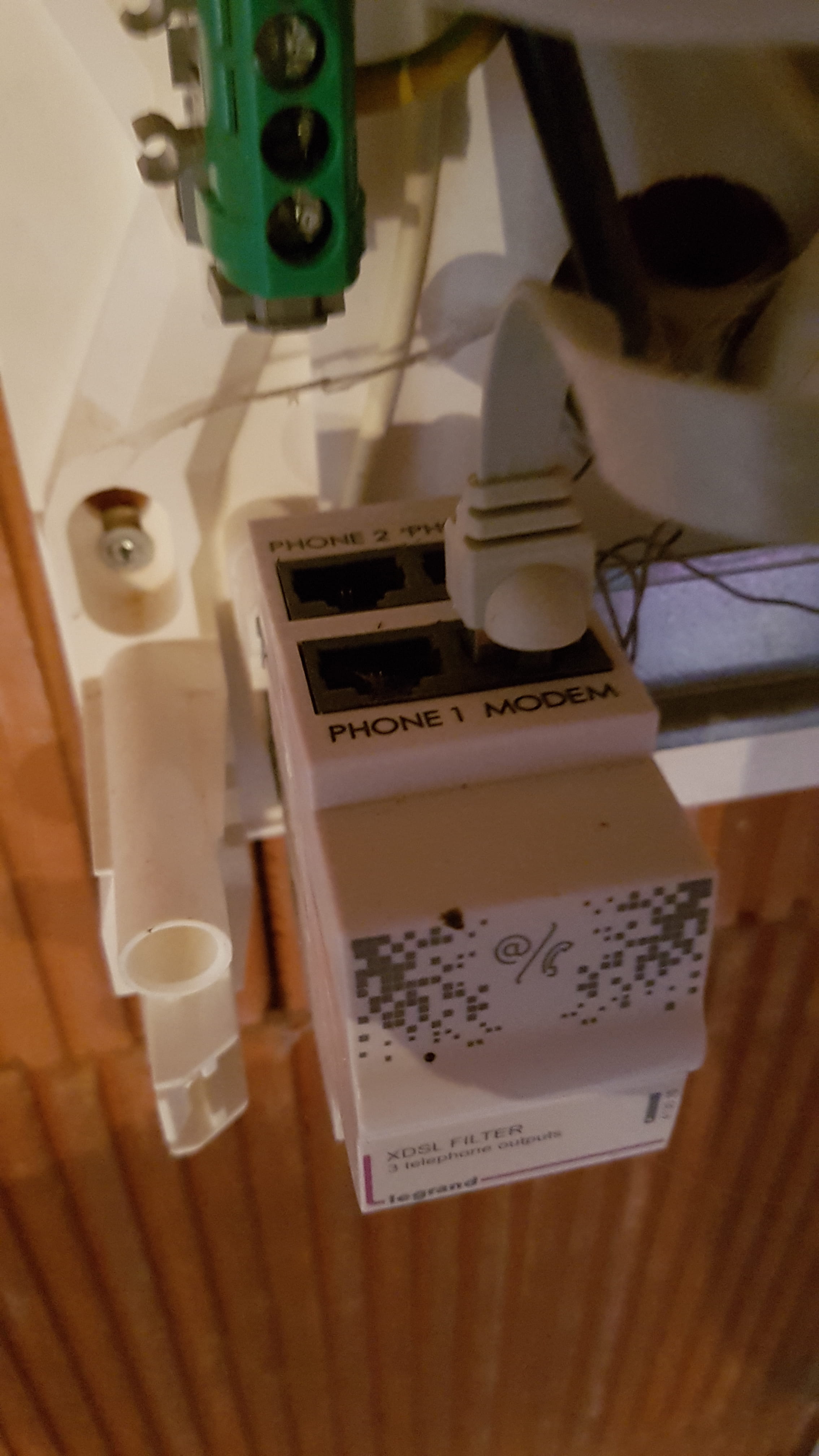
- to connect the server box directly to the DTI box to get the xDSL connection of which there are 2 photos:
- photo of the box:

- photo of the xDSLFilter:
- to connect the RJ45 socket of the DTI box (that leads to the living room) to one of the RJ45 sockets of the server (potentially in the future connect all the sockets to serve all the rooms, but that's for later)
- to keep my video box in the living room and connect it via RJ45
How should I cable the xDSL connection between the DTI box and the Freebox server?
I see there is an xDSLFilter; I'm not really sure what to connect where?
Should I keep my RJ11 cable currently in the living room and connect it directly to the "MODEM" socket on the xDSLFilter? That's what I was thinking, but I'm not sure about anything…?
Thank you for your help!!