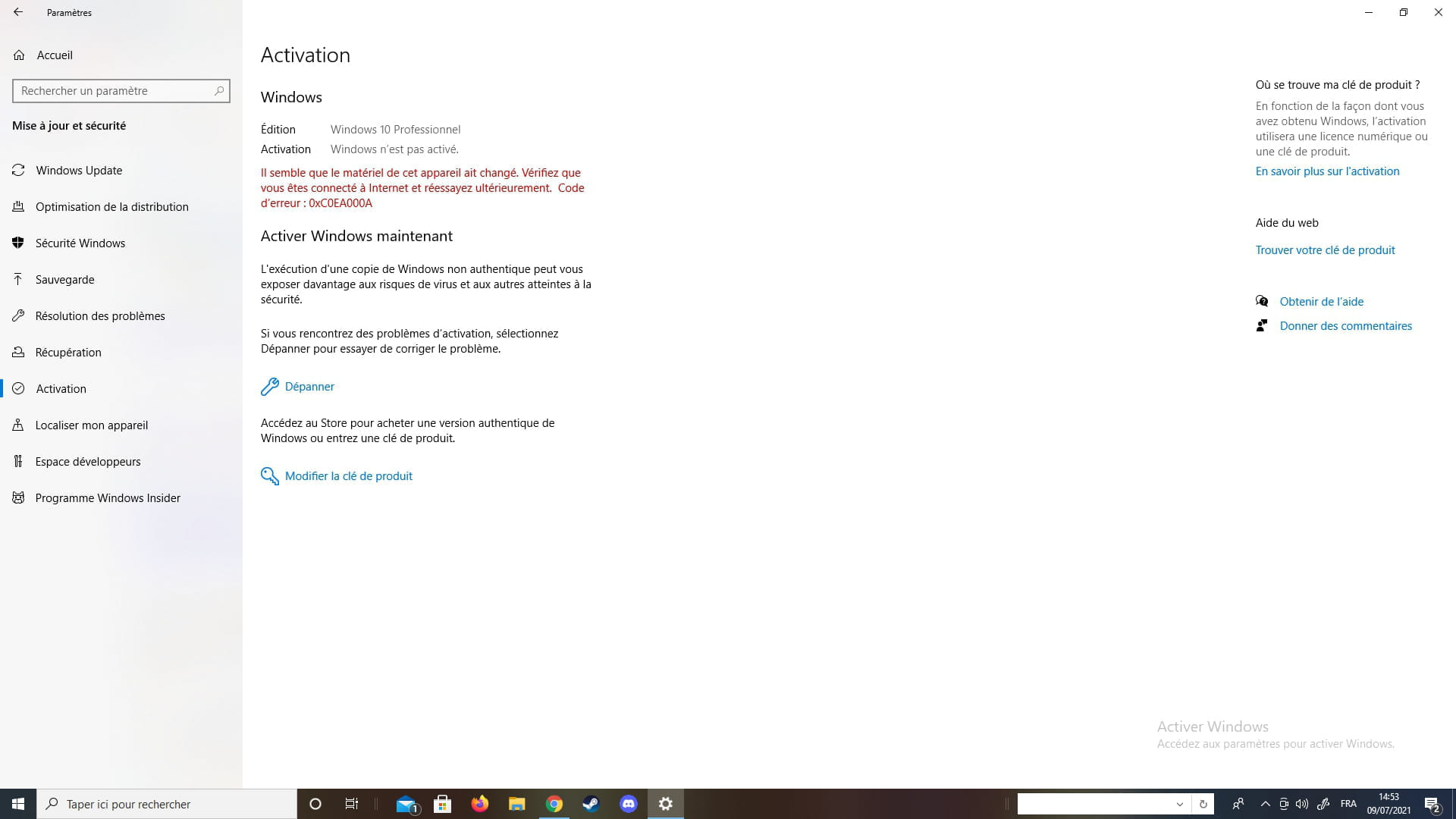
"Activate Windows" is displayed

kins -  
bazfile Posted messages 58524 Registration date   Status Moderator Last intervention   -
Hello, for the past few days I've been having an issue; in the bottom right corner of my screen, there’s a transparent "Activate Windows" message that appears. I just need to restart my PC for it to go away, but it often comes back. My PC was assembled by materiel.net a few years ago. If you could please help me.

5 answers

  1. bazfile Posted messages 58524 Registration date   Status Moderator Last intervention   20 280
     
    Hello,
    was it materiel.net that installed Windows 10?

    --
    bazfile
    Moderator/Security Contributor.
    A hello, a reply, and a thank you are always appreciated.
    0
  2. kins
     
    Yes
    0
    1. bazfile Posted messages 58524 Registration date   Status Moderator Last intervention   20 280
       
      See https://www.malekal.com/resolution-erreur-problemes-activation-et-licence-de-windows-10/
      If nothing works, either contact Microsoft at 01 85 14 81 59 from Monday to Friday, from 9 AM to 9 PM, and Saturday and Sunday from 10 AM to 6 PM.
      Or purchase a license, for example https://www.cdiscount.com/informatique/r-licence+windows+10.html#_his_
      0
      1. kins7474 Posted messages 5 Status Member > bazfile Posted messages 58524 Registration date   Status Moderator Last intervention  
         
        Oh, but it says that a hardware component was modified in my device. I changed my motherboard less than a week ago, is it related to that?
        0
  3. kins7474 Posted messages 5 Status Member
     
    this is what is displayed when it says Activate Windows
    0
  4. kins7474 Posted messages 5 Status Member
     
    And when I restart my PC and it no longer says activate Windows
    0
    1. bazfile Posted messages 58524 Registration date   Status Moderator Last intervention   20 280
       
      Here it is a bit clearer, you should have said it from the beginning, being precise avoids unnecessary messages, you have modified your hardware, Windows thinks you are on a new PC, click on "Troubleshoot" and follow the procedure.
      0
      1. kins7474 Posted messages 5 Status Member > bazfile Posted messages 58524 Registration date   Status Moderator Last intervention  
         
        Anyway, thank you very much!
        0
  5. kins7474 Posted messages 5 Status Member
     
    I changed my motherboard.
    0
    1. bazfile Posted messages 58524 Registration date   Status Moderator Last intervention   20 280
       
      D'accord. Veuillez fournir le texte à traduire.
      0