
"DaVinci Resolve Studio" filter appears on my video
Solved
xymelis
Posted messages
5
Status
Member
-
Mathis -
Mathis -
Hello,
I am a beginner with DaVinci Resolve 17 (free version).
After a few hours of exploring and editing video, I have a logo that appears on my video saying "DaVinci Resolve Studio" with a grid of dots. Of course, when I export my video, this "title" remains.

Is this DaVinci's way of telling me that I need to upgrade to the paid version? Are there limitations on the number of audio tracks (I have 5) or on the maximum file size that will be exported? (28 minutes is taking 4 hours to export instead of the usual 20 minutes...) How can I remove this white title?
Thank you in advance!
xym
Configuration: Macintosh / Chrome 90.0.4430.212
I am a beginner with DaVinci Resolve 17 (free version).
After a few hours of exploring and editing video, I have a logo that appears on my video saying "DaVinci Resolve Studio" with a grid of dots. Of course, when I export my video, this "title" remains.
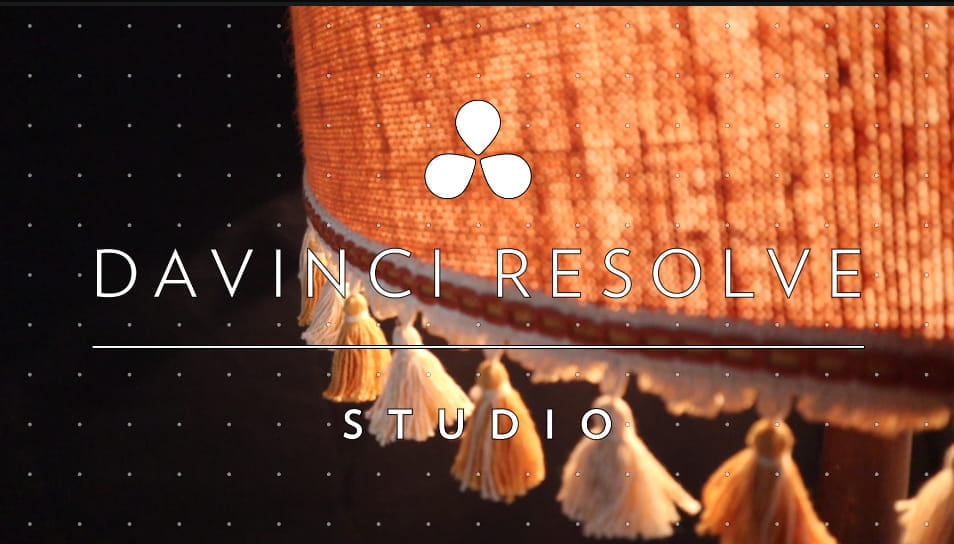
Is this DaVinci's way of telling me that I need to upgrade to the paid version? Are there limitations on the number of audio tracks (I have 5) or on the maximum file size that will be exported? (28 minutes is taking 4 hours to export instead of the usual 20 minutes...) How can I remove this white title?
Thank you in advance!
xym
Configuration: Macintosh / Chrome 90.0.4430.212
3 answers
-
Hello,
Is this a way for DaVinci to tell me that I need to switch to the paid version?
Yes...
How can I remove this white title?
The only solution is to purchase the license, and there will be no help available here to remove it otherwise.
--
The technocrats, if we gave them the Sahara, in 5 years, they would have to buy sand elsewhere.
Coluche.-
Hello,
Thank you for your response, that's what I feared...
So there is no way to go back by simplifying the video? (unless of course I redo the video)
For now, I'm testing this software - this is only my second video - to replace iMovie which I had been using until now but I find too limited in certain options. And for now, I'm not really convinced by DaVinci yet. I don't find it easy to get the hang of and not very intuitive, especially the Cut part.
Well, I still have to test other editing software to see which one would suit me better before purchasing a license!
Have a good day,
xym
-
-
Hello, Ximélis's question deserves other answers, unfortunately I haven't tested it but it's the first time I've read about this drawback. Da Vinci is currently the reference in free software and except for the pro version, it is paid. If Ximélis is on Imovie and macOS, other comparable Mac-compatible software will need to be found at Da Vinci's level
such as "Adobe Premiere Elements," which is more limited in functionality.
For Ximélis: it takes time to adapt to each software, you need to familiarize yourself with the shortcut keys, there are excellent tutorials on YouTube.
“Donkeys change their minds, not fools.”
Don’t forget to mark your message as “resolved” if that’s the case.-
Yes, I will need to get used to the software a bit - I'm still in the "learning" phase of editing, so I’m indeed watching a lot of videos on YouTube, but I'm not yet at the point of using shortcuts! That will come with time, maybe.
As for my problem, I was able to solve it by locating the effect that required having the studio version and I removed it. At least I don’t have to redo my video from scratch!
Have a good day,
xym
-
-
Hello,
DaVinci Resolve has no limitation on the number of tracks.
This watermark appears when you try to use one of the effects reserved for the Studio version, so you need to locate the responsible effect and remove it from your timeline.
As for the "Cut" part, it is a bit particular in its usage. I alternate between Cut and Edit; Cut allows me to rough cut and trim/roll, and when I need precision, I switch to the Edit tab.-
Thank you very much for your answers! Indeed, after fiddling around and testing things, I touched the "temporal threshold" option of the motion effect and that triggered the blockage. So I was able to recover my video without having to redo it completely! Phew!
Okay, I will try to work on the Edit section then! I'll give Davinci a second chance :)
Have a good day!
-

