Automatic repair after graphics card replacement
Luquoty
-
fabul Posted messages 42183 Registration date Status Moderator Last intervention -
fabul Posted messages 42183 Registration date Status Moderator Last intervention -
Bonjour, j’ai changé ma carte graphique qui était hs sur un assez vieux pc, maintenant avec la nouvelle carte le Pc est en réparation automatique, je pense que le problème vient du fait que je n’ai pas désinstallé l’ancienne carte mais je ne peux pas le faire car elle est hs
Je voulais savoir s’il y avait un moyen de la désinstaller via l’invité de commande
Ou si le problème peut venir d’autre chose ?
Je voulais savoir s’il y avait un moyen de la désinstaller via l’invité de commande
Ou si le problème peut venir d’autre chose ?
4 answers
-
Hi,
With Display Driver Uninstaller, but you need to be able to boot in safe mode first. -
Hello,
Which Windows is your computer running?
And what is your configuration?
See you later! -
To access safe mode to uninstall your graphics drivers, there is a somewhat brutal method that works:
As soon as you see the Windows logo, cut the power and restart it, and do this 3 times, then you will see this display: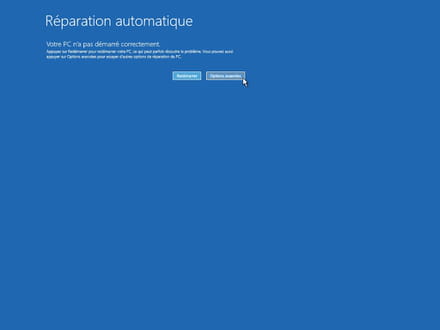
then go to advanced options.
then go to troubleshooting and advanced options, then settings or whatever you want to do.
See you! -
You can create a WinPE to back up your data, bookmarks, etc...
With AOMEI PE Builder
https://www.ubackup.com/pe-builder.html
Then reinstall Windows
Use the tool to create the media (USB drive 8GB Min.) to repair or reinstall Windows
(No need to format if there is space, if there is data, it will be found in a Windows.old folder)
[French France] https://www.microsoft.com/fr-fr/software-download/windows10
[French Canada] https://www.microsoft.com/fr-ca/software-download/windows10
If you already have the Windows ISO file, you can create your USB drive with Rufus
Boot from it through the Boot Menu of the PC
The key to press:
https://www.malekal.com/liste-touches-acces-bios-boot-menu-constructeur/
Choose "Custom installation" (not upgrade)
Install on the same partition, or alternatively, delete all system partitions and create a new one (This will erase data).-
- MSI OK,
But the model, the manual, does it say how to Clear CMOS?
Often we unplug the power supply
We remove the CR2032 battery
We short-circuit, with a jumper present or with a screwdriver the pins or next to it it’s written CLR_CMOS
Then we put the battery back, and we plug it back in, then we start it...
-