Slow SSD writing
blinkii35
Posted messages
105
Status
Member
-
fabul Posted messages 42152 Registration date Status Moderator Last intervention -
fabul Posted messages 42152 Registration date Status Moderator Last intervention -
Hello,
I just received my new tower ordered from kiebel.de.
I feel like I have a problem with my hard drive D.
- SSD M.2 of 512 Go (C)
- SSD hard drive of 2000 Go, 2.5 inches (D)
Windows is installed on the M2 (C), and the games and large folders go on the other one (D) for which I had to allocate the D drive and format it so that it is visible and usable in Windows (via the disk management).
When I transfer large folders from an external hard drive to D, the transfer shows, for example, 10 minutes with a speed of 86 MB/s, and 5 minutes later it drops to 5 MB/s and the transfer takes hours... same after a reboot (I haven't tested on C though).
I would be very surprised if the problem came from the external hard drive...
I ran a disk diagnostic with CrystalDisk, the state is "good" for all the drives, the rest of the information I don't really know how to interpret...
It is worth noting that the games installed on D work well, loading times are normal if not fast (I tested The Division 2, Cyberpunk, Red Dead)
Oh and when I formatted D, it took several hours even though it was empty... that surprised me as well.
Configuration: Windows / Chrome 89.0.4389.90
I just received my new tower ordered from kiebel.de.
I feel like I have a problem with my hard drive D.
- SSD M.2 of 512 Go (C)
- SSD hard drive of 2000 Go, 2.5 inches (D)
Windows is installed on the M2 (C), and the games and large folders go on the other one (D) for which I had to allocate the D drive and format it so that it is visible and usable in Windows (via the disk management).
When I transfer large folders from an external hard drive to D, the transfer shows, for example, 10 minutes with a speed of 86 MB/s, and 5 minutes later it drops to 5 MB/s and the transfer takes hours... same after a reboot (I haven't tested on C though).
I would be very surprised if the problem came from the external hard drive...
I ran a disk diagnostic with CrystalDisk, the state is "good" for all the drives, the rest of the information I don't really know how to interpret...
It is worth noting that the games installed on D work well, loading times are normal if not fast (I tested The Division 2, Cyberpunk, Red Dead)
Oh and when I formatted D, it took several hours even though it was empty... that surprised me as well.
Configuration: Windows / Chrome 89.0.4389.90
5 answers
-
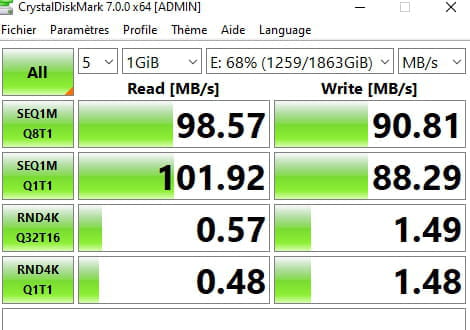
I continued the tests with Crystal Disk Mark
Here are the results (the E is the external drive):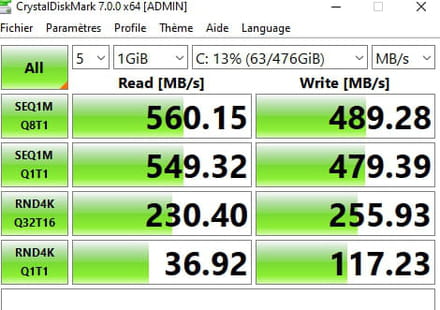
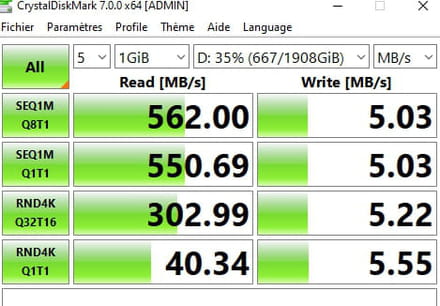
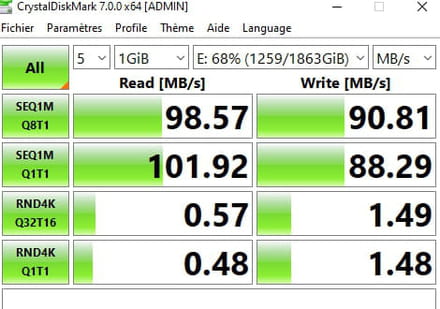
There is indeed a problem with drive D, right? -
Hello
YES, there is a big problem with the "D" drive in writing
check just in case that the write cache for the "D" drive is enabled in Windows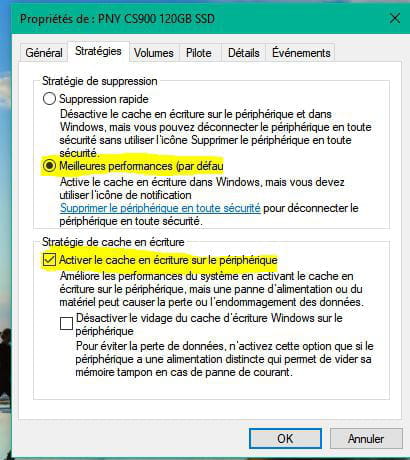
-
Hello,
I don't have the same display:
Is there a solution to this problem or some manipulation to do?- your write cache is activated
and on message #4, the write transfer rate is good this time??
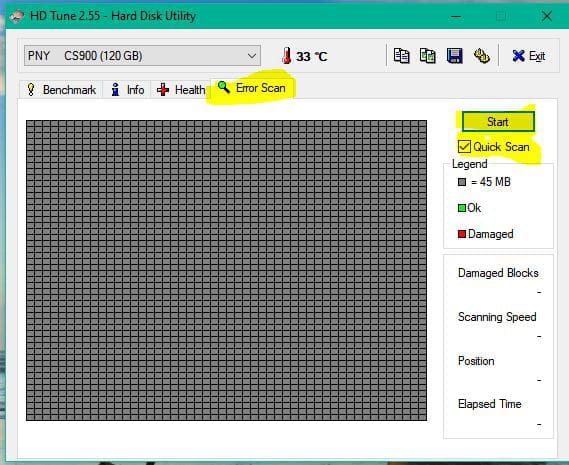
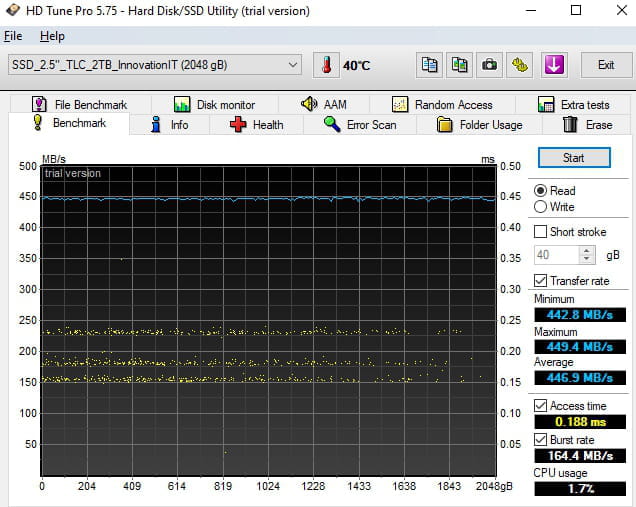
Download and run "Hdtune" Download Here
run the "Benchmark"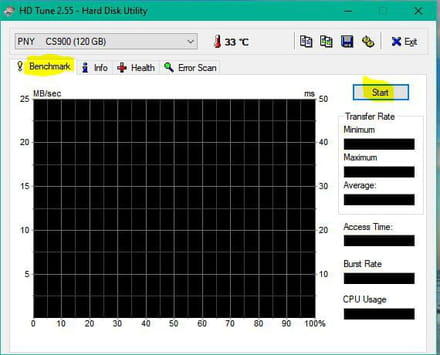
please provide a screenshot
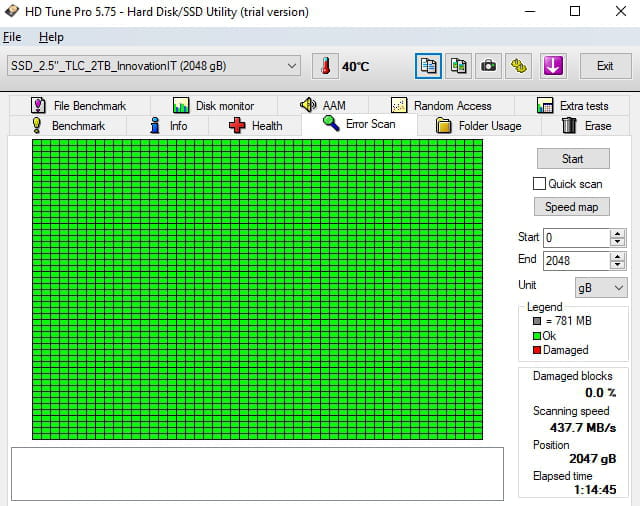
then the "Error Scan"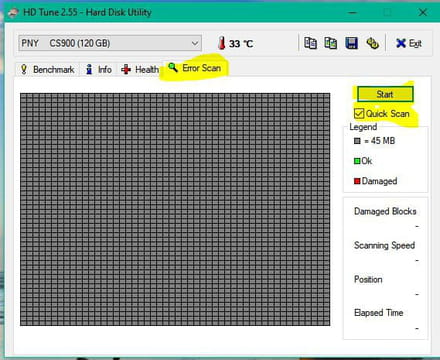
please provide a screenshot
-
-
-
Hi,
What about your 2TB SSD? Is it a BX500? No cache, the transfer speeds drop like snow in the sun. To put it simply, 3-year guaranteed SSD, probability of having a proper cache: 10%, 5-year guaranteed SSD, probability of having a proper cache: 90%. -
Hi,
Have you looked for a firmware update for this SSD?-
Hi, in the device manager, if I right-click on the drive and update the driver, it says that I am up to date. Unless I need to proceed differently?
- CrystalDiskInfo should show you the firmware version at the top.
Then you need to look for the latest one on the manufacturer's website.
-