Defective power supply HP Compaq Elite 8300
Solved
Exzot
Posted messages
22
Status
Member
-
coge62 -
coge62 -
Hello,
I have a HP Compaq Elite 8300 small form factor and a few days ago it refused to turn on.
I think the problem is with the HP 240 W power supply.
I tried to start the power supply by connecting the green wire (which I imagine corresponds to PS On, but no information is given about it) and the black wire but nothing happens, the fan doesn't start and there's no voltage present in the 3 connectors.


I checked with a multimeter that the 240 V current is present at the power supply connector and at the input of the board, and the protection fuse, which also seems to be good (I measured the resistance of the fuse and it is different from I, so I think it is good).
Do you have any idea what the problem might be or even a solution?
Thanks in advance!
Exzot.
I have a HP Compaq Elite 8300 small form factor
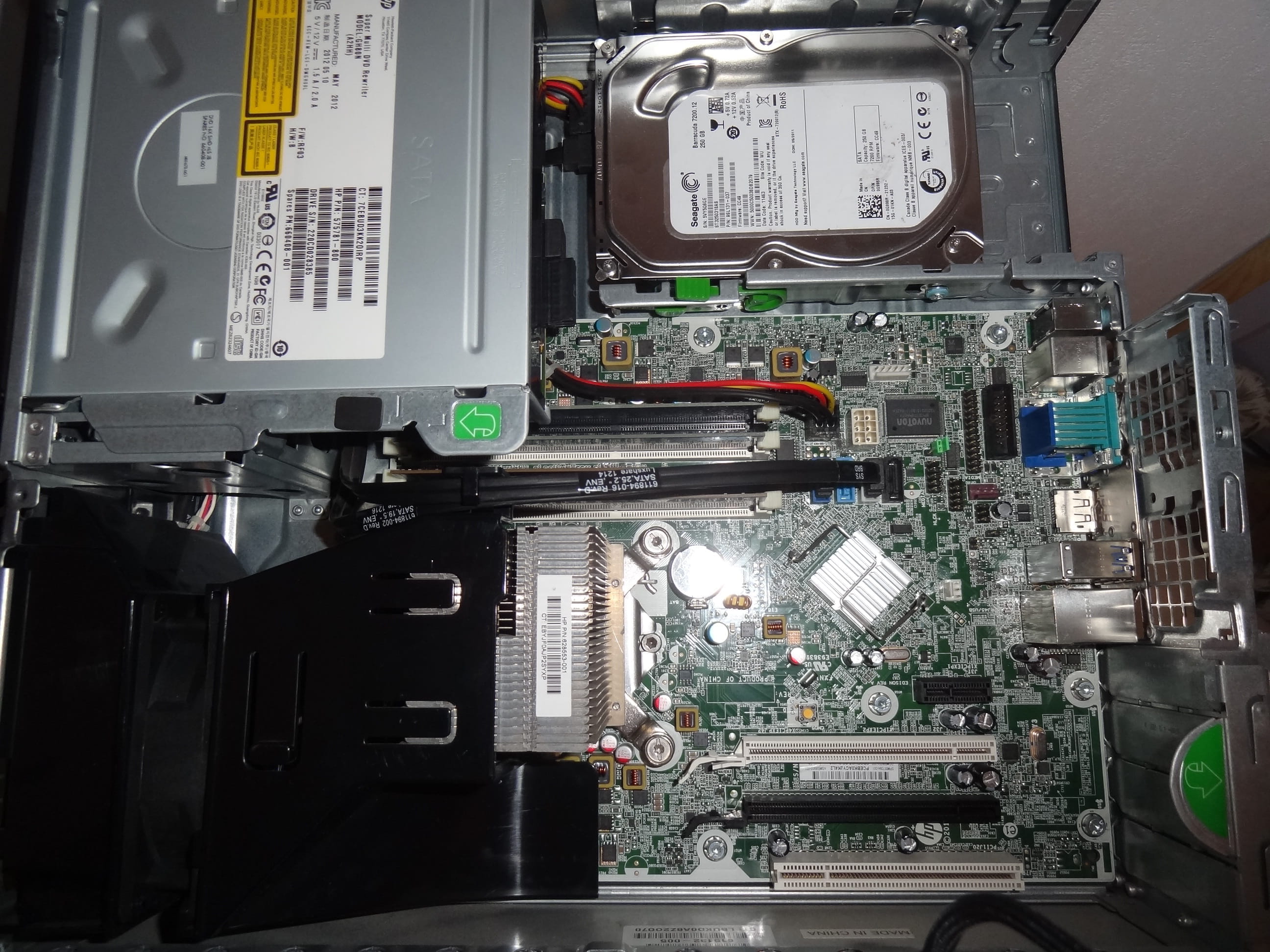 and a few days ago it refused to turn on.
 I think the problem is with the HP 240 W power supply.

I tried to start the power supply by connecting the green wire (which I imagine corresponds to PS On, but no information is given about it) and the black wire but nothing happens, the fan doesn't start and there's no voltage present in the 3 connectors.


I checked with a multimeter that the 240 V current is present at the power supply connector and at the input of the board, and the protection fuse, which also seems to be good (I measured the resistance of the fuse and it is different from I, so I think it is good).
Do you have any idea what the problem might be or even a solution?
Thanks in advance!
Exzot.
9 answers
-
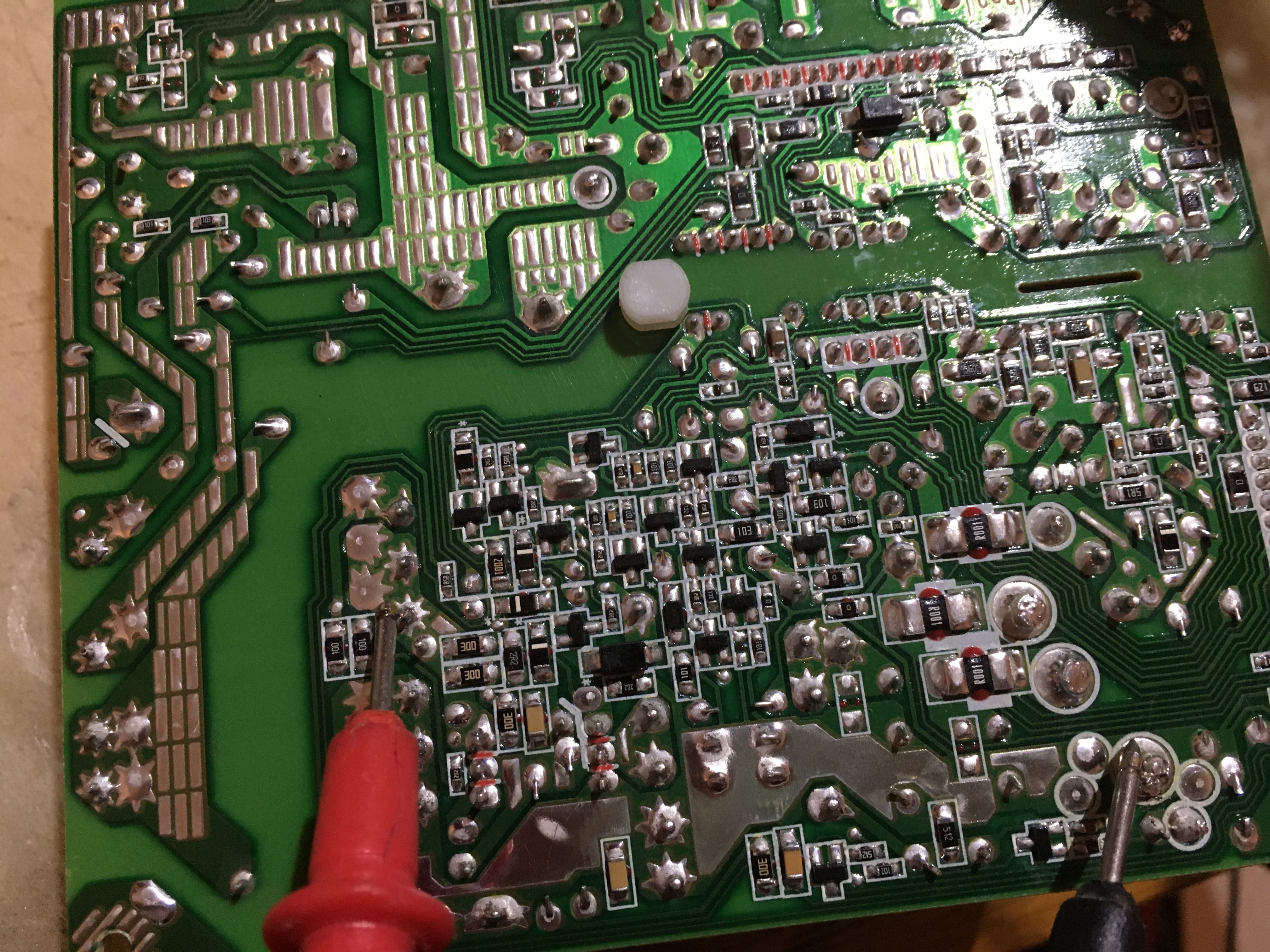
I tested following your instructions, but I'm attaching some photos of the setup because I can't find any voltage and I want to be sure it's not me but the transformer.
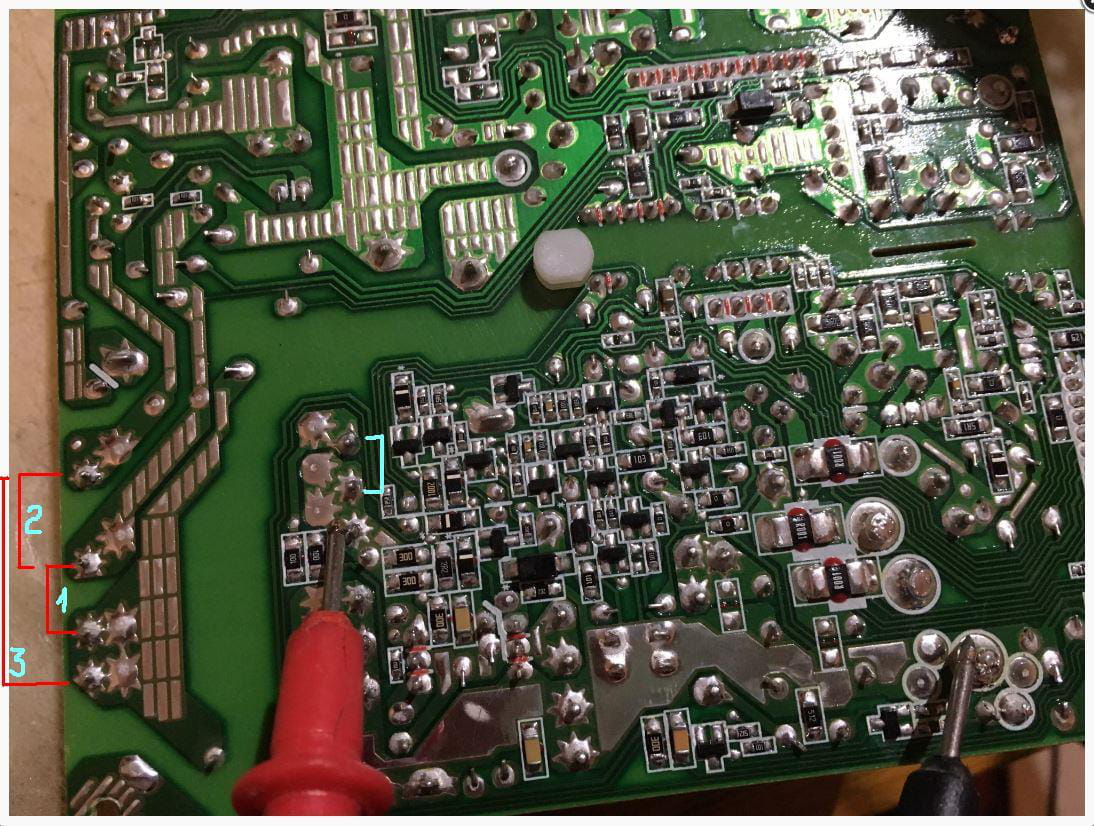
If I'm not mistaken, the primary winding is on the left (so the input) and the secondary is on the right (the output), so I tested ALL the points of the output (in red) with the ground on the point where they are grouped, although I believe that the 3 points at the bottom of the transformer are included, and I find nothing at all.


-
Check if you have power at the primary side by the various points in red 1 - 2 - 3. Normally, I think you should since you have 340 V at the capacitor. But if nothing comes out (in blue), either the primary or secondary winding is cut. At this stage, finding this transformer with the same reference Liteon is nearly impossible.
I have provided a link from CDiscount in response 4, but you can find it elsewhere if you wish. Although the price seems reasonable to me.

See you...
-
-
-
Thank you for this information.
I have already done everything indicated in these tutorials, but it seems that the power supply of my computer is not standard; it is not a block with 20/24 pin connectors. There are 3 connectors and no information on the wire correspondence between color and voltage (except what I have identified on the motherboard of the power supply). I am attaching photos for clarification.

The connectors are only labeled P1, P2, and P3.
-
-
Hello.
Don't bother too much looking for the fault. If it's the input power transistor, usually a 16 Amp MOSFET that has blown, it sells for about €10 to €12 on its own. And there's no telling if there are other components downstream that have also blown. (They don't need to be burnt to be dead.) If it's the secondary transformer, good luck finding it. It's better to buy a refurbished power supply (3-month warranty but expensive).
https://www.cdiscount.com/informatique/alimentation-pc/alimentation-hp-elite-8200-8300-sff-d10-240p1a-611/f-10775-hp3700857078036.html
This is just a suggestion of course, in case you really prefer to repair this power supply.
See you later . . .
--
"Patience leads to success, haste leads to nothing."-
Hello,
Indeed, I was worried I wouldn't be able to find the fault, I really relied on the fuse but it seems to be fine. Do you think the problem could be due to another component of the computer? It would be a shame to connect the "new" power supply and have it fail again. Otherwise, are there any special precautions to take to protect the power supply during installation to prevent this risk?
Thank you very much!- Hello.
<<< Do you think the problem could be due to another component of the computer? >>>
There are several fuses on the motherboard, like micro CMS-1206, and thus undetectable if you do not have the electronic schematic of the said motherboard. Only professional repairers can access these schematics through the manufacturers. But not all components are self-protected and indeed one of them, if it is short-circuited, can affect the power supply and cause it to fail in return.
When the input fuse has blown, one can easily conclude that the power supply has overheated, but since it is not blown here, there remains a doubt. I think you should get a repair estimate done to determine where the fault lies by a technician who is an electronics specialist in computing.
See you...
-
-
Hello.
To check if it is indeed the power supply that is causing the issue, you can monitor these 3 points via the image. But BE VERY CAREFUL !!! Because since it is a switch-mode power supply, you are dealing with voltages higher than 320 volts or more.
Set the multimeter to "600 volts DC" and check the 3 points.
1) The diode bridge on the + and - (+ over 300 V)
2) The capacitor on + and - (+ over 300 V)
3) Check the peaks at the output of the transformer which will have a lower voltage before the regulation stage.

See you...
-
Hello,
I was able to test values of 340v in the diode bridge and the capacitor, but I don't know how to measure the voltages from the transformer. Can you help me?
Thanks again!-
Hello.
Just check at the output of the transformer. Still at 600 V DC. Black lead on the ground (the black cables are usually grouped at a single ground point) and red lead on the pins at the output of the transformer, which is placed just before the 12 V regulator transistors. In principle, the voltage should be around 20 V. If there is no voltage, there will be a problem somewhere with the transformer. And from a distance, I won't be able to help you because the checks are very complex.

See you...
-
-
Hi, have you solved your power supply problem?
Actually, I have the same PC, with a GTX 1050 Ti (which is too wide, lol) and the power supply is not strong enough, so if you found the solution, I'm interested...
Thanks-
Hi, I concluded that the transformer was defective and almost unchangeable since it was specifically designed for HP. I bought a second-hand power supply on Cdiscount and everything works again. Still, make sure to check that the problem comes from the power supply; it would be a shame to buy one for nothing ????.
I hope this helps you.
-
-
Yes, I bought a 240-watt power supply; for my part, the GPU is integrated into the CPU, so I didn't have any issues. Here's an article that explains how to calculate the necessary power of a power supply; I'll let you do your calculations; you might find some answers there. https://www.commentcamarche.net/informatique/composants/1661-calculer-la-puissance-necessaire-d-une-alimentation-de-pc/
-
Hello, were you able to solve your problem? I'm in the same situation as you.
I need to change my power supply due to the acquisition of a new graphics card...
Please let me know if you succeeded.
I currently have a 240w power supply and I need at least 300w. -
Ah ok, what I did was change the HDD position so I have a slightly larger space, so now I'm working on the power supplies that I'm going to test to see if they work, and then I'll take care of the power connectors.