External monitor detected but shows nothing
Solved
ArmB4
Posted messages
52
Status
Member
-
ArmB4 Posted messages 52 Status Member -
ArmB4 Posted messages 52 Status Member -
Hello,
My problem is as follows:
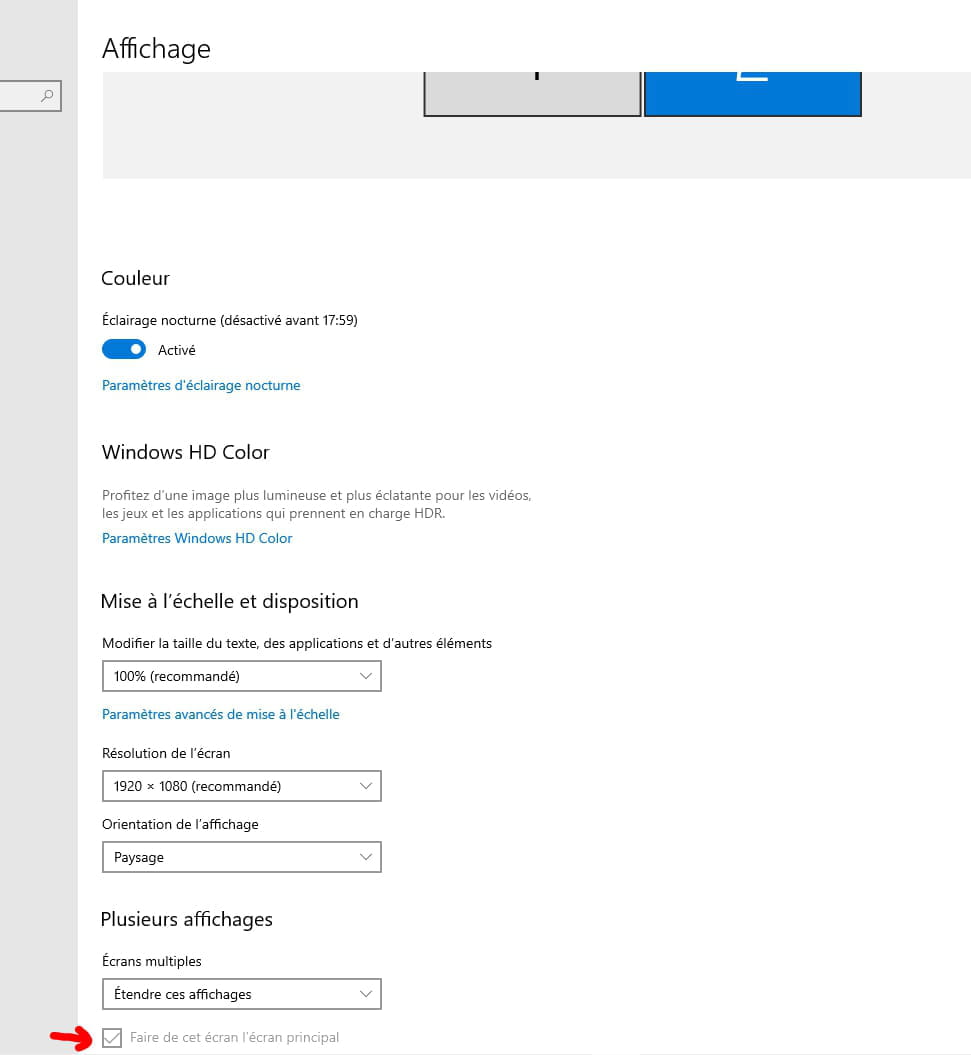
My PC detects when an external screen is connected via the HDMI port, I can choose to duplicate my screen, extend it, etc., however, the screen that is supposed to receive the image remains without a signal.
I own a second laptop of the same brand but older, whose drivers are no longer up to date. Thanks to it, I was able to conduct several experiments and here are my results:
The second laptop can project its screen to all sources where the newer first one has failed, so it's neither a cable issue nor a problem coming from the receiving screens. The old laptop hasn't been updated in terms of graphics drivers for over two years, so it's probably not a graphics driver issue since the newer laptop is up to date but unable to transmit its screen to another source.
I remember that when I did the same thing with the old laptop five years ago (when installing the Oculus Rift), the operation was tricky and I had to modify certain settings following recommendations found on various forums. So my hypothesis is that it works on the old laptop due to those modified settings five years ago.
Of course, I don't remember the manipulations I had to perform at the time of the Oculus installation, so I wouldn't be able to redo them.
For your information, my new PC is an Alienware 17 r4 and the old one is an Alienware m17x.
My problem is as follows:
My PC detects when an external screen is connected via the HDMI port, I can choose to duplicate my screen, extend it, etc., however, the screen that is supposed to receive the image remains without a signal.
I own a second laptop of the same brand but older, whose drivers are no longer up to date. Thanks to it, I was able to conduct several experiments and here are my results:
The second laptop can project its screen to all sources where the newer first one has failed, so it's neither a cable issue nor a problem coming from the receiving screens. The old laptop hasn't been updated in terms of graphics drivers for over two years, so it's probably not a graphics driver issue since the newer laptop is up to date but unable to transmit its screen to another source.
I remember that when I did the same thing with the old laptop five years ago (when installing the Oculus Rift), the operation was tricky and I had to modify certain settings following recommendations found on various forums. So my hypothesis is that it works on the old laptop due to those modified settings five years ago.
Of course, I don't remember the manipulations I had to perform at the time of the Oculus installation, so I wouldn't be able to redo them.
For your information, my new PC is an Alienware 17 r4 and the old one is an Alienware m17x.
Related links:
- my projector only displays my wallpaper
- 2 screens but my PC only detects one!!!
- My USB flash drive is blinking but is no longer detected.
- Second VGA screen detected but remains black.
- My PC starts up but the screen shows "No signal detected".
- PC that won't display anything on the screen and has a red LED light on.
6 answers
-
Hello
it's indeed tedious, as the screen we want to use as the main one is not connected to the output that the graphics card considers as primary
--
Take the time to comment!
A thank you is appreciated.
Mark as resolved if your issue has been solved. I address everyone informally. -
jeannets Posted messages 28401 Registration date Status Contributor Last intervention Ambassadeur 6 603
Yes, but on this PC, it may not be on the list of its services..??
And if I understand correctly, it has never worked; this is the first time you are trying it.
I also believe that this screen key (Fn+F8) does different things if you press it multiple times in succession... But I looked through the manual, and it is indeed this key and nothing else that switches the screen... So if it doesn't work, the reason must be something else...
I think it's important to understand the display of this external screen, its characteristics, the image format definition, color depth, and refresh rate...
The specifications of the graphics card output must be identical or compatible with the capabilities of this external screen...
I believe it's the combination of these two that is not in sync... I even suspect that the PC is displaying an image that is well beyond what the external screen is capable of handling.-
To be honest, I doubt it: I tried connecting a Wacom tablet and a television screen via HDMI cable; the former works with the old PC, but neither displays anything with the newer one.
It is quite surprising that the old generation of Alienware is compatible with devices that didn't even exist when the m14x, m15x, m17x, and m18x series were launched, but that a more recent Alienware is incompatible with devices that are contemporaneous with it.
-
-
jeannets Posted messages 28401 Registration date Status Contributor Last intervention Ambassadeur 6 603
A television is far from having the mentioned performance... Your old PC and a tablet have displays with significantly more modest and more accessible specifications than that TV screen.
As I said, you need to look into the characteristics of your displayed images and lower the settings to make them compatible with your HDMI screen. -
In short, a basic problem that ends up taking a surreal turn.(sic)
--
Take the time to comment!
A thank you is appreciated.
Mark it as resolved if your problem has been solved. I use the informal 'tu' with everyone. -
I plugged an HDMI adapter into one of my USB-C ports, and the PC didn't even detect a second screen. I tried to find updates for the USB port drivers here and there, and 10 minutes after finishing the installation, while I was desperately searching for a solution on forums, my tablet turned on with my screen on it; I don't know how.
So apparently, the HDMI cable connected to a USB-C adapter seems to be working right now.
Anyway, thanks to everyone for taking the time to respond and for trying to help me solve this problem. -
a laptop with a function key to activate an external screen (small nested screen borders)
--
Take the time to leave a comment!
A thank you is appreciated.
Mark as resolved if your issue has been solved. I address everyone informally.-
Fn+F8 in my case just opens a menu that asks if I want the screen to be duplicated, extended, or only centered on the second screen.
Unfortunately, it does not turn on the second screen, at most my cursor ends up disappearing at the edges of my first screen or brings back windows when I try to blindly recover them. -
-