Internet Connection via USB
valttt
Posted messages
321
Status
Member
-
valttt -
valttt -
Hello,
I am unable to have an internet connection when sharing that of my Android smartphone.
I specify that it works perfectly on another computer (Windows 7).
I have no idea how to proceed on my Linux Mint 18 Sarah.
Thank you for your help
Configuration: Linux / Firefox 84.0
I am unable to have an internet connection when sharing that of my Android smartphone.
I specify that it works perfectly on another computer (Windows 7).
I have no idea how to proceed on my Linux Mint 18 Sarah.
Thank you for your help
Configuration: Linux / Firefox 84.0
13 answers
-
Hello,
Normally:- 1 - Connect your smartphone to the PC via USB port
- 2 - Enable USB tethering on your smartphone
- 3 - Click on the network icon in your system's taskbar, and you should see your phone's name there.
- 4 - Enable the connection if it hasn't been done automatically.
--
_______________________________ ☯ Zen my nuggets ☮ _____________________________
Do a favor for the environment, close your windows and adopt a penguin… ???? -
Hello and thank you for your help,
When I click on the network icon in the taskbar, I have 2 options:
- Network settings
- Network connections
I do not see my smartphone in either of them...

-
Yes, it is well recognized and can transfer files if I select this option on the smartphone when it powers on after connecting the USB cable.
-
Hi,
On my other PC running Windows, I never had this kind of question (see below), I connected, shared, and it worked right away...
So yes, I have this option, but I don't know how to answer the questions asked (camera, funding plan, etc...). -
-
Hello,
Zipe31 gave you the right methodology.
The proof on Linux Mint 20:
1 - Sharing the connection on the smartphone (Android 10 here):
https://www.cjoint.com/c/KAwlcmZaRZT
2 - Connection on Mint:
https://www.cjoint.com/c/KAwk7OPJiTT-
-
Hello jns55,
The problem is that his smartphone does not appear in the connection list.
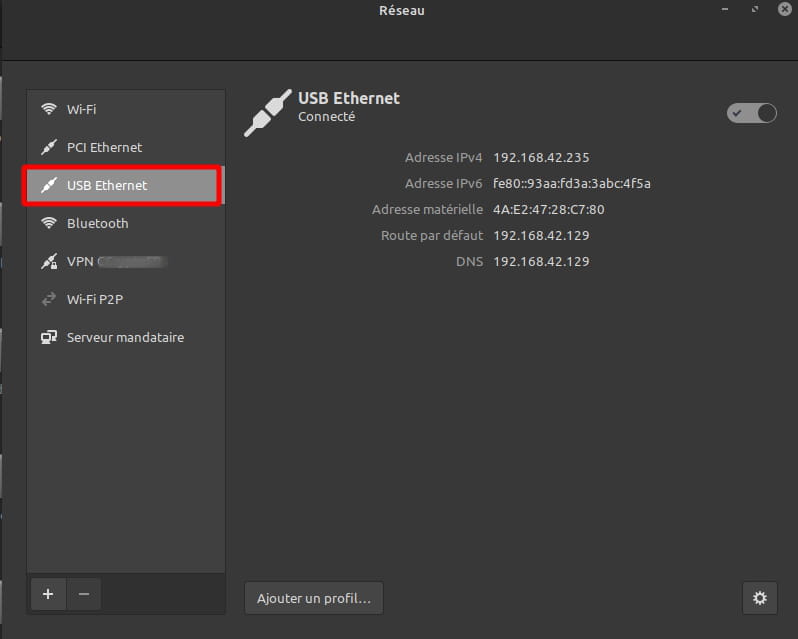
At my place it looks like this:
And in the connection settings:
So there must be an issue elsewhere ;-\
What I would suggest to valttt is to unplug the phone from the PC.
Open a terminal and type:- 1 - the command
dmesg -w
(a lot of lines will scroll) - 2 - at the end, hit <Enter> 4 or 5 times to create some blank lines
- 3 - plug the phone back in
- 4 - enable USB tethering
- 5 - copy/paste here the new lines that show up in the terminal (from the previously created blank lines)
- 1 - the command
-
-
-
Is that all you've got? Even after enabling sharing on your smartphone?
Because at my place, I have this in addition:[26226.284059] usb 1-2: USB disconnect, device number 7
[26226.824327] usb 1-2: new high-speed USB device number 8 using xhci_hcd
[26226.973315] usb 1-2: New USB device found, idVendor=12d1, idProduct=108a, bcdDevice= 2.99
[26226.973320] usb 1-2: New USB device strings: Mfr=1, Product=2, SerialNumber=3
[26226.973323] usb 1-2: Product: RNE-L21
[26226.973326] usb 1-2: Manufacturer: HUAWEI
[26226.973328] usb 1-2: SerialNumber: FFY5T17B21007941
[26227.636206] usbcore: registered new interface driver cdc_ether
[26227.640891] rndis_host 1-2:1.0 usb0: register 'rndis_host' at usb-0000:00:14.0-2, RNDIS device, 4a:e2:47:28:c7:80
[26227.643335] usbcore: registered new interface driver rndis_host
Is your version of Mint up to date?
-
-
Hello, no, I only have this after sharing.
My system is up to date with:apt update
apt upgrade
apt autoremove
-
Indeed, that's not the case for me, which is my concern...
-
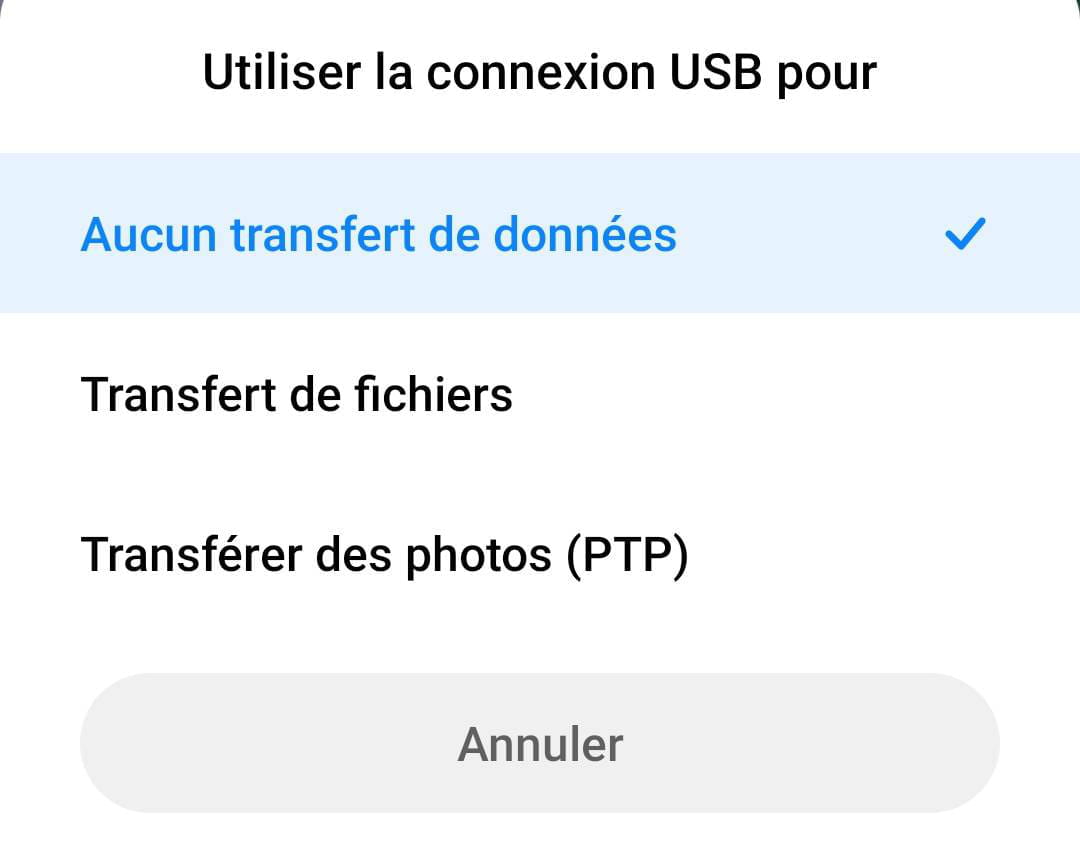
For your information, when I connect my phone, here is what it offers me (before the tethering of course):

It doesn't change anything regarding the choices tried...
If you have any leads, I am open to suggestions ;-)
Thank you -
-
Il existe de nombreux sites pour vérifier la vitesse de l'internet, mais il est vraiment irritant de trouver celui qui fonctionne parfaitement pour vous. Cela a pris beaucoup de temps, mais ça en valait la peine. Après beaucoup de recherches, j'ai enfin trouvé ce site ptcl [url=https://www.speedput.com/]speedput[/url]. où vous pouvez tester divers aspects de votre internet en quelques secondes seulement. C'est mon préféré et je l'utilise depuis longtemps maintenant. Donc, si vous rencontrez un quelconque problème d'internet, vous devriez définitivement visiter ce site.
-
Thank you for your response, but I don't have a speed issue; I have an access issue (Android smartphone > USB > PC).